Help Center / New products
Use Slate Signals from Claude and other AI tools
Connect an AI assistant to Slate, then ask it to read a business the way Slate does and send the ones worth backing to a Slate underwriter.
10 min read · Updated November 10, 2026
Slate Signals lets your team ask an AI assistant about a small business, such as "Is Prairie Auto Repair a good fit for capital?" The assistant asks Slate. Slate reads the business the way it would before funding one, and answers in plain words.
You use Signals in your AI tool, not in the dashboard. This article is for your team. Business owners have their own, shorter set of abilities, which it doesn't cover. The dashboard only has two parts: the sign-in and Allow screens, and API keys.
What you can ask
Slate gives your assistant nine abilities. You don't pick them. You ask in your own words and the assistant chooses.
- Analyze a business: how it is doing, how much cash runway it has, whether it fits Slate capital today, and whether it needs capital: when, how much, and why.
- Read a whole book of businesses: reads a merchant list and picks the few worth a closer look.
- Get a business's latest read: the most recent answer Slate has for one business.
- List analyzed businesses: your businesses, newest first. You can filter to those that need capital, are growing, are declining, or fit.
- List every business in the account: everyone in your Slate account, and whether Slate already has their bank data.
- Get an upload link: a link where someone uploads a file straight to Slate.
- Send a business to a Slate underwriter: asks Slate for an offer for a business.
- Follow a capital request: shows where that request stands.
- Plan and usage: your plan, and how many businesses you have analyzed this month.
Connect your AI tool
There are two ways. Most teams use the first.
Connect by signing in
You'll need a Slate dashboard login and an AI tool that supports custom connectors, such as Claude or ChatGPT.
Add Slate as a connector
In Claude, open Settings, then Connectors, then Add custom connector. Name it Slate and paste Slate's connector address. It ends in /mcp. Your Slate contact has the full address for your account.
In ChatGPT, add a custom connector with the same address.
Ask your first question
The first time you ask, your AI tool opens Slate's sign-in page.
Sign in
Type your work email, then select Log In. Enter your password on the next screen, the same one you use for the dashboard.
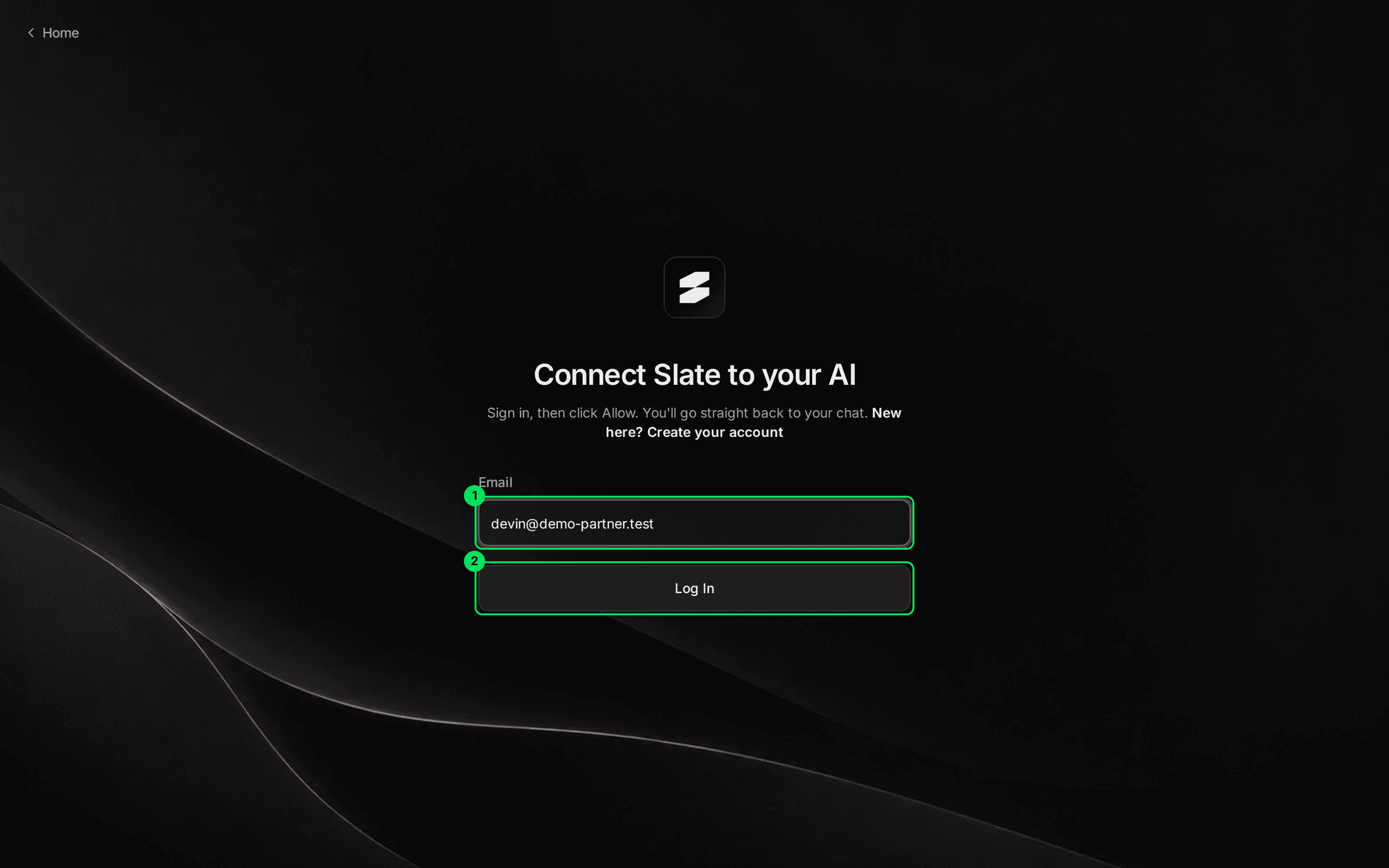
- Email: your Slate dashboard email.
- Log In: continues to your password.
Select Allow
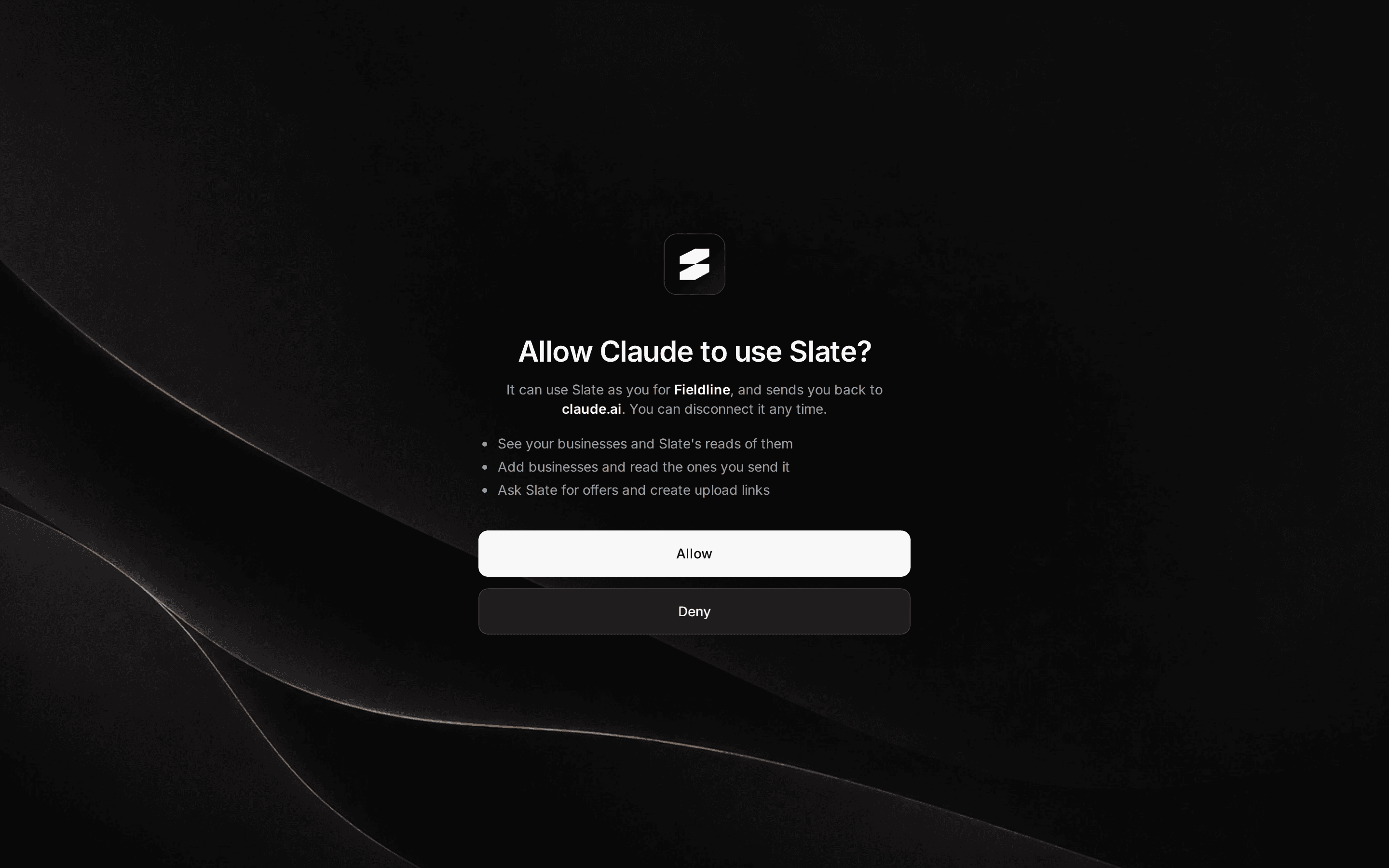
Slate asks if you want to allow your AI tool. It names the tool and your company. It lists what the tool can do. It also shows the website you'll go back to.
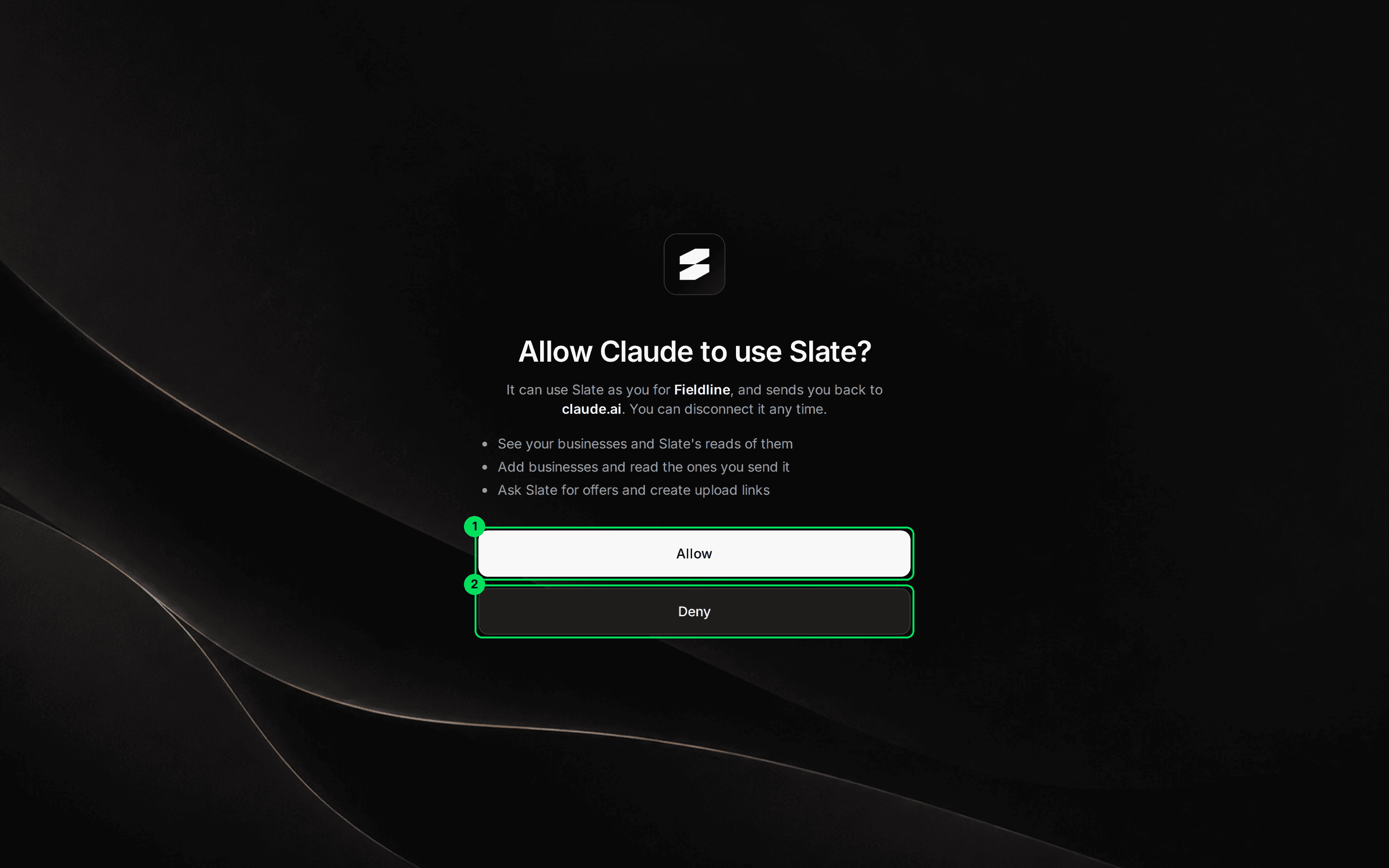
- Allow: connects the tool. You go straight back to your chat.
- Deny: connects nothing.
The tool can use Slate as you, for your company. For a partner, that means it can:
- See your businesses and Slate's reads of them.
- Add businesses and read the ones you send it.
- Ask Slate for offers and create upload links.
If the screen says This request has expired. Start again from your AI app., go back to your AI tool and ask again.
Connect with an API key
Use this when your developers connect Slate to your own assistant, or when your tool lets you send a header. The key is a password your systems use to talk to Slate.
Create a full-access key
Select Developers in the menu, then API keys. Select Create API Key, then Full access.
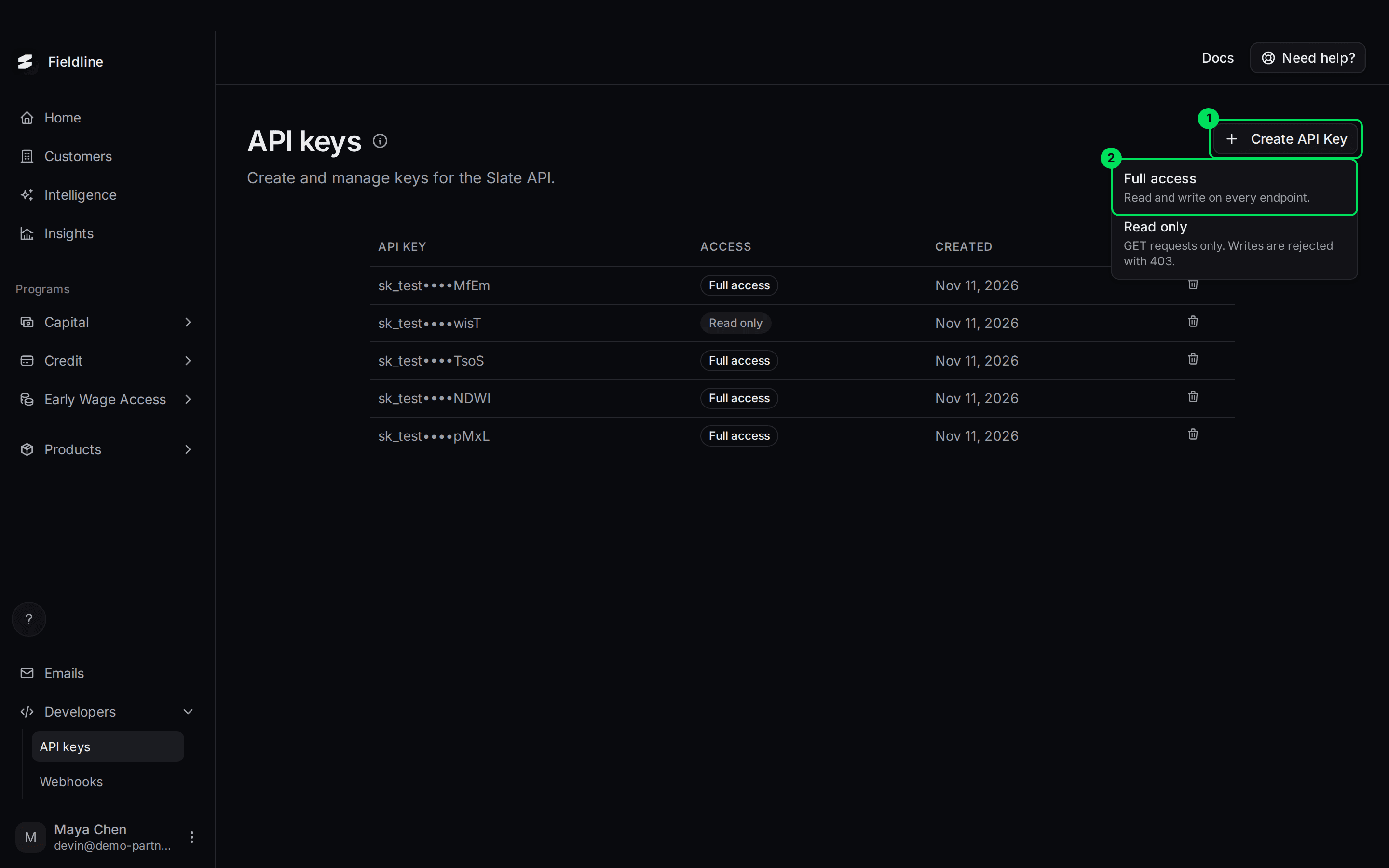
- Create API Key: opens the menu.
- Full access: the key your assistant needs.
Copy the key now
Slate shows the key once. Store it somewhere safe. See Create and manage API keys.
Send it in the x-api-key header
Point your assistant at the same connector address, and send the key in the x-api-key header.
Only a private key (it starts with sk_) with full access works. A read-only key, or a public key (it starts with pk_), is refused with: This API key can't use Slate's MCP server: send a private (sk_) key with full access.
Ask your first question
Try these. Replace the names with your own businesses.
- "Which of my businesses could use capital in the next three months?"
- "Read Prairie Auto Repair. Does it fit Slate capital today?"
- "List my businesses that are growing."
- "Give me a link to upload my merchant list."
- "Send Prairie Auto Repair to a Slate underwriter, and tell them the owner asked about equipment."
- "Where is the request for Prairie Auto Repair?"
What an answer contains
For one business, Slate returns these parts. Your assistant puts them into words.
- Trajectory: growing, steady or declining, with the change in revenue over three months.
- Cash: the cash runway in months, and whether the balance is rising or falling.
- Capital need: whether the business needs capital, and when, how much and why. It is empty when Slate can't tell.
- Flags: risks worth knowing.
- Fit: fits, close or not yet, with at most two reasons and a next step. For example, "There's only a short history so far. Send more months for this business."
- Underwriting: for a business that has applied, where Slate's review landed: yes, reviewing or declined.
- Data quality and sources: where each figure came from, and what would sharpen the read.
Slate does not explain how it underwrites, and it tells your assistant not to guess. If you ask why, you get the reasons Slate returned and nothing more.
Give Slate better data
Slate's most reliable source is the business's bank data, which Slate holds for businesses that connected a bank. For others, you can send a file.
Slate needs at least 3 months of numbers to read a business. Six or more is better.
Ask your assistant for an upload link
Say, for example, "Give me a link to upload my merchant list." The assistant gets a link from Slate and shows it to you. The link works for 30 minutes and takes one file.
Open the link and choose the file
The page says Send a file to Slate. Choose the export exactly as you downloaded it, as a CSV file. It goes straight to Slate, not through any AI.
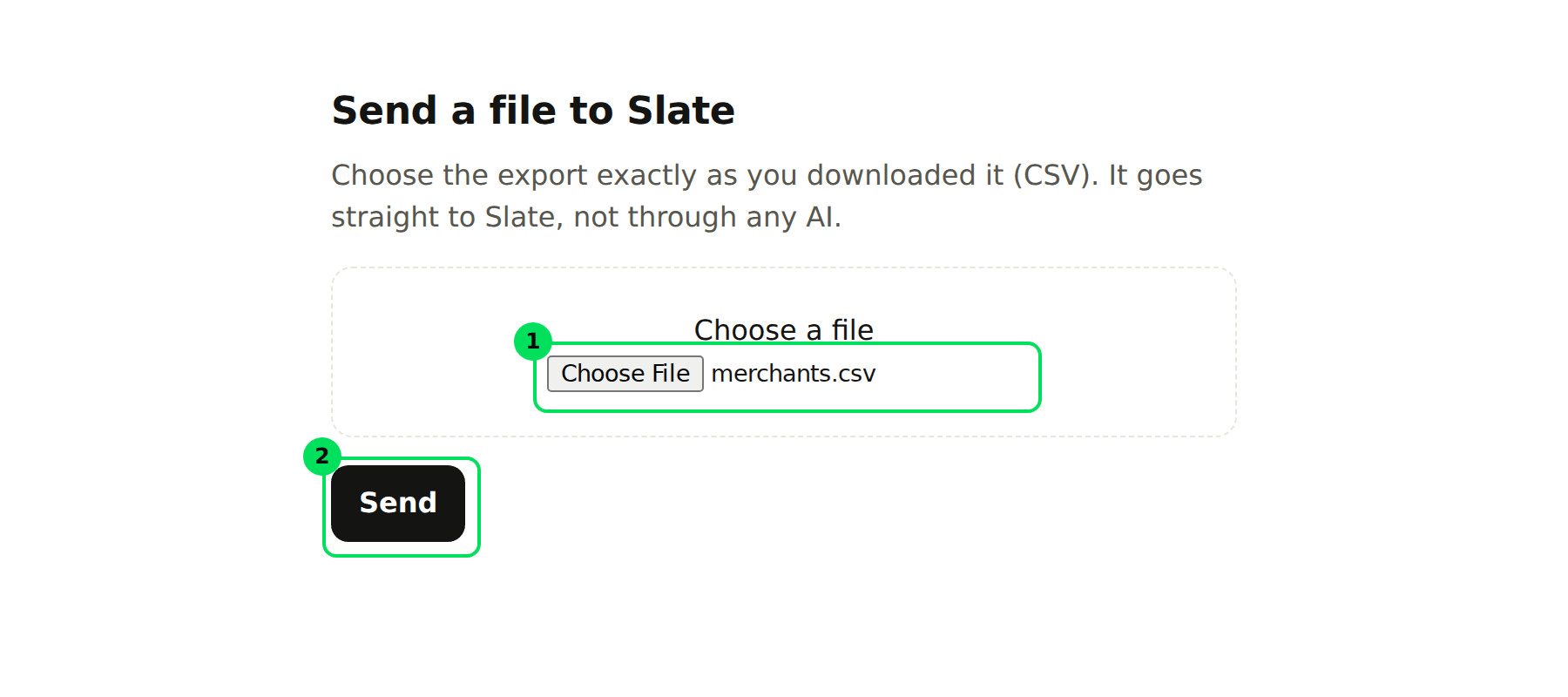
- Choose a file: pick your CSV.
- Send: uploads it.
Check the confirmation
A green message says what Slate received, for example how many months and businesses.
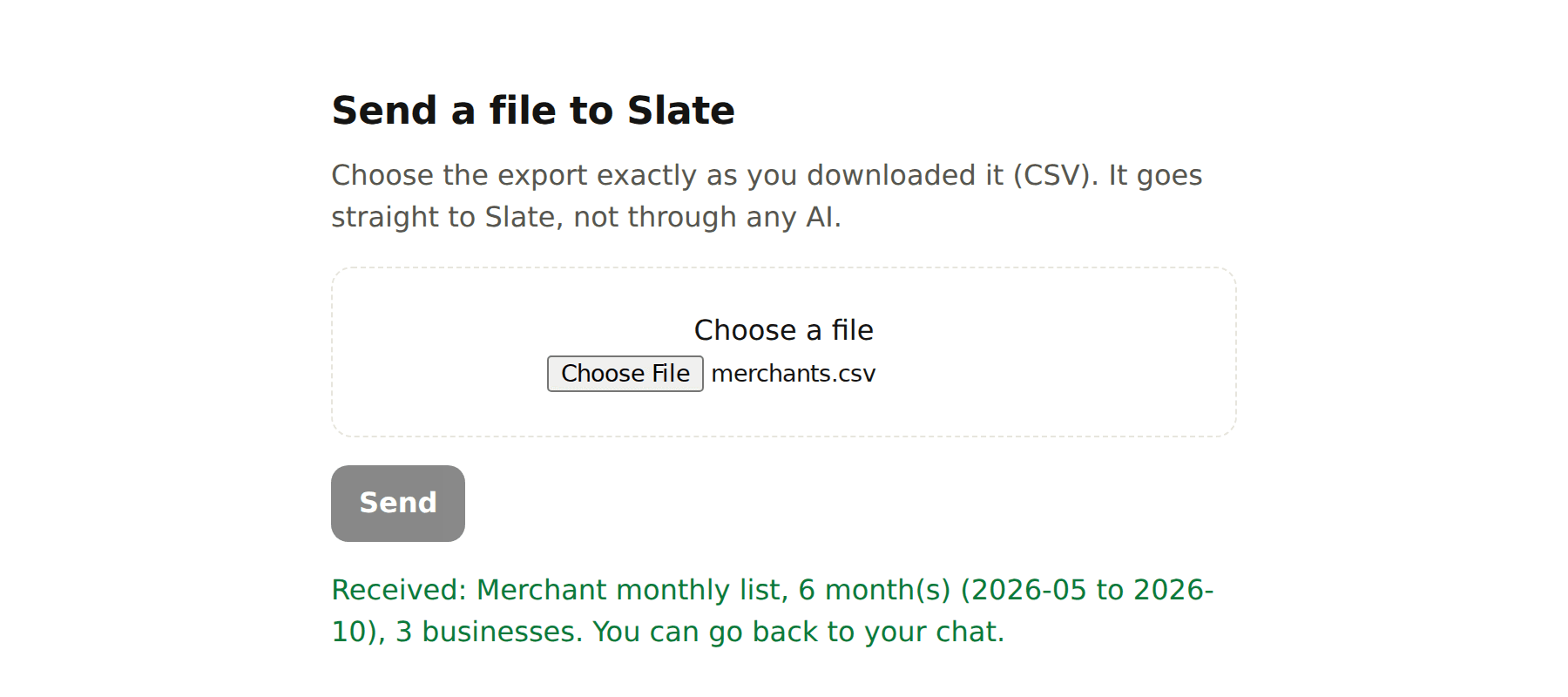
Go back to your chat
Ask your assistant to read the list. It reads the list Slate now holds and tells you which few businesses are worth a closer look.
A merchant list can hold up to 100,000 rows.
Send a business to a Slate underwriter
When a business looks worth backing, ask your assistant to send it. Slate's underwriter reads it, with a note from you if you add one.
- Nothing reaches the business until Slate says yes.
- This needs a commercial agreement with Slate. Without one, Slate tells your assistant where to sign.
- Slate has to have sized an amount for the business first. If not, there is nothing to request.
Then ask how it's going. The stage is one of:
- Not requested: you haven't sent it.
- In review: with a Slate underwriter.
- Needs info: Slate needs more from you.
- Declined: Slate said no.
- Said yes: Slate said yes.
- Offer ready: the offer is ready. Open the application from your Slate dashboard to send the business its link.
- Offer expired: the offer ran out.
- Applying, Underwriting, Application said yes: the business is working through its application.
- Funded: the money has gone out.
- Closed: finished.
Check your plan and limits
Ask your assistant for your usage. It shows your plan, the businesses you have analyzed this calendar month, and whether capital offers are open.
- Free plan: up to 100 different businesses a month. Slate says paid plans with more are coming.
- With a Slate agreement: no monthly limit on businesses.
- Reads per hour: up to 60 across your account.
- Whole-book reads: up to 3 a day on the free plan, 20 a day with an agreement.
- Calls: up to 120 a minute for each account.
Stop an AI tool from using Slate
- API key: delete the key in Developers, then API keys.
- Signed in: remove the connector in your AI tool, or ask your Slate contact.
Use Signals from your own code
Developers can use the same abilities over REST. Requests use your private key in the x-api-key header.
POST /v1/intelligence/businesses/analyze: analyze one business.POST /v1/intelligence/portfolio/analyze: read a whole book.POST /v1/intelligence/upload-links: get an upload link.GET /v1/intelligence/businesses: list analyzed businesses.GET /v1/intelligence/businesses/{externalId}: the latest read for one business.POST /v1/intelligence/businesses/{externalId}/offer-requests: send a business to an underwriter.GET /v1/intelligence/businesses/{externalId}/offer-status: follow that request.GET /v1/intelligence/account/businesses: every business in your account.GET /v1/intelligence/usage: plan and usage.
If something goes wrong
"Signals isn't on for this organization"
Signals is off for your account. Ask your Slate contact to turn it on.
"Sign in with Slate, or send a Slate private API key in x-api-key"
The connector had no valid sign-in. Connect again, or check that your key is private (sk_) and has full access.
"Slate is paused for a few minutes"
Signals is paused. Try again shortly.
"This account has read its 100 businesses for this month"
You reached the preview limit. It resets next calendar month. Ask your Slate contact about a Slate agreement.
"Too many reads" or "Too many calls"
You hit an hourly or per-minute limit. Wait, then try again.
"Slate needs at least 3 months of numbers"
Slate doesn't have enough history for that business. Upload its monthly figures or transactions, or wait until it has more months.
Learn more about Slate Signals.
Still stuck? Email [email protected] with your account email and the screen you are on. We reply within 24 business hours.