Help Center / Products you embed
Credit Line Experience: the whole credit line on one screen
The Credit Line Experience shows the banner with the available credit on top, and every draw underneath. See all nine states.
4 min read · Updated November 10, 2026
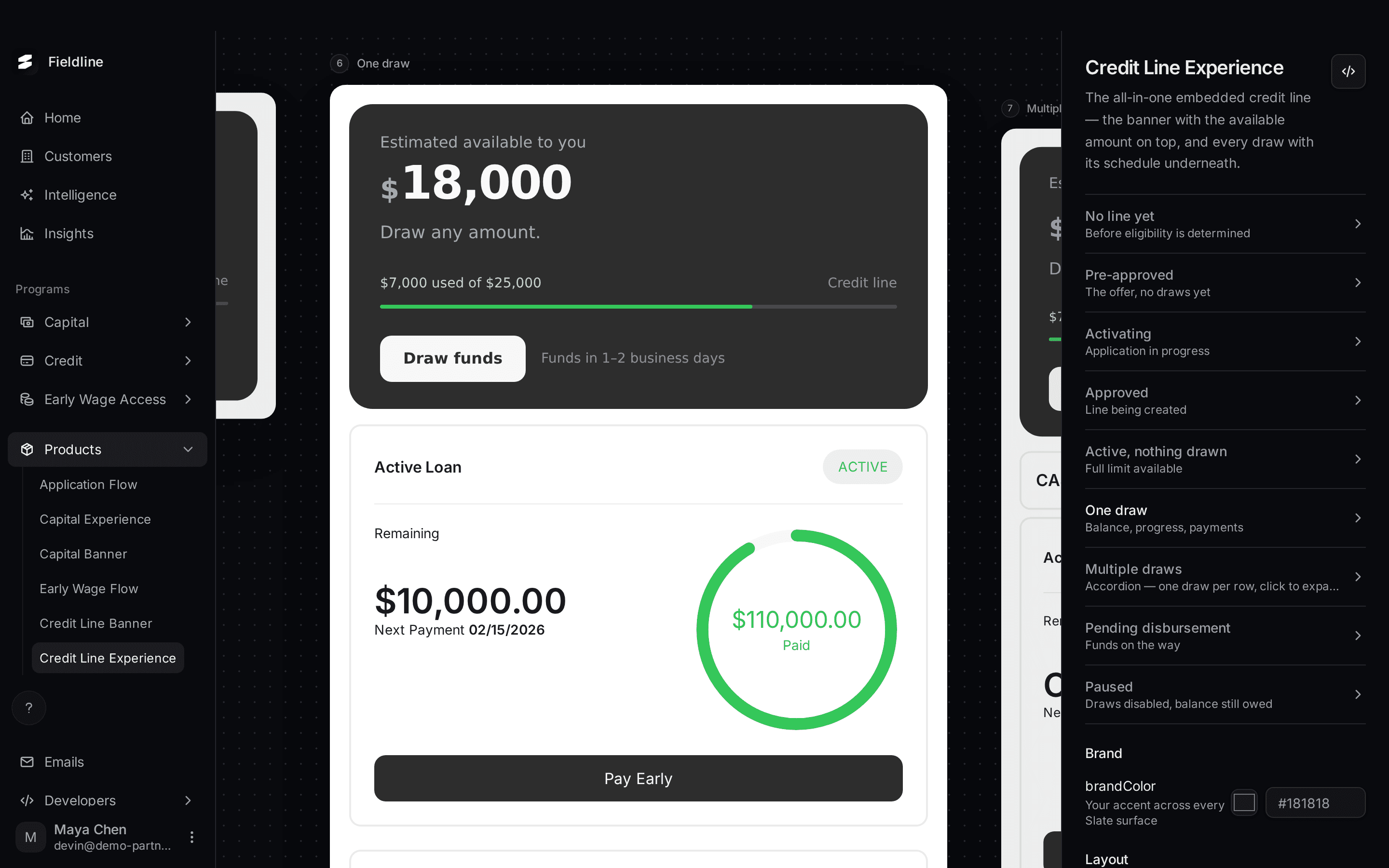
The Credit Line Experience is one component for the whole credit line. The Credit Line Banner sits on top with the available amount. Under it, every draw is listed with its payment schedule.
You'll find it under Products > Credit Line Experience. It only appears if Slate has set up a credit line for your account.
Open the preview
Open Credit Line Experience
Select Products in the menu on the left, then Credit Line Experience.
Select a state
Select a name in the list on the right. The page may open on a state in the middle of the list. Each name has a short line under it that says what it shows.
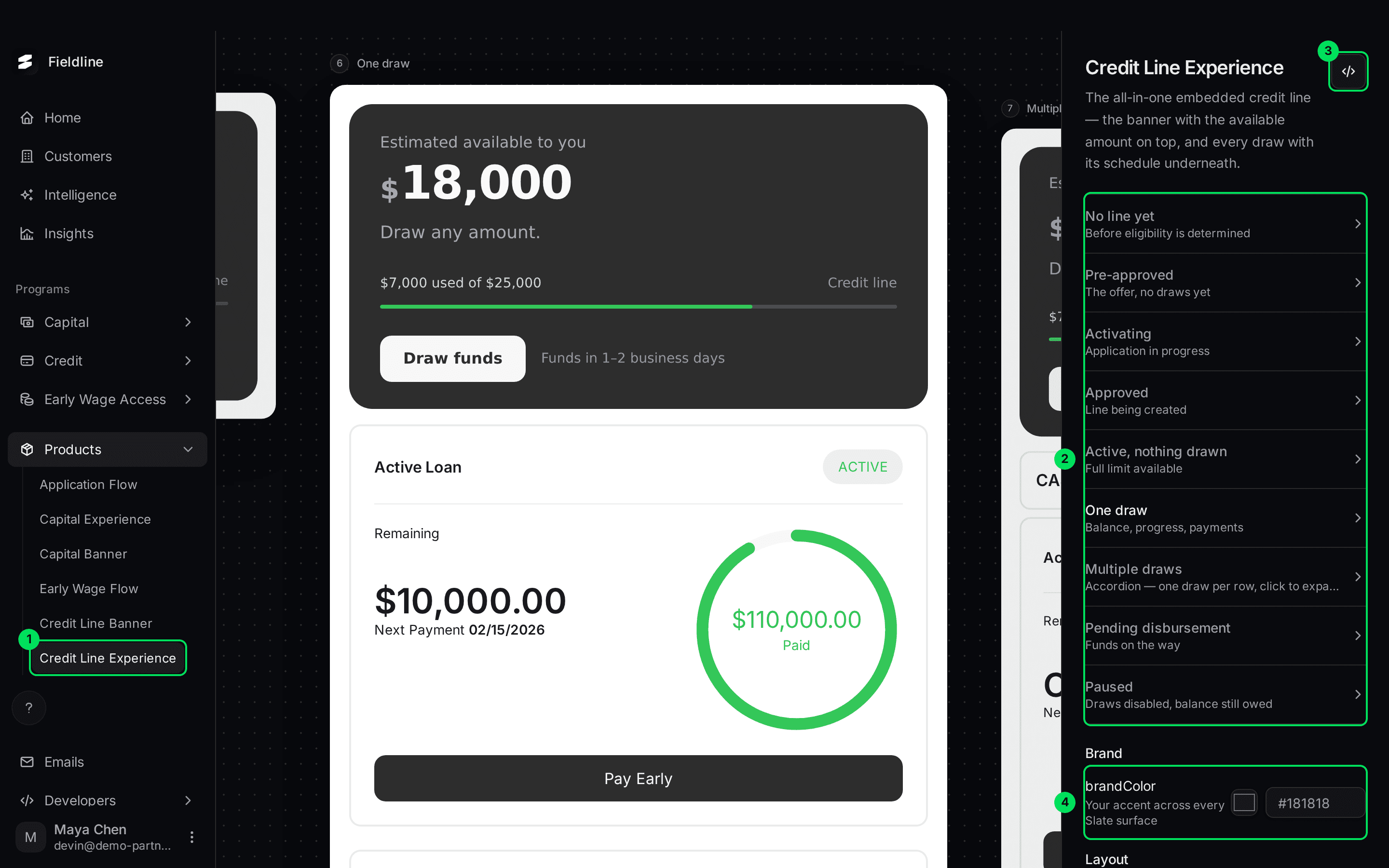
- Credit Line Experience in the Products menu.
- The list of nine states.
- The Embed code button, shown as
</>. - The brandColor setting. The colour settings continue below it.
The nine states
No line yet
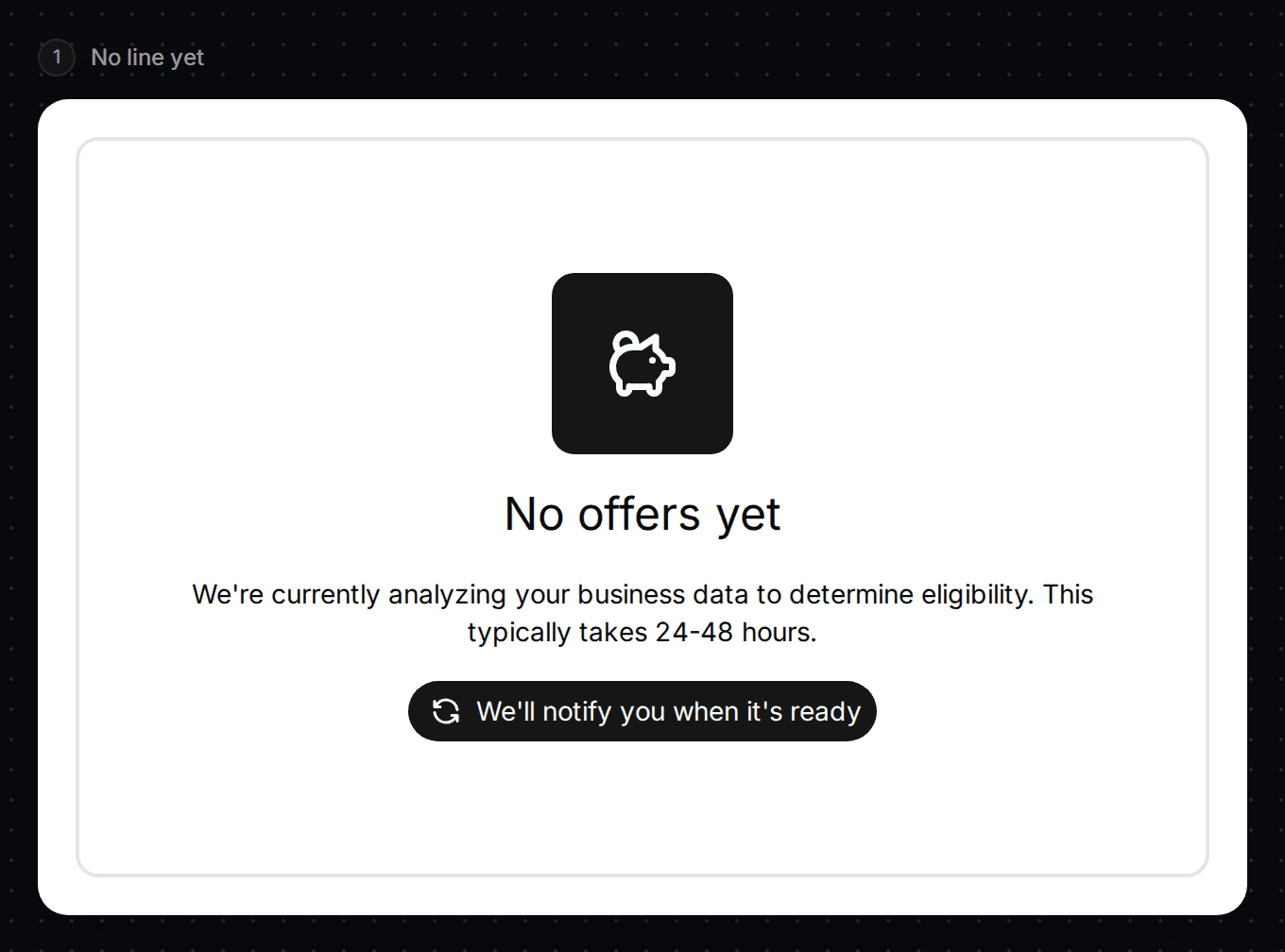
Shown before Slate has decided. The customer sees "No offers yet" and a note that checking usually takes 24-48 hours.
Pre-approved
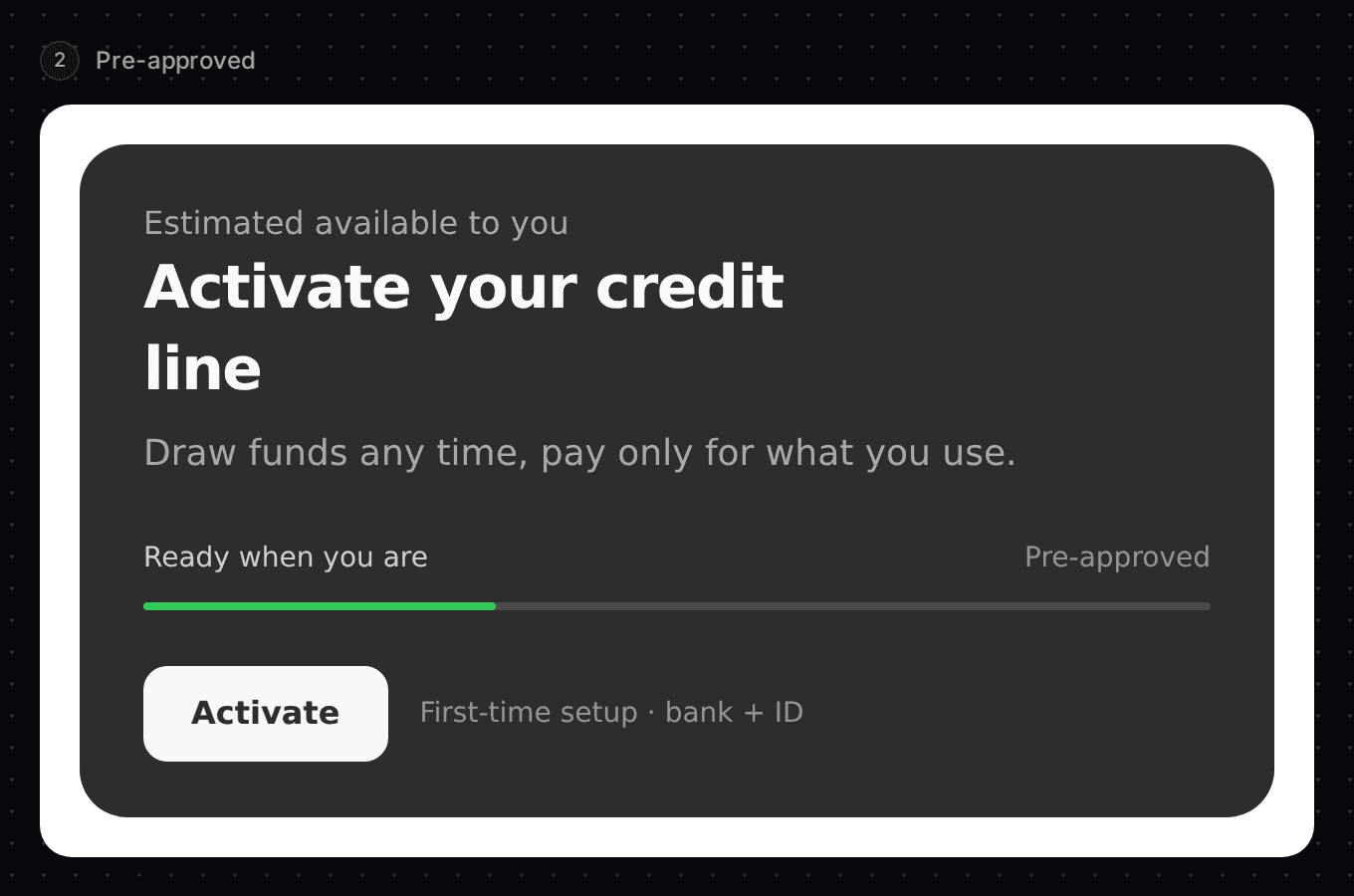
The offer is ready and there are no draws yet. The banner says "Activate your credit line". The button is Activate.
Activating
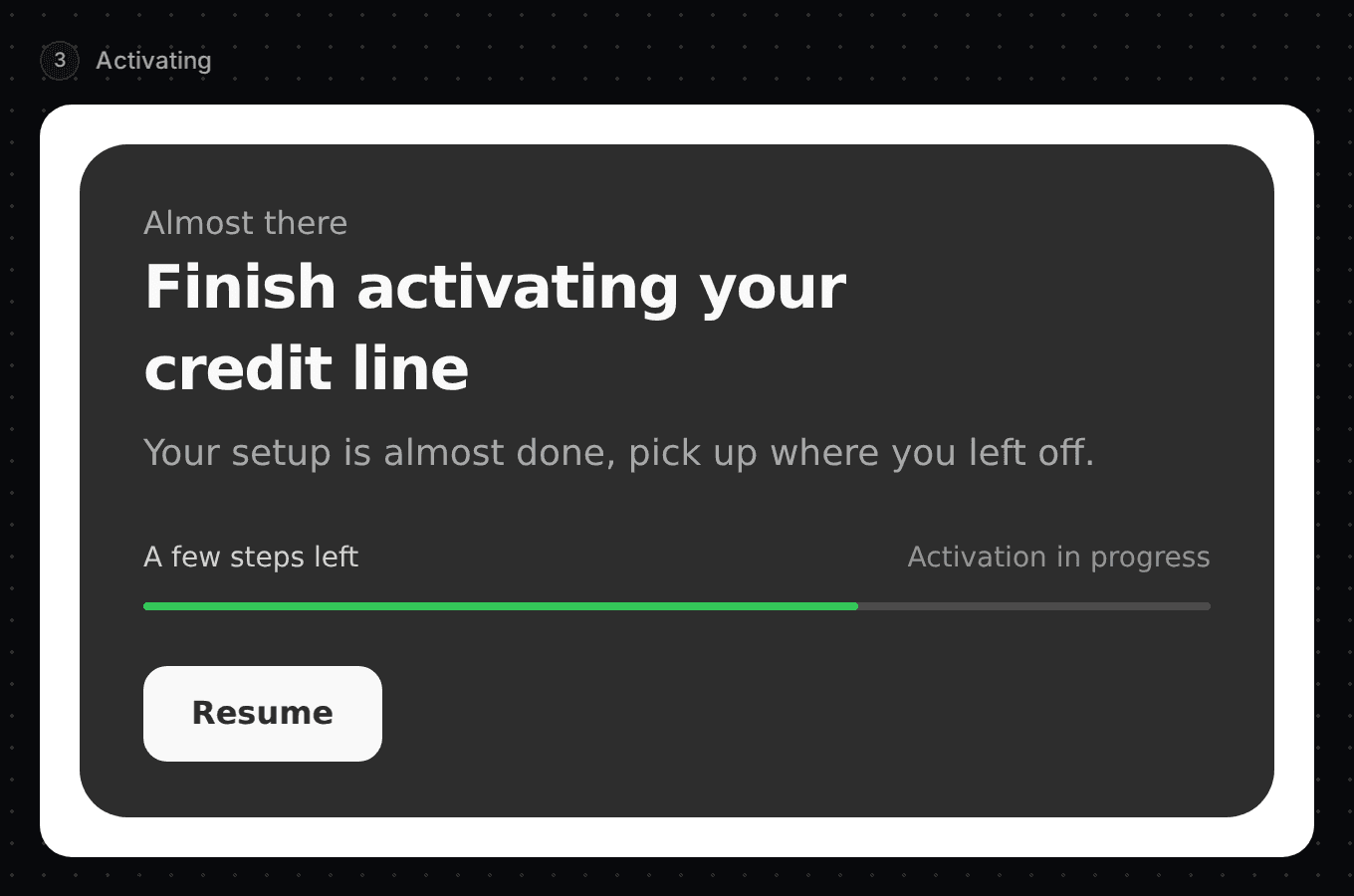
The customer started activating. The banner says "Finish activating your credit line" with a Resume button.
Approved
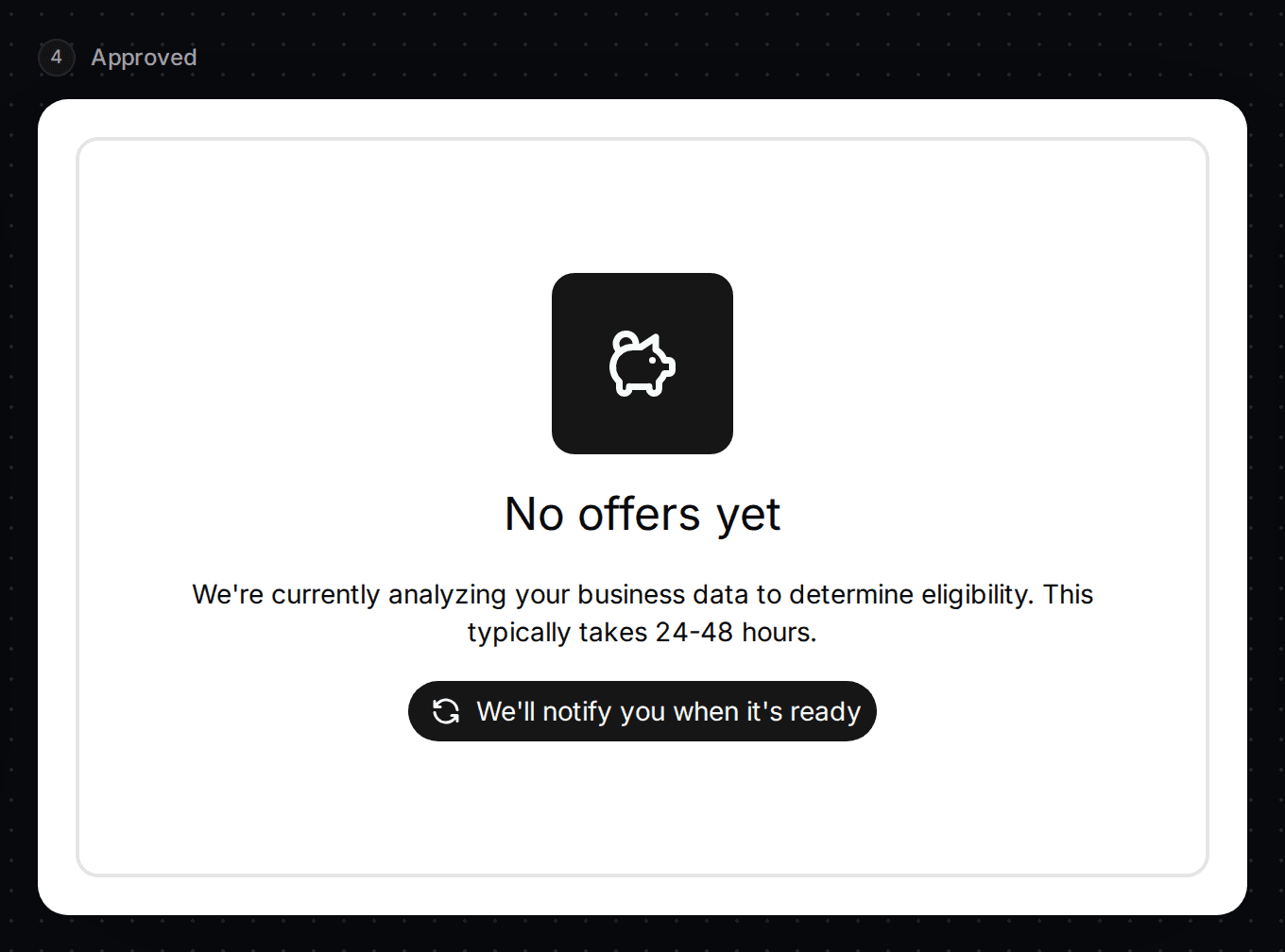
The line is approved and being created. In the preview this currently shows the same "No offers yet" screen as the first state.
Active, nothing drawn
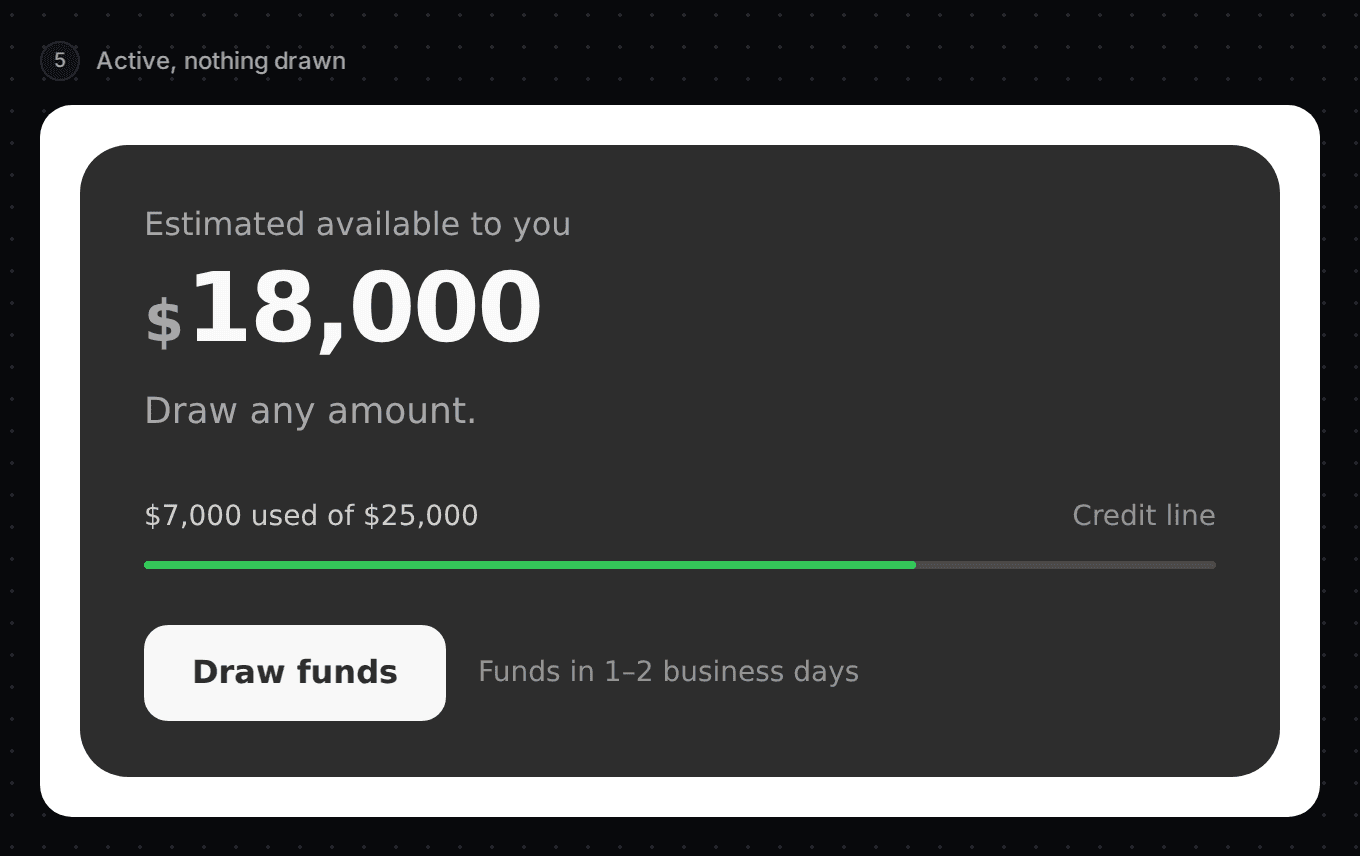
The line is open and the full limit is available. The banner shows the available credit and Draw funds.
One draw
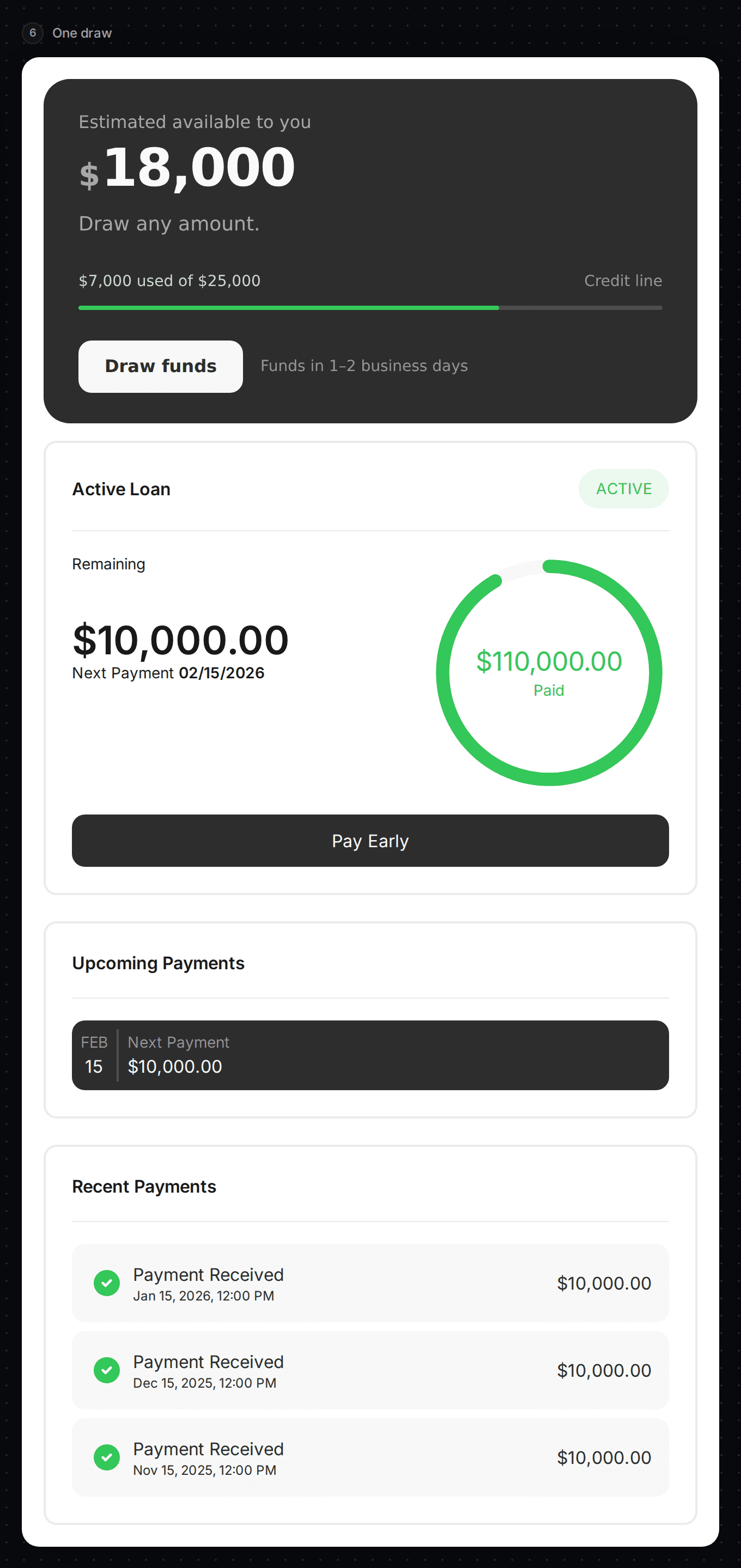
The banner shows what is left to use. Below it, one draw shows its balance, progress ring, Pay Early button, upcoming payments and recent payments.
Multiple draws
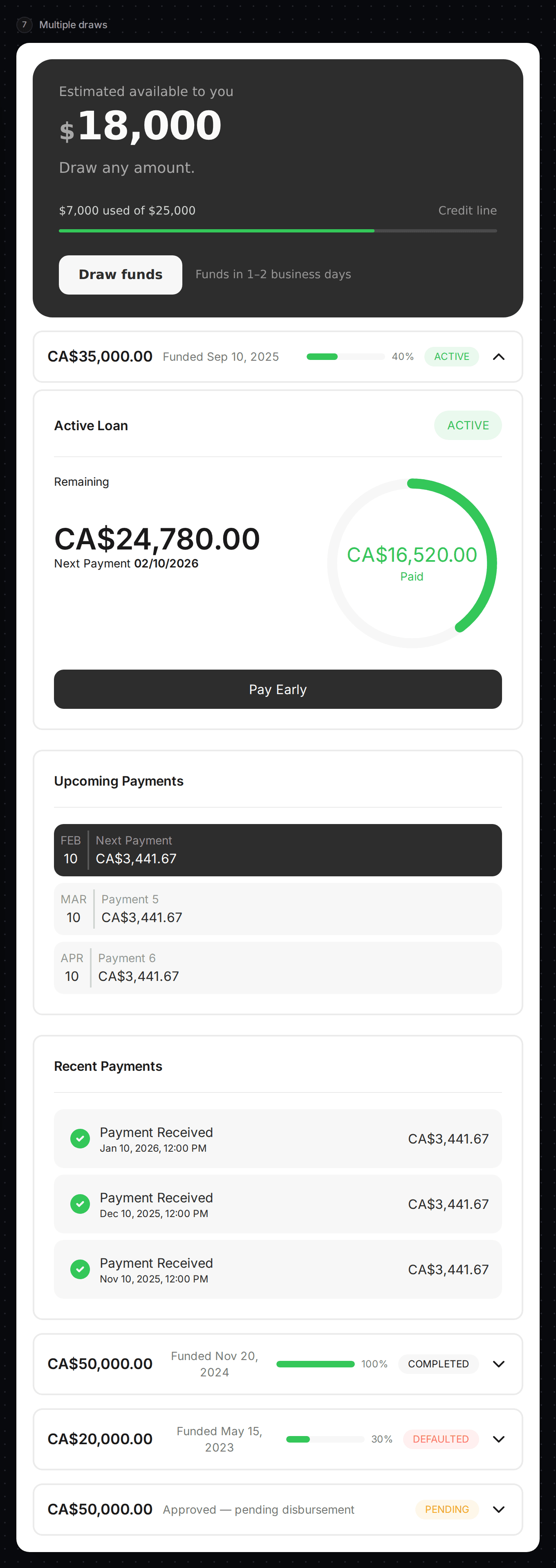
Each draw is a row. The first row is open. The other rows show the amount, funded date, progress and a status tag. Select a row to open it.
Pending disbursement
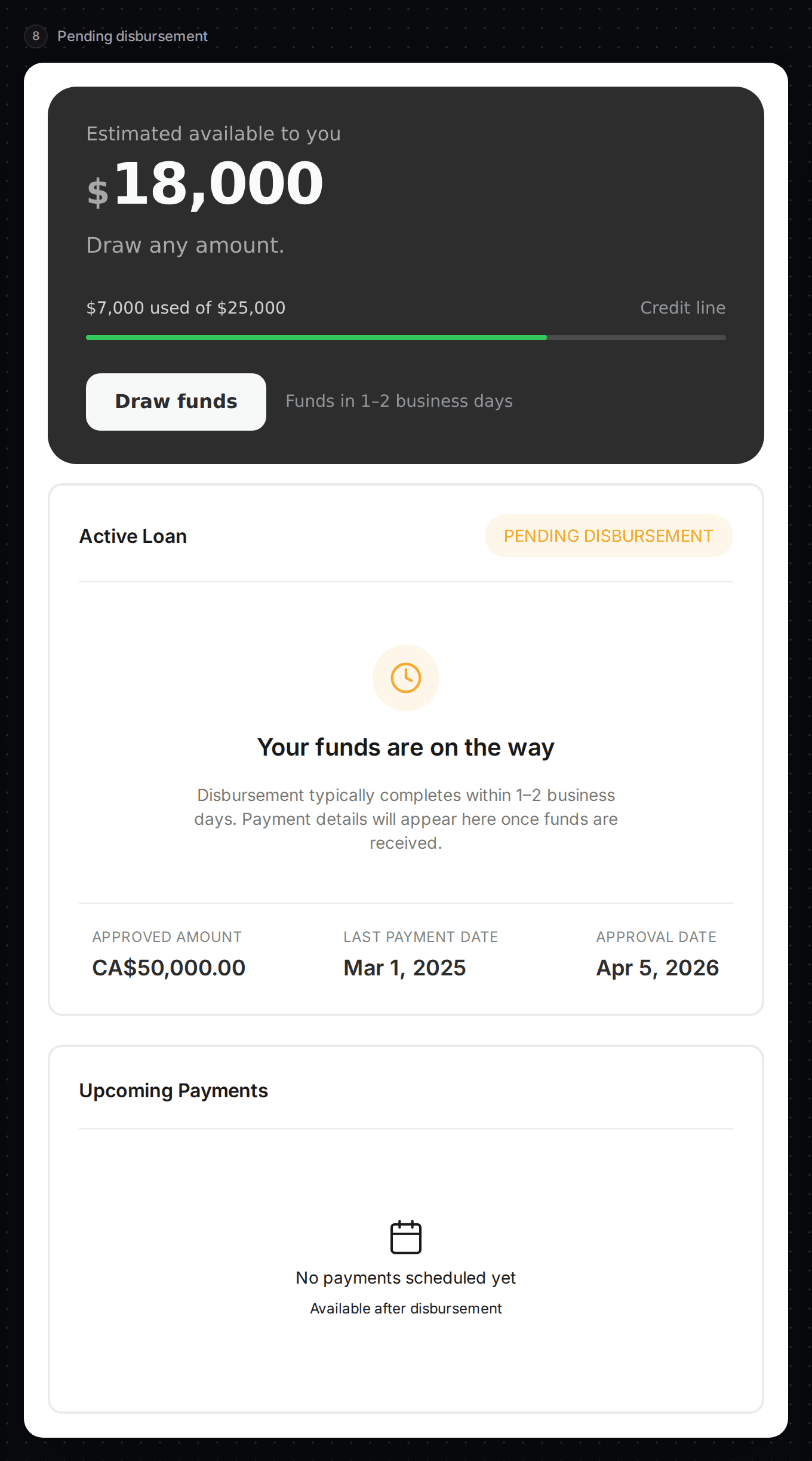
A draw was approved and the money is on its way. The draw card says "Your funds are on the way" with the approved amount and dates.
Paused
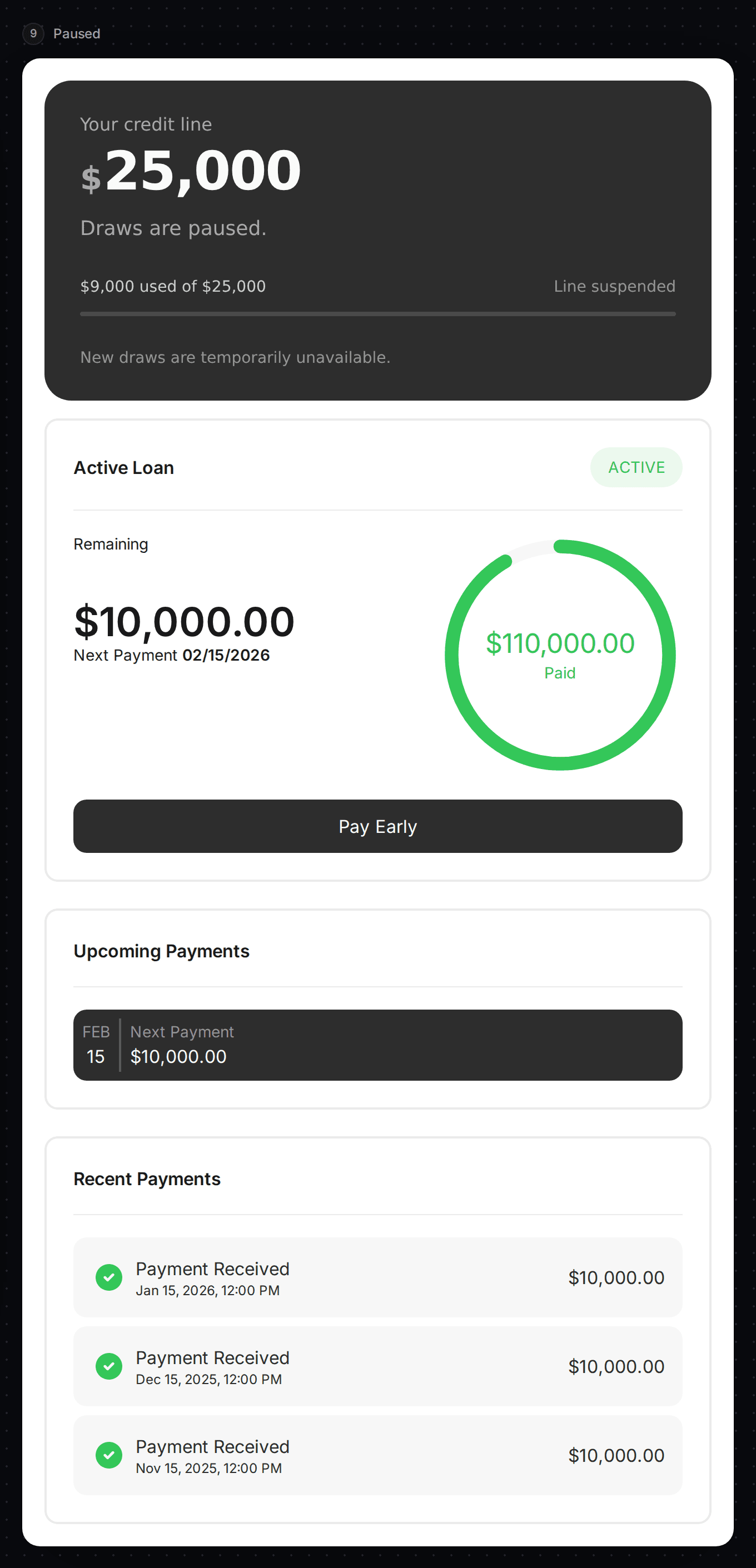
The line is suspended. The banner says "Draws are paused." The draws underneath still show what is owed.
Capital and credit line together
A customer can hold both a capital advance and a credit line. Each dashboard shows only its own. The credit line version lists the line's draws instead of capital advances.
Set the colours
The bottom of the right-hand column holds the full set of colour settings, the same ones as on Capital Experience.
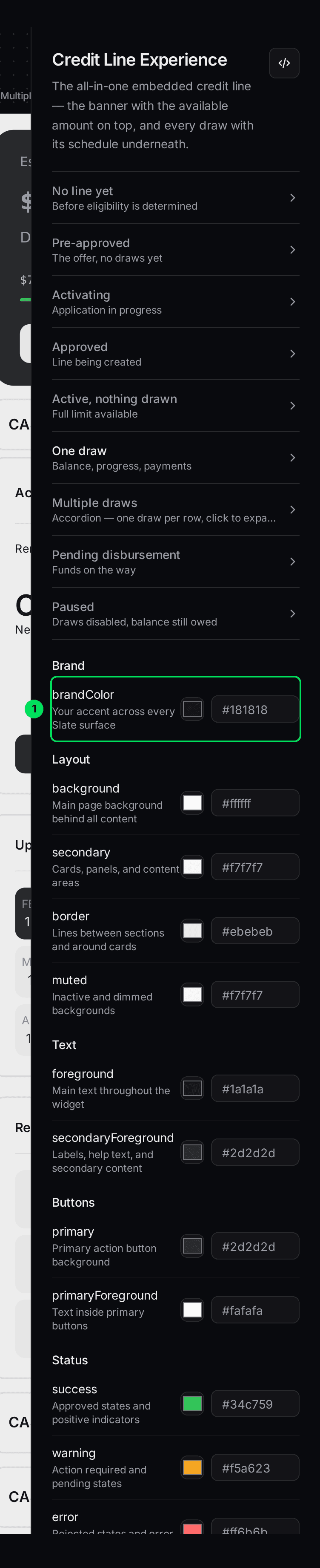
- brandColor: your brand colour.
- Publish theme: saves your colours.
The palette is saved once for your account. See Match Slate to your brand colours.
Embed it on your site
Open the embed panel
Select the </> button at the top of the right-hand column.
Copy the code
Copy section 1 to your server and section 2 to your page. The tag is slate-capital with the extra option product="credit-line". See How the products you embed work.
<slate-capital env="sandbox" user-token="TOKEN_FROM_YOUR_SERVER" product="credit-line"></slate-capital>
The same component powers capital and credit line. The option product="credit-line" swaps the offer banner for the credit line banner and lists draws instead of advances.
If something goes wrong
The menu doesn't show Credit Line Experience
It appears only for accounts with a draw credit line.
Customers see "Something went wrong"
Ask your server for a new session token and reload the page.
Learn more about how Slate goes into your product.
Still stuck? Email [email protected] with your account email and the screen you are on. We reply within 24 business hours.