Help Center / Customers
Intelligence: customers who may need capital now
Read the Intelligence page: the opportunities Slate spots in your customers' data, how sure Slate is, and when to act.
3 min read · Updated November 10, 2026
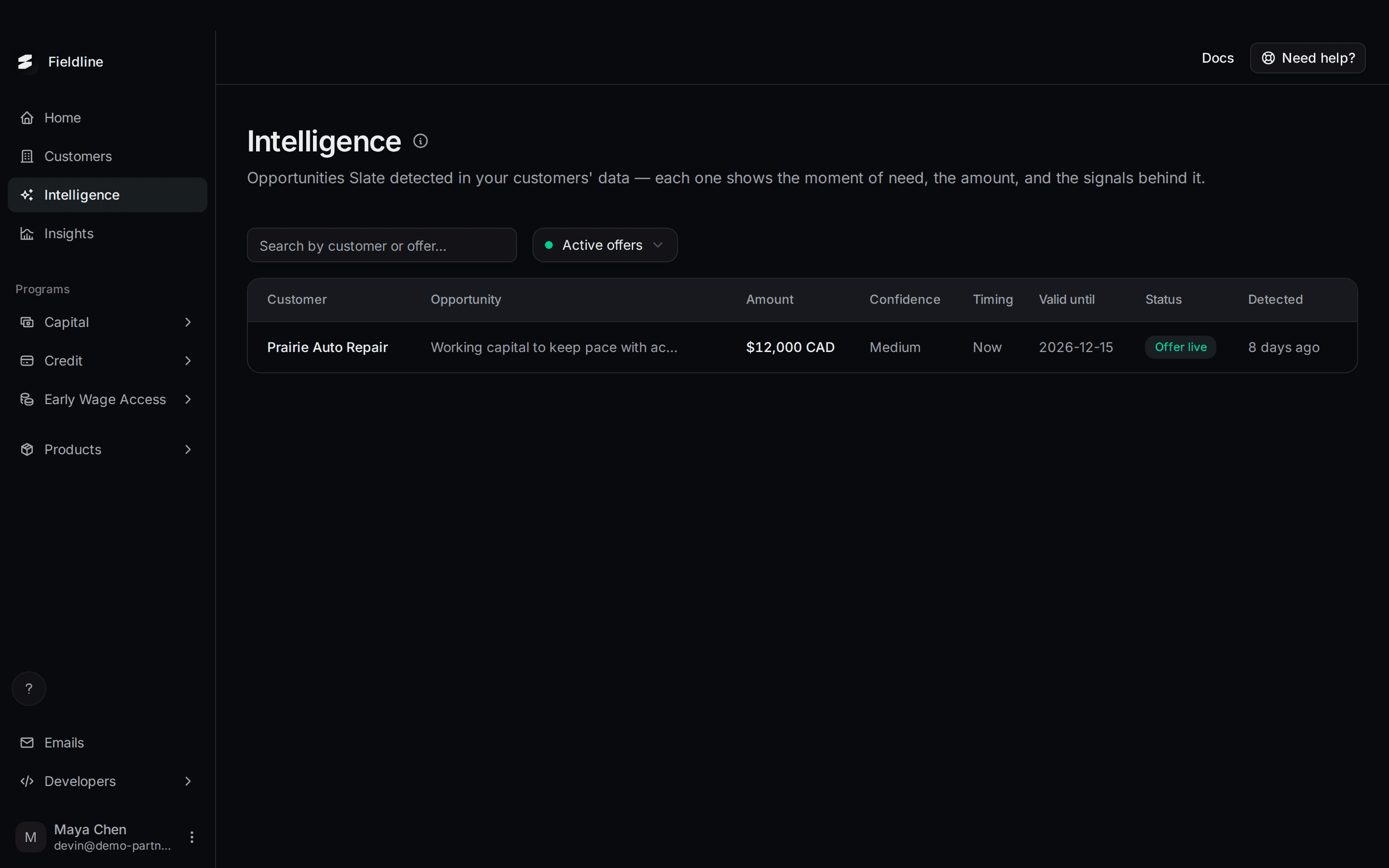
Intelligence lists the opportunities Slate finds in your customers' data. An opportunity is a customer who looks ready for capital, with the amount, the timing and the reasons.
Find it in the menu on the left: select Intelligence. The page is read-only. You look, you don't send anything from here.
What you see on the page
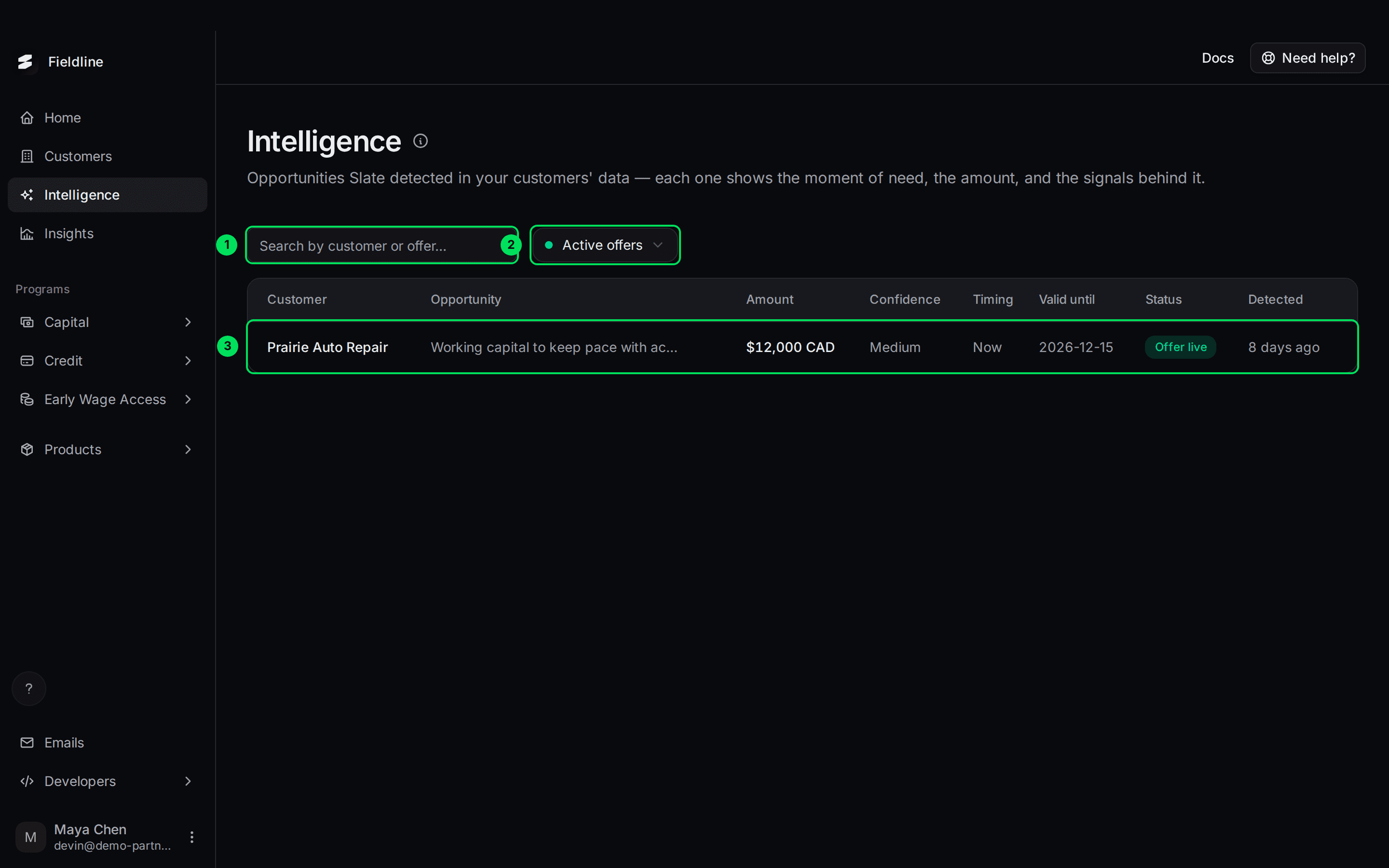
- Search: finds an opportunity by customer or offer name.
- View: switch between Active offers (the default) and History.
- An opportunity: select the row to read the details.
Active offers holds opportunities that are still open. History holds those your customers applied to, and those whose time ran out. History is empty until that happens.
Read the columns

- Customer: who it is about.
- Opportunity: a short title for the moment of need, such as "Working capital to keep pace with accelerating b2b revenue growth".
- Amount: the size of the offer.
- Confidence: Low, Medium or High. It shows how strong the case is.
- Timing: when to act. Now, Within 30 days or Within 90 days.
- Valid until: the last day the offer can be taken.
- Status: where the opportunity stands. See the list below.
- Detected: how long ago Slate spotted it.
What each status means
- Identified: Slate spotted the opportunity. It is not offered to the customer yet.
- Offer live: it is now an offer the customer can see and take.
- Applied: the customer applied.
- Expired: the time ran out before the customer applied.
Open an opportunity
Select a row. A panel opens from the right.
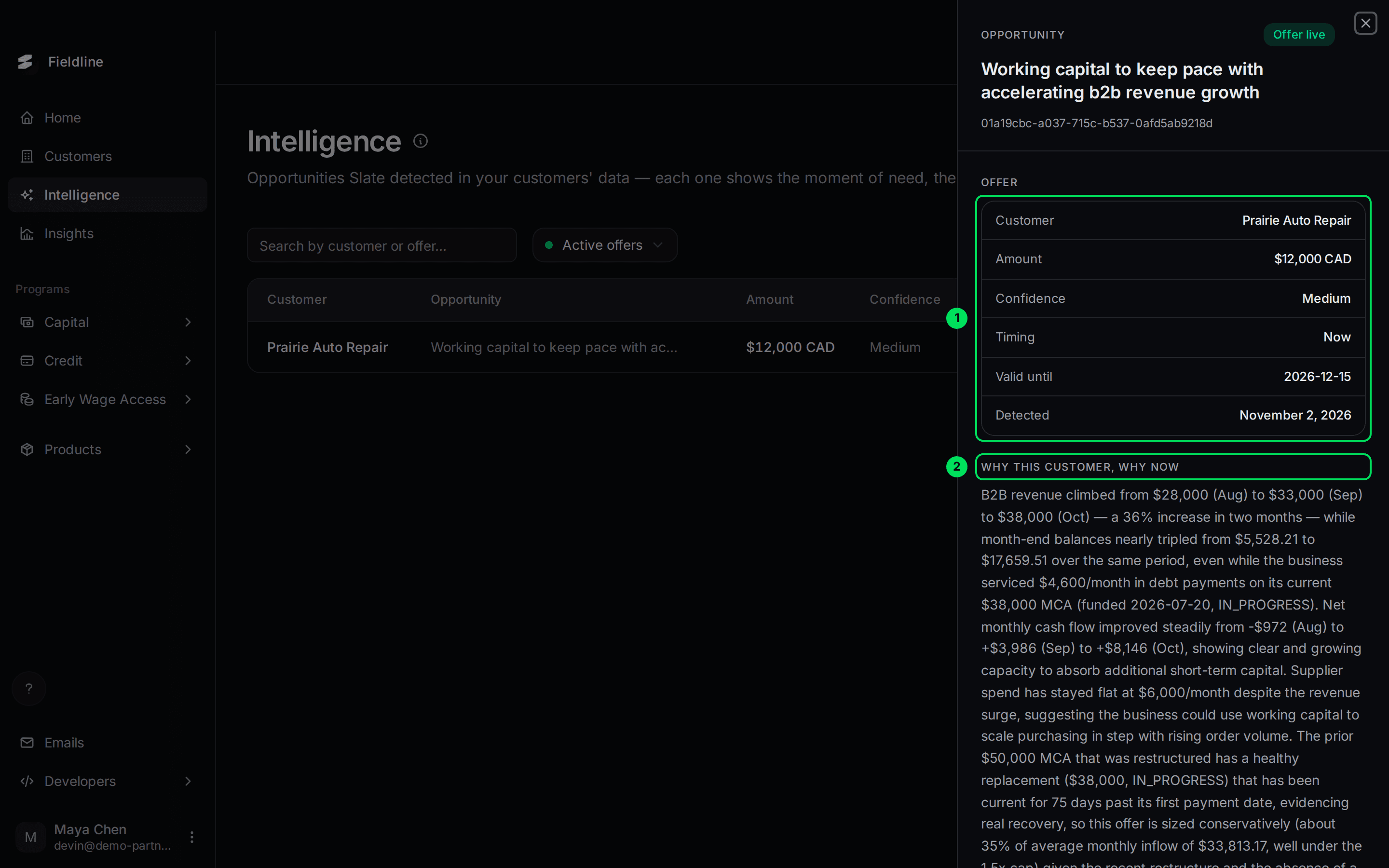
- Offer: customer, amount, confidence, timing, valid until and the date it was detected.
- Why this customer, why now: a plain-language reason, with the numbers Slate saw.
Scroll down to read Signals. Each signal is one thing Slate noticed, with the numbers behind it.
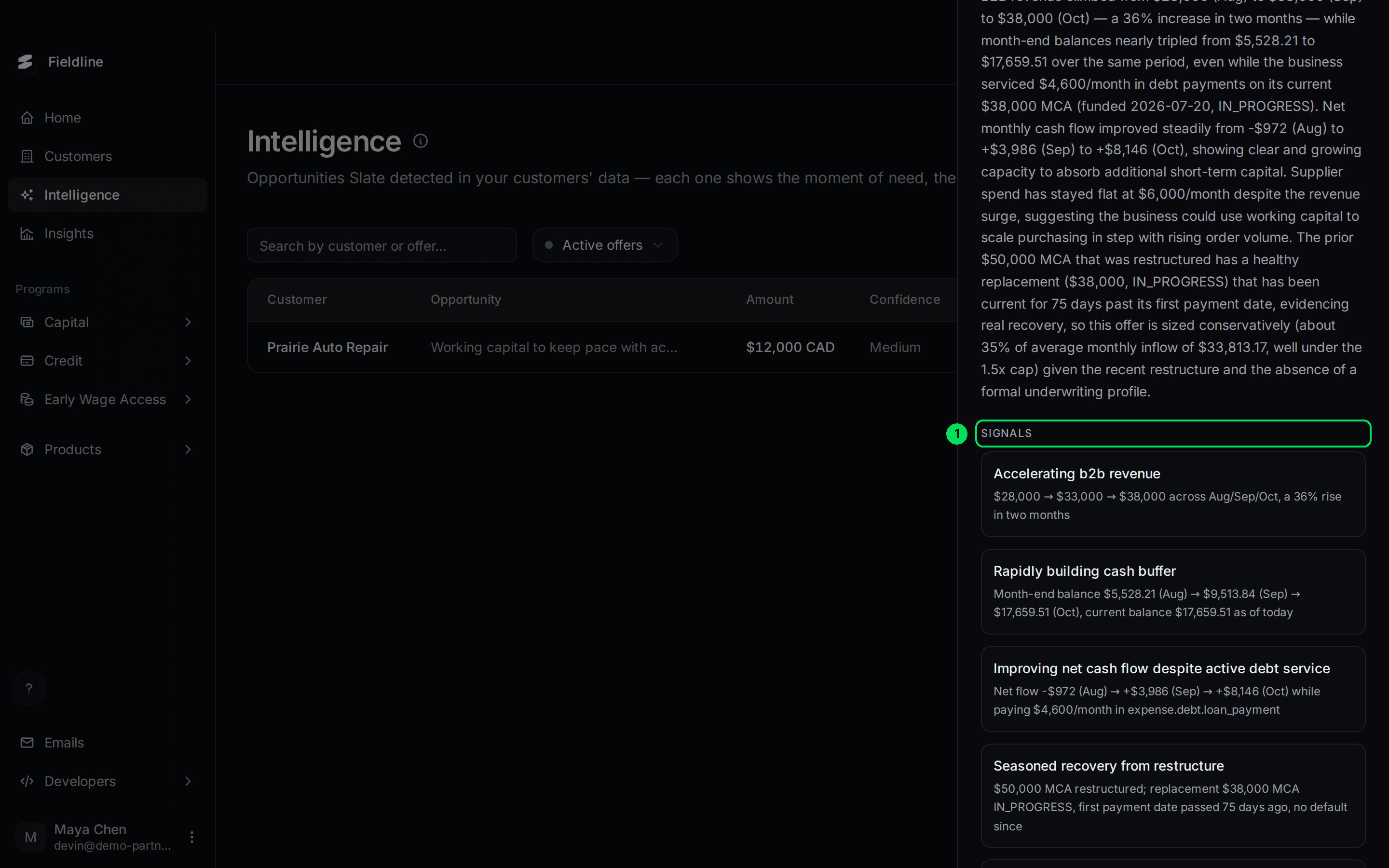
- Signals: the individual facts behind the opportunity.
Where else you see opportunities
The top of the Customers page shows Best offer opportunities, a short list of the same items. Select All there to come here. See Your Customers page.
When an opportunity becomes an offer, send the customer their link. See Send an application link.
If something goes wrong
"No active opportunities"
Slate has not found one yet. It needs data on your customers first. See Import financial data.
I expected a customer to be here
Opportunities appear when the Slate team accepts them. A customer without an opportunity may still hold a regular offer. Check the Customers page.
Learn more about Slate Signals.
Still stuck? Email [email protected] with your account email and the screen you are on. We reply within 24 business hours.