Help Center / Capital
Follow your customers' financing and repayments
What a financing agreement is, what every column and status means, and how to read the repayment schedule and payment history.
6 min read · Updated November 10, 2026
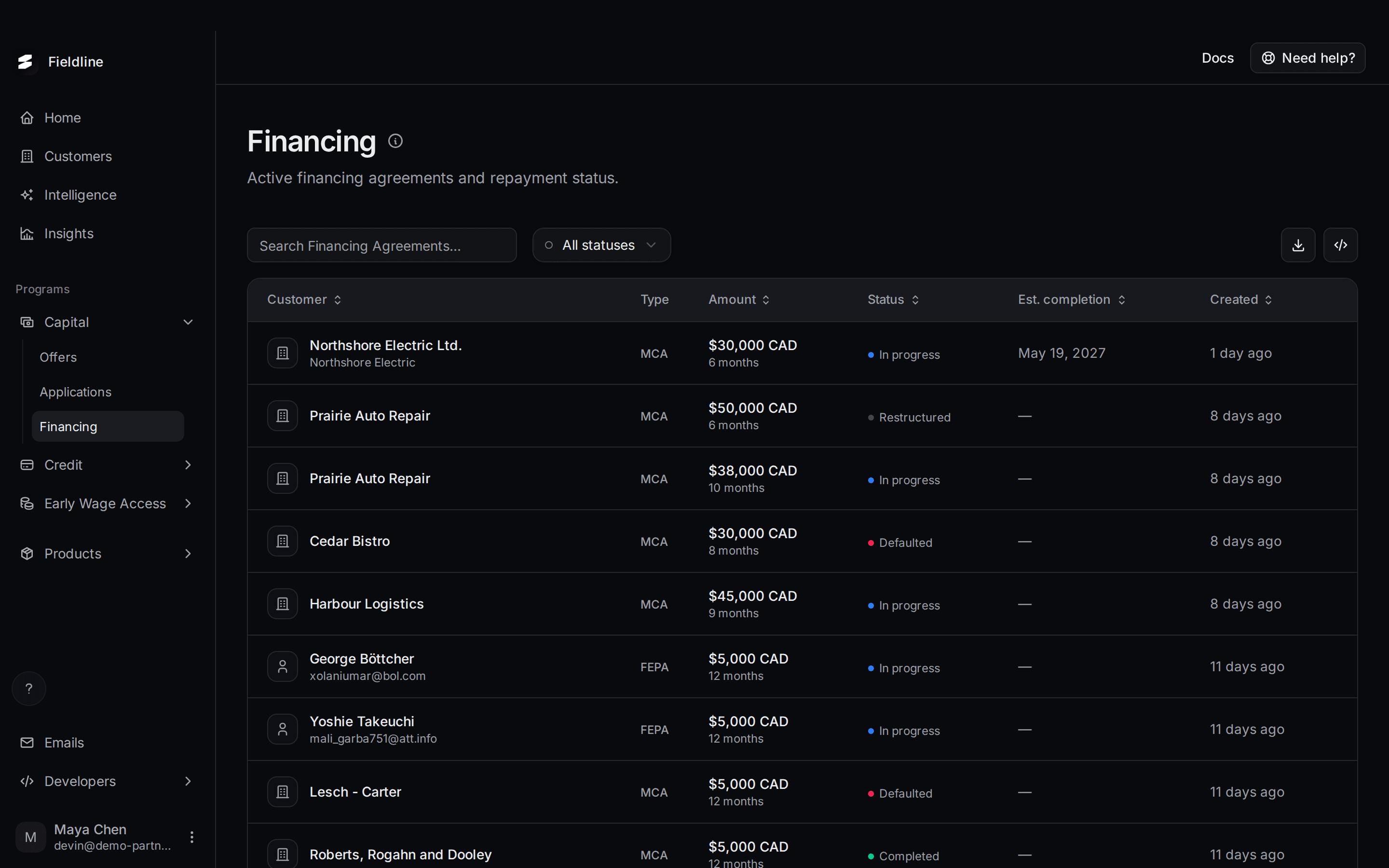
A financing agreement is the signed deal behind a funded advance. The Financing page lists them all and shows how repayment is going.
Where to find it: open Programs, select Capital, then select Financing.
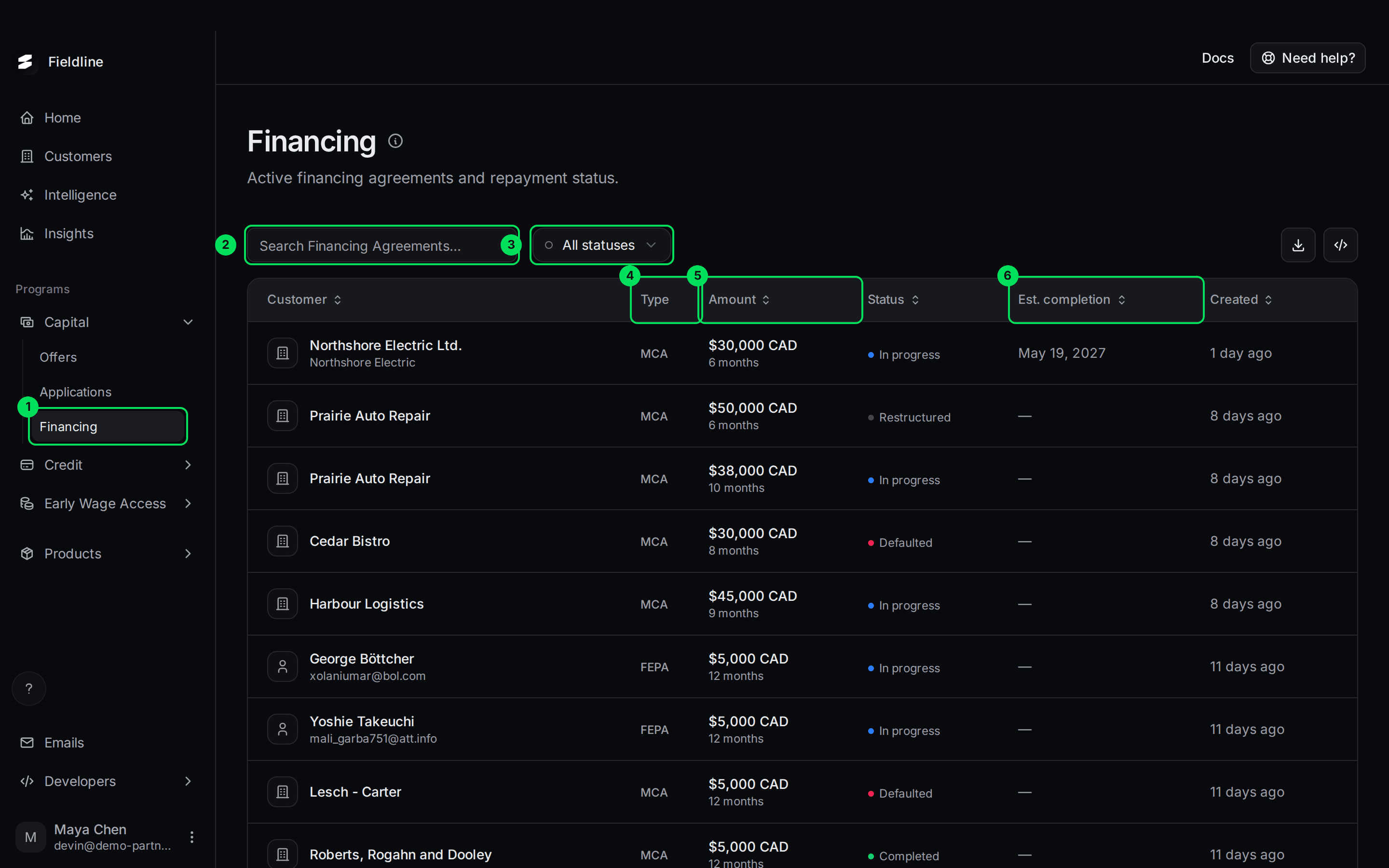
- Financing: the menu item under Capital.
- Search Financing Agreements...: find an agreement by customer.
- All statuses: show one status only.
- Type: which kind of advance it is.
- Amount: how much was funded, and over how long.
- Est. completion: the date Slate expects it to be fully repaid.
What is a financing agreement?
Slate gives your customer a lump sum, called an advance. The customer pays it back in fixed payments on a set schedule. This is a merchant cash advance.
Three money words come up on this page:
- Funded amount (also called the principal): the money your customer actually received.
- Flat fee: the cost of the advance. It is a set amount, not interest that grows. The funded amount plus the flat fee is the total your customer repays.
- Remaining (also called outstanding): what your customer still owes.
For example, a customer is funded $30,000 and the flat fee is $3,100. They repay $33,100 in total, in six payments of about $5,516.67.
Payments are collected on the schedule, not by you.
Agreements start after an application is approved and funded. Early Wage Access advances are on their own page.
What each column means
- Customer: who the agreement is with. Under the name you may see an email or your ID for them.
- Type: MCA is a standard merchant cash advance. FEPA is a second advance type that Slate sets up. It reads the same way in this list.
- Amount: the funded amount, with the repayment length under it, such as "6 months".
- Status: see the next section.
- Est. completion: the expected last payment date. It shows a Past due tag if that date has passed and the agreement is still In progress. A dash means no date is set yet.
- Created: when the agreement was made.
What each status means
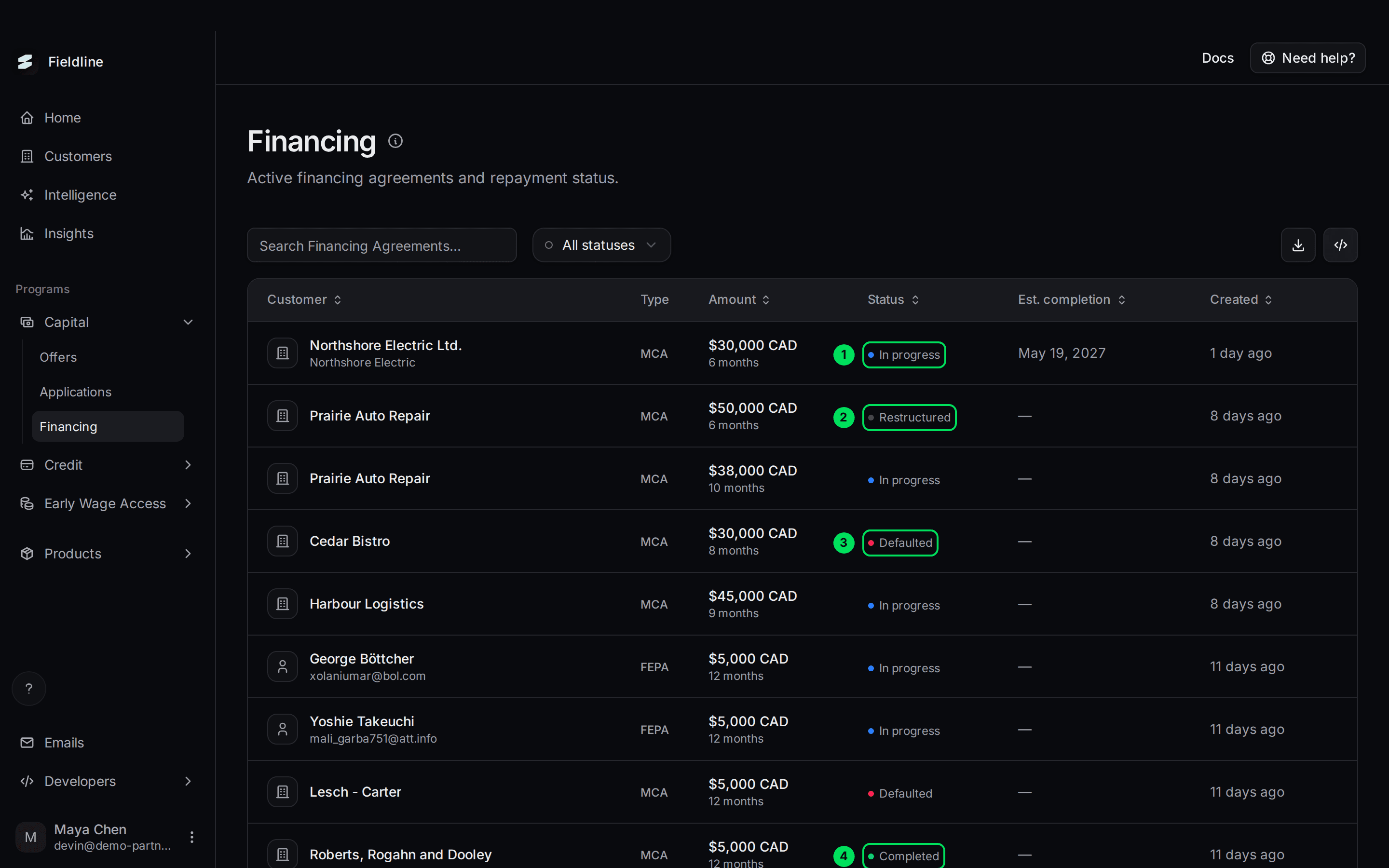
- In progress: repayment is under way.
- Restructured: the terms were changed after the deal started.
- Defaulted: payments stopped.
- Completed: fully repaid.
- In progress: the customer is repaying. What to do: nothing. Open it to see how many payments are left.
- Completed: the customer has repaid everything. What to do: nothing.
- Defaulted: the agreement was marked as defaulted. What to do: don't promise your customer anything. Contact Slate to ask what happens next.
- Restructured: Slate and the customer agreed new terms. What to do: nothing. Ask Slate if the customer asks about their new schedule.
Two warning signs appear inside In progress deals:
- Past due on Est. completion: the expected finish date has passed.
- Overdue on a payment in the schedule: that payment's date has passed.
What to do for either: nothing in the dashboard. If your customer asks about it, contact Slate.
Filter and search
Open the Financing page
Select Capital, then Financing.
Choose a status
Select All statuses, then choose In Progress, Completed or Defaulted.
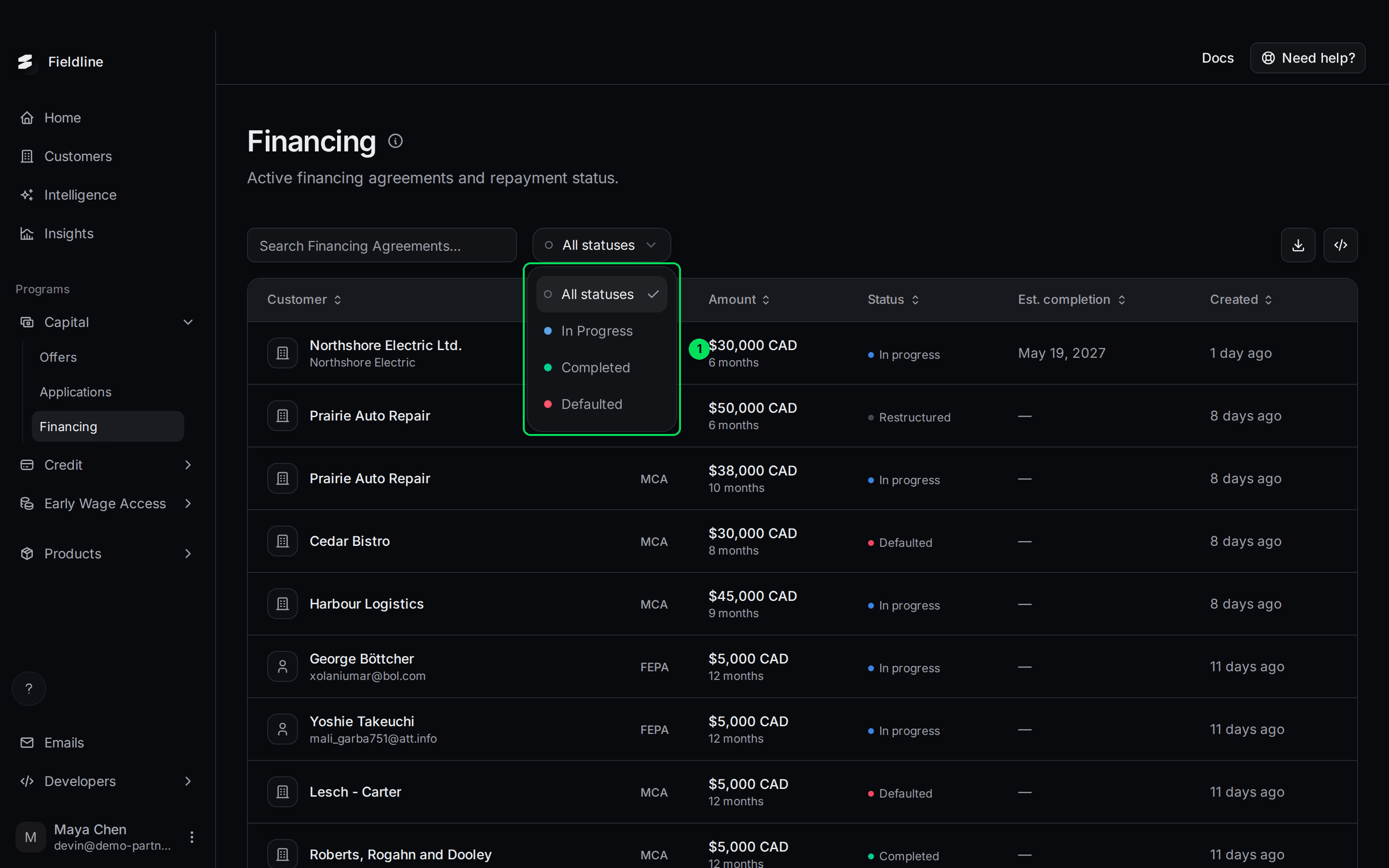
- The three statuses you can filter by.
Search for a customer
Type a customer name in Search Financing Agreements....
Restructured is not in the filter. Scan the full list to find those.
See one customer's financing only
Some links open this page for one customer only. You see Showing only the customer's name and financing, with a Show all button.
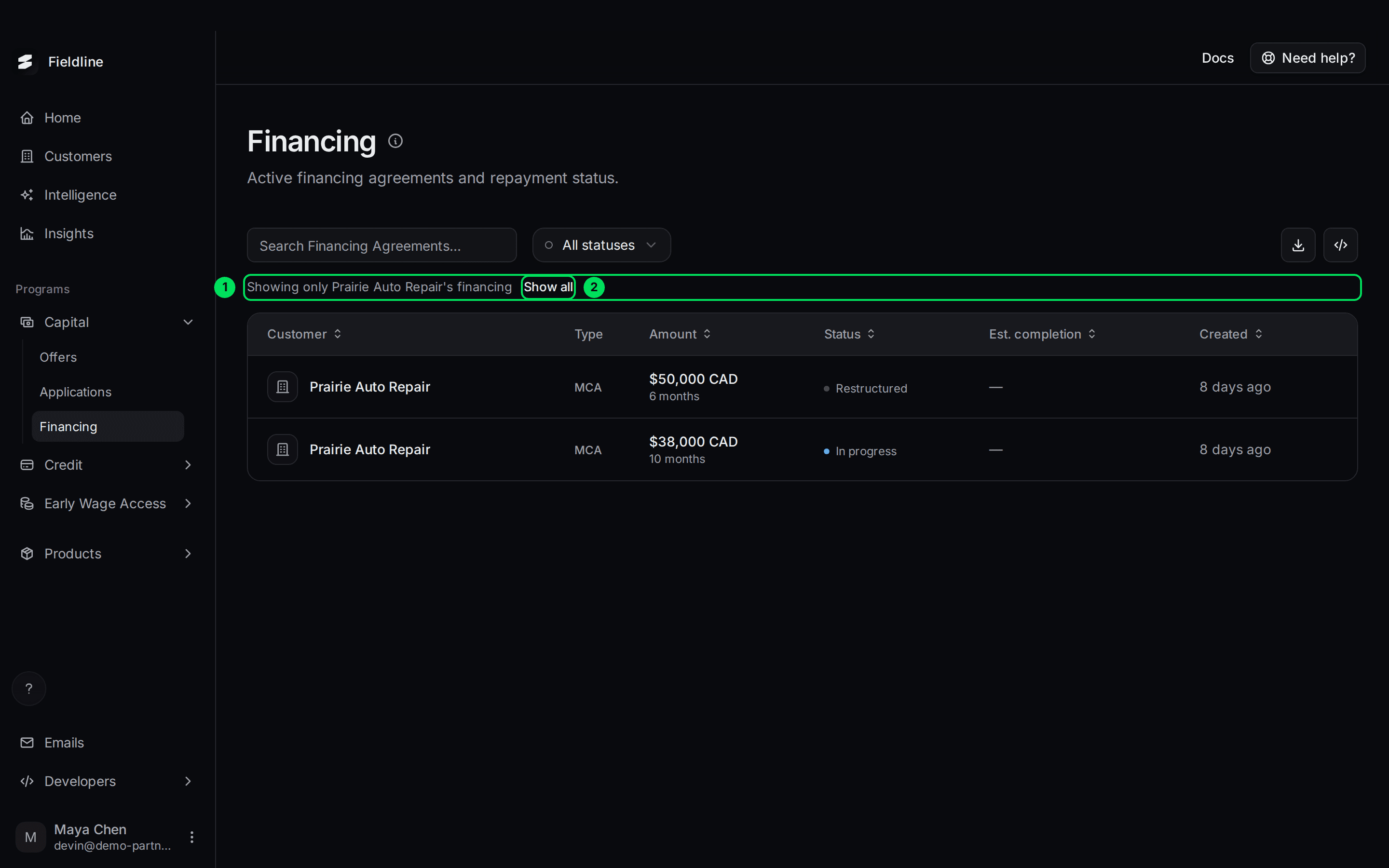
- Showing only ... financing: the page is limited to one customer.
- Show all: removes the limit.
You reach this view from a customer's details in Customers. The link ends in ?customerId= followed by the customer's Slate ID.
Open an agreement
Select a row. A panel opens on the right.
A new agreement
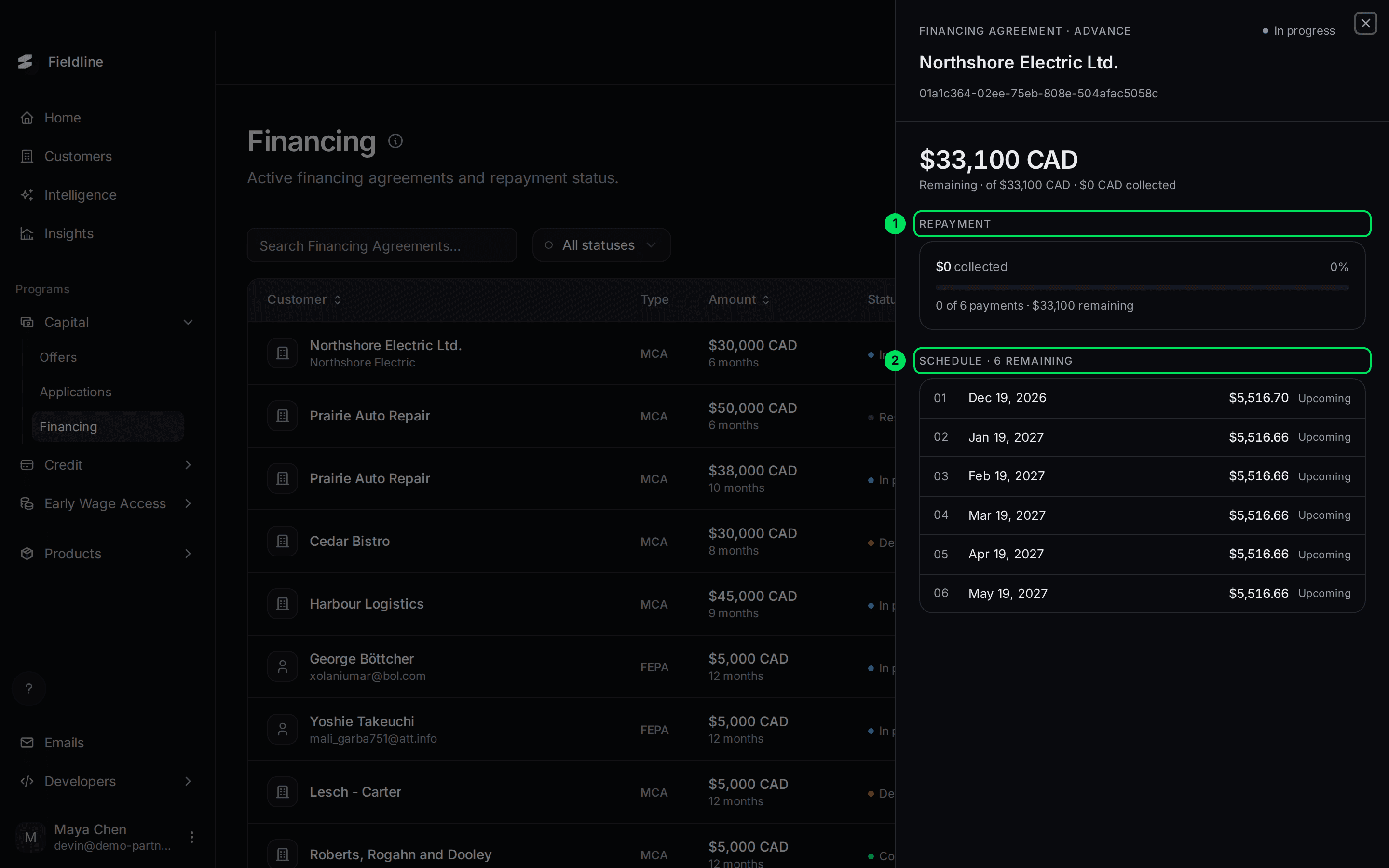
- Repayment: how much has been collected, as a bar and a percentage, and how many payments are done.
- Schedule: every payment still to come, with its date and amount. Each one is Upcoming or Overdue.
The big number is what's Remaining of the total. The line under it shows the total and how much has been collected.
An agreement with payments made
Scroll down in the panel. The top shows the same Repayment and Schedule sections.
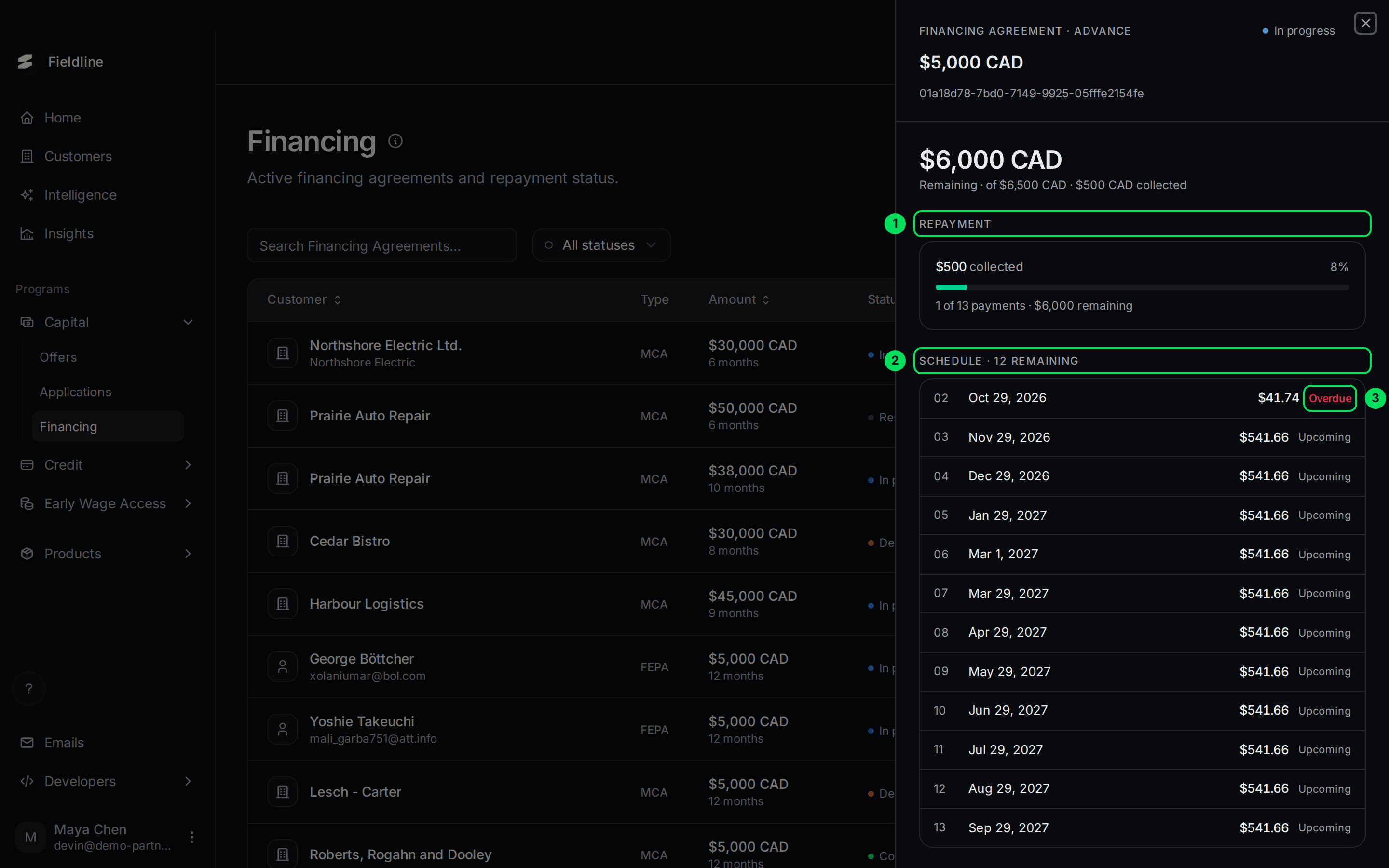
- Repayment: $500 collected so far, 8 percent.
- Schedule: the payments still to come.
- Overdue: this payment's date has passed.
Further down you find the payments made and the deal's terms.
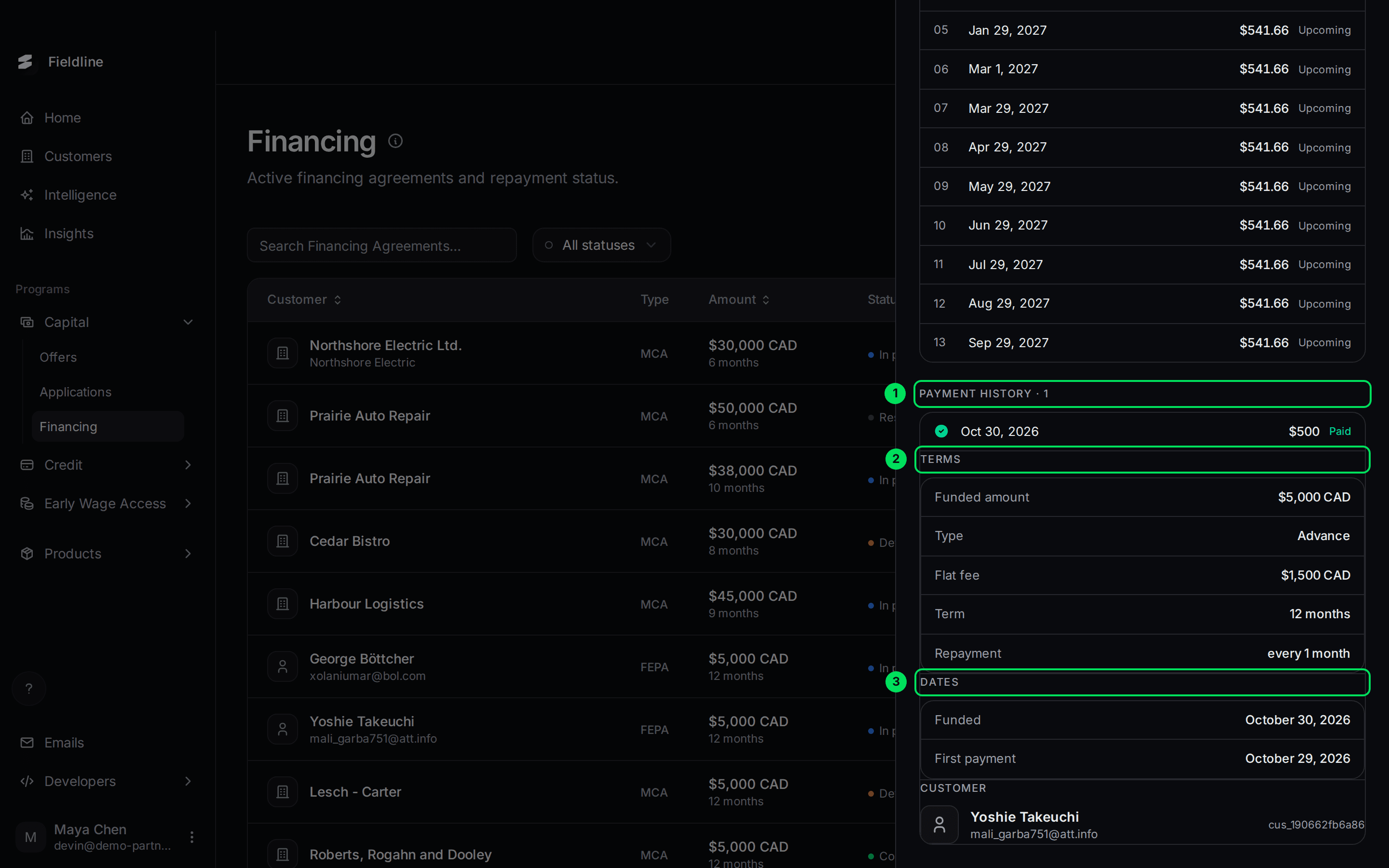
- Payment history: each payment received, with its date, amount and whether it's Paid or Processing.
- Terms: Funded amount, Type, Flat fee, Term and Repayment (how often).
- Dates: when it was Funded, the First payment, and the expected last one.
Funds not paid out yet
Right after an agreement is created, the money may still be on its way.
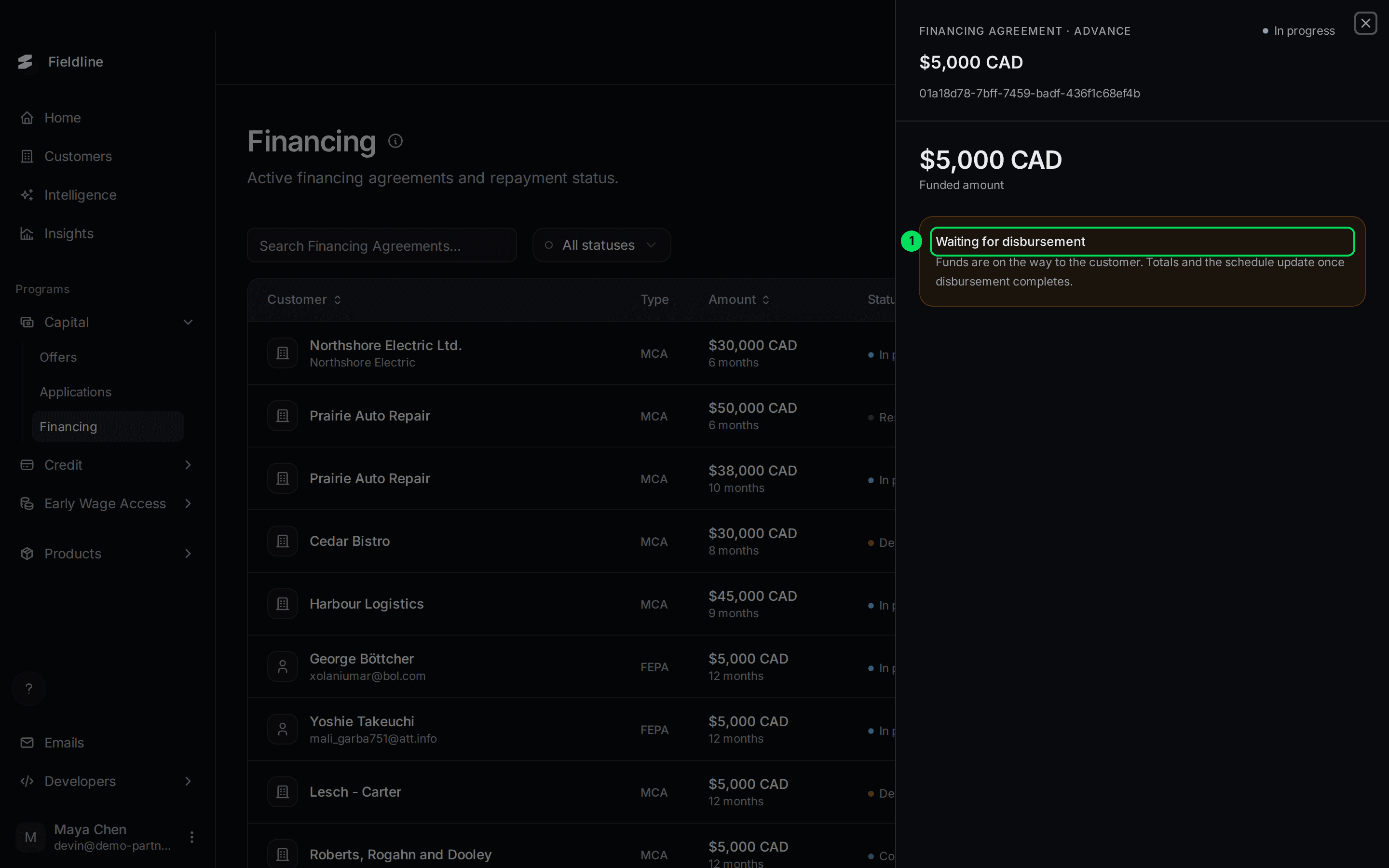
- Waiting for disbursement: "Funds are on the way to the customer." Totals and the schedule fill in once the money lands.
What to do: nothing. Check again later.
Export the list
Select the download icon, then Export. The file holds only the rows loaded on the page, so set "Show per page" to 100 first. Columns include the customer, type, funded amount, status, term and dates.
If something goes wrong
An agreement is Defaulted and my customer asks why
Contact Slate with the agreement ID shown at the top of the panel. You can't change the status yourself.
The schedule is missing
The money hasn't been paid out yet. See Waiting for disbursement above.
I can't find a Restructured agreement with the filter
It isn't a filter option. Search for the customer by name instead.
Learn more about Slate Capital.
Still stuck? Email [email protected] with your account email and the screen you are on. We reply within 24 business hours.