Help Center / Early Wage Access
Track Early Wage Access advances
How Early Wage Access works, what the four numbers at the top mean, and how to read each advance, its fee and its repayment.
5 min read · Updated November 10, 2026
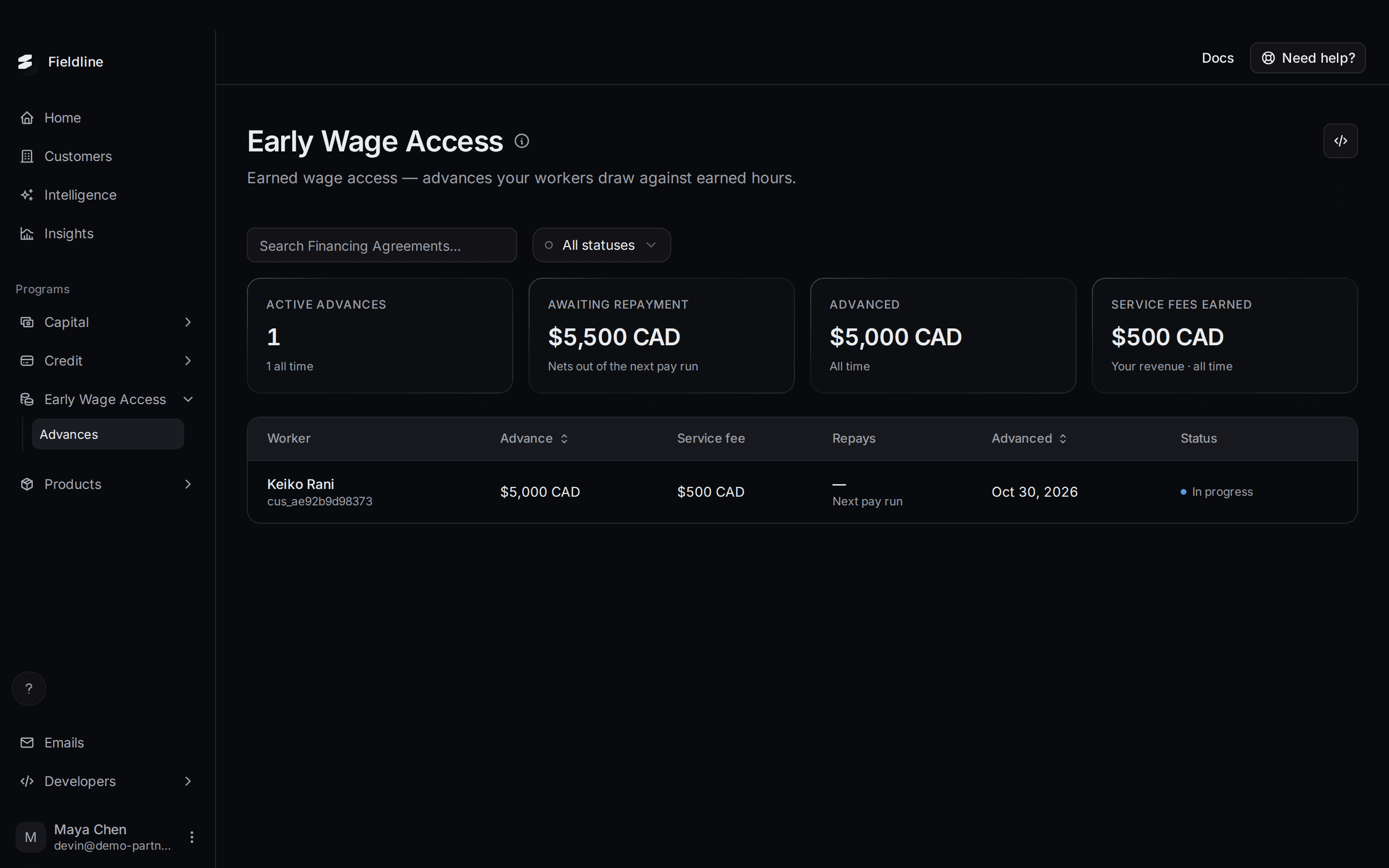
Early Wage Access lets your workers take part of what they've already earned before payday. This page lists every advance and how much has been repaid.
Where to find it: open Programs, select Early Wage Access, then select Advances.
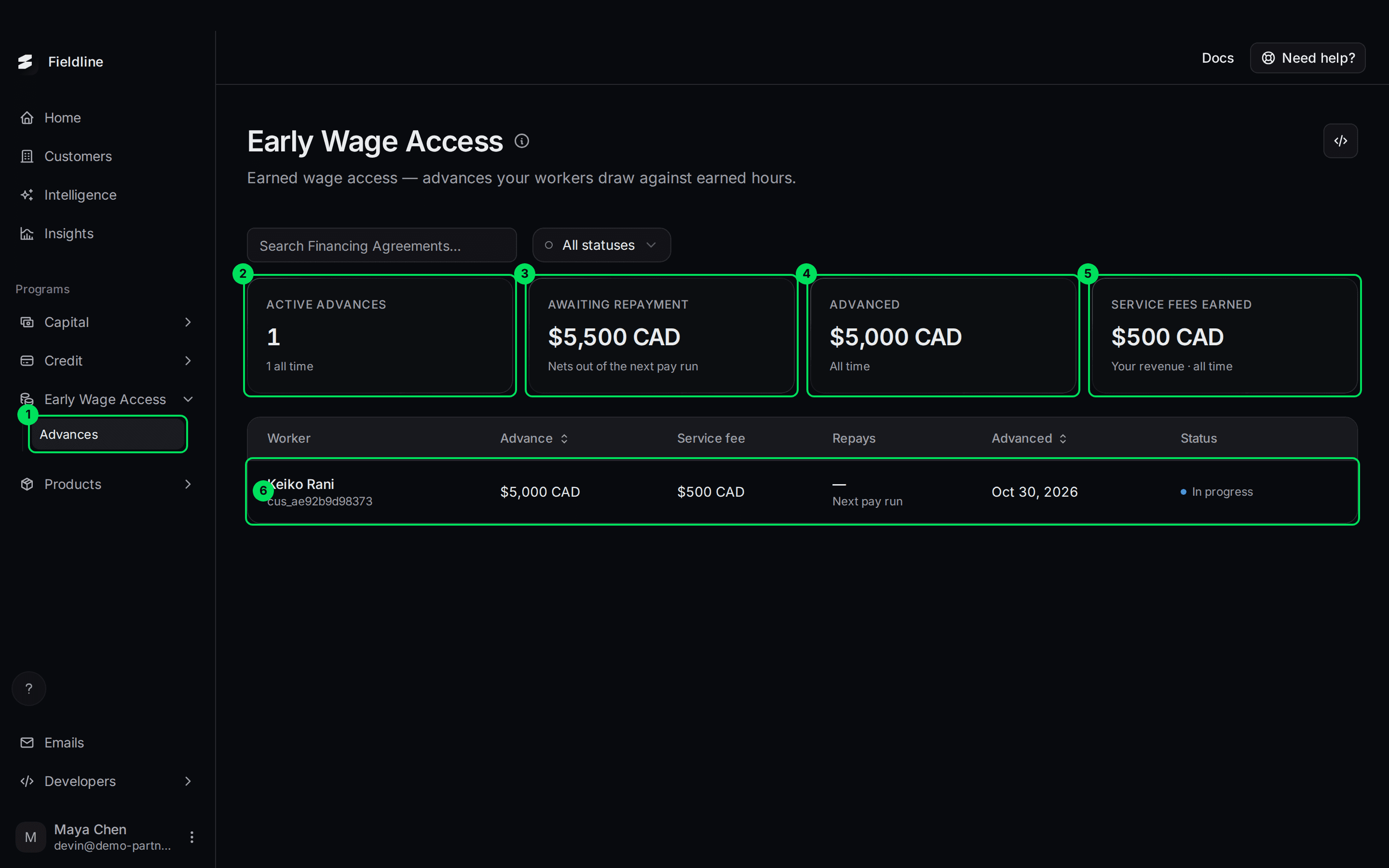
- Advances: the menu item under Early Wage Access.
- Active advances: how many advances are still being repaid.
- Awaiting repayment: what workers still owe.
- Advanced: the total paid out to workers.
- Service fees earned: the fees from advances.
- A row in the table: one advance.
How Early Wage Access works
A worker draws part of their earned wages. Slate pays that money to them. Your worker pays a flat service fee for this.
The advance is repaid from the worker's next pay run. Slate collects it on the scheduled date.
You start an advance from your own system, not from this dashboard. Your developers send a request to Slate (POST /finance-requests, type ewa). The worker then completes a short flow once, connecting their bank. They get the money the next business day.
This page doesn't have a button to create an advance. Your developers can read how in Early wage flow and API keys.
What the four numbers mean
Select a card to filter the table.
- Active advances: the number of advances still In progress. Under it you see the all-time count. Select it to show only In progress advances.
- Awaiting repayment: principal plus service fees still to come back. Under it: "Nets out of the next pay run". Principal is the money the worker received.
- Advanced: the total paid out to workers, all time. Select it to clear any filter.
- Service fees earned: the fees you earn from these advances, all time.
If you have advances in more than one currency, each total shows per currency, like "$X + $Y".
What each column means
- Worker: the worker's name and your ID for them.
- Advance: the amount the worker took. Select the heading to sort.
- Service fee: the flat fee the worker pays for the advance.
- Repays: when it is repaid. "Next pay run" means it comes out of the worker's next pay.
- Advanced: the date the advance was made. Sortable.
- Status: where the advance stands.
What each status means
- In progress: the worker still owes money. A small Pending payout label means the money hasn't reached the worker yet. What to do: nothing.
- Completed: the worker has repaid it in full. What to do: nothing.
- Defaulted: repayment failed and Slate marked it as defaulted. What to do: contact Slate.
- Restructured: the terms were changed. What to do: nothing. Ask Slate if you need details.
Use All statuses or the search box to narrow the list. This page can't export a CSV.
Open an advance
Select a row. A panel opens on the right. It is the same panel used on Financing, marked Early Wage Access.
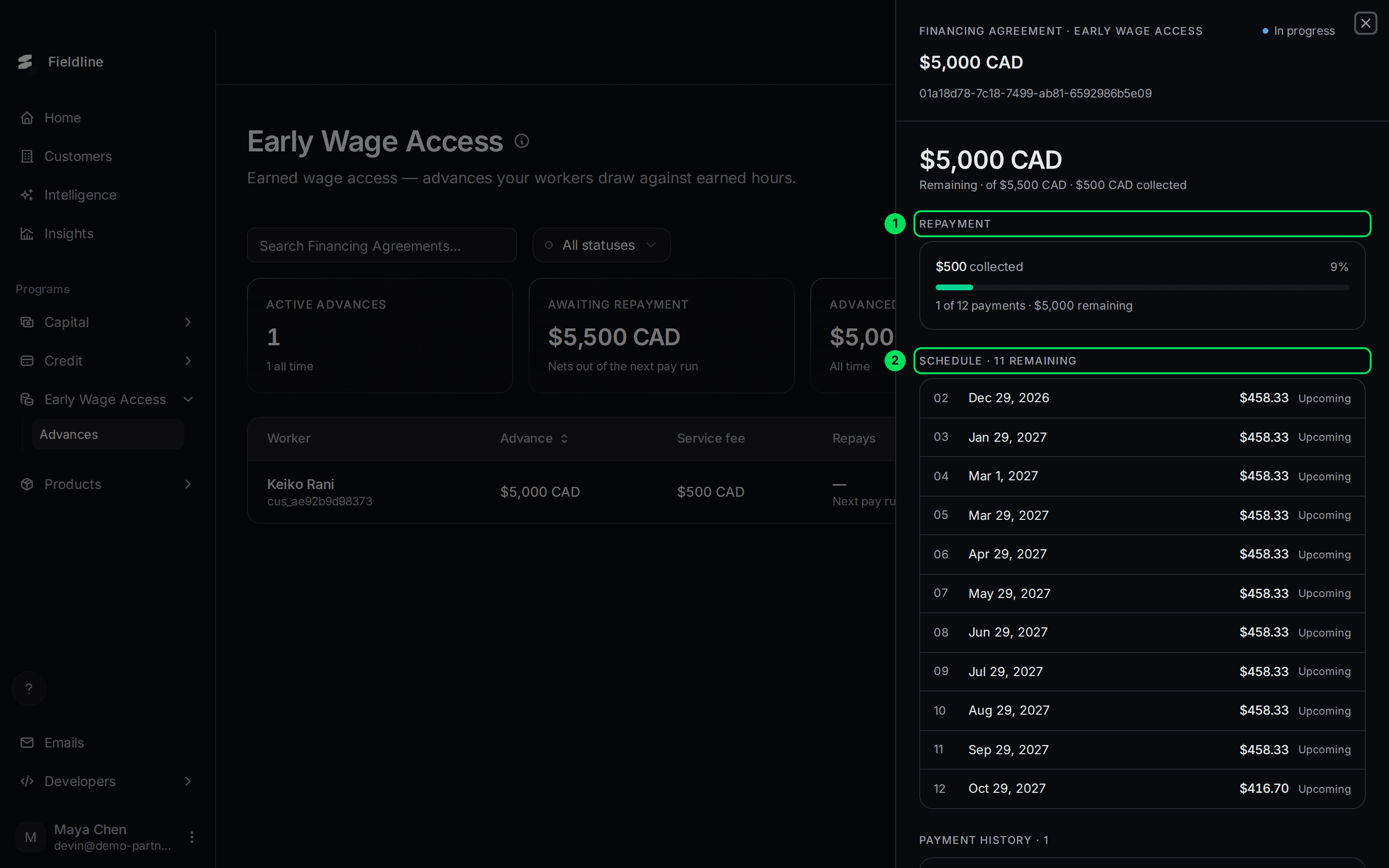
- Repayment: how much has been collected, and how many payments are left.
- Schedule: the dates and amounts still to come.
Scroll down for the payments made and the terms.
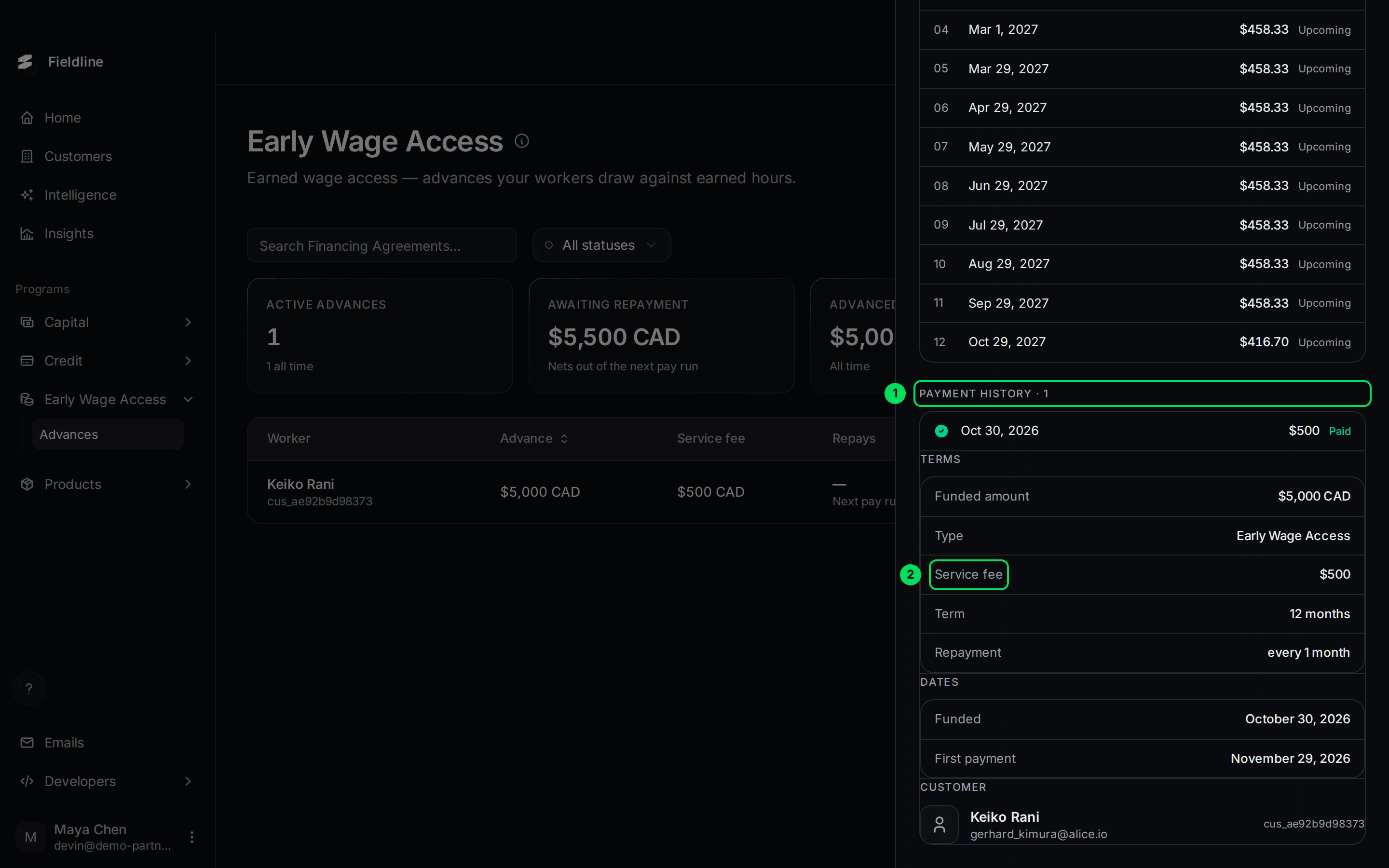
- Payment history: each payment received, with its date and whether it is Paid.
- Service fee: the flat fee for this advance. The fee shows under Terms once a payment exists.
If something goes wrong
The page is empty
You may not offer Early Wage Access. If you do, advances appear once your first worker's advance is funded.
An advance is missing
Only the latest 100 are shown. Ask your developers to look it up through the API.
A worker says the money hasn't arrived
Look for Pending payout in the row. Workers get the money the next business day after they finish the flow. If it's later than that, contact Slate with the advance ID from the top of the panel.
Learn more about Slate for workforce and HR platforms.
Still stuck? Email [email protected] with your account email and the screen you are on. We reply within 24 business hours.