Help Center / Credit lines
Read your customers' credit line accounts
What a credit line account is, what the columns and statuses mean, and how to read the detail panel for an Active, Suspended or Closed line.
5 min read · Updated November 10, 2026
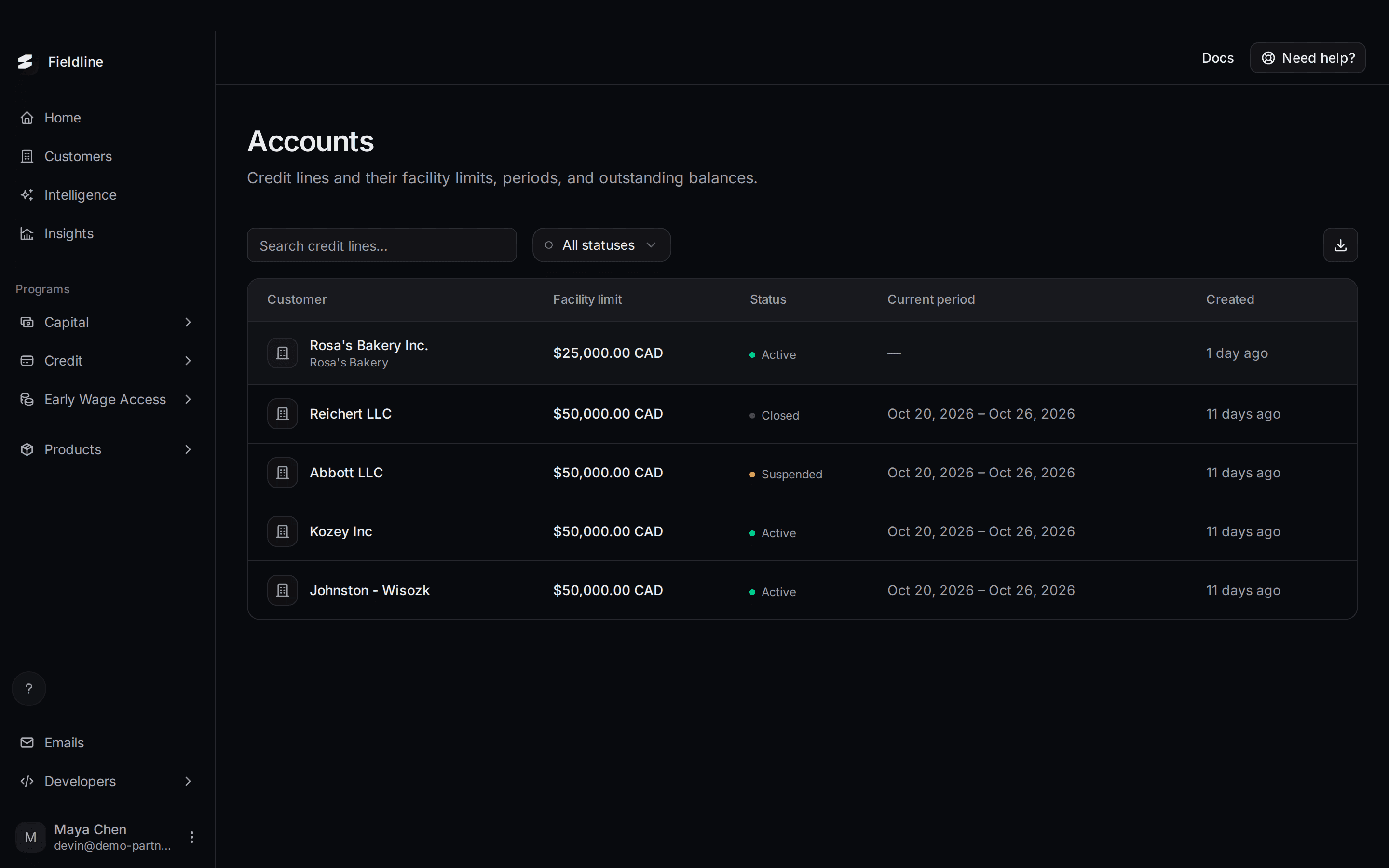
A credit line account is the line itself: one per customer, with a limit and a balance. This page lists them all so you can see who has credit, how much is used, and whether any line needs attention.
Where to find it: select Credit in the left menu, then Accounts. The Credit group only shows for partners with the Credit program. For the whole path from offer to repayment, see Credit line offers.
How accounts are created
You don't create accounts. When a customer's activation application is approved, Slate opens the account. See Credit line applications. The customer can then draw money from it. See Credit line draws.
Read the Accounts list
Open the Accounts page
Select Credit, then Accounts.
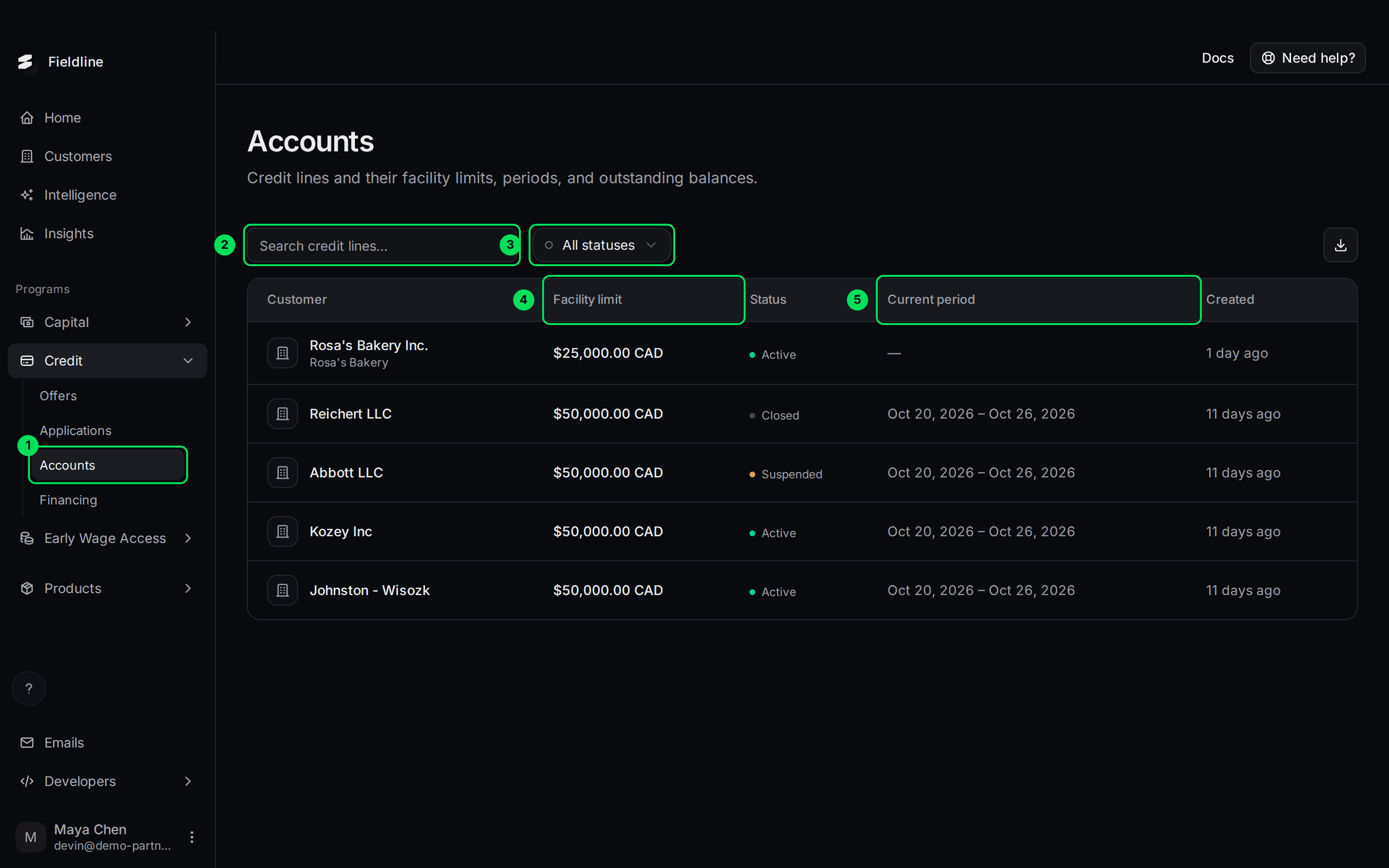
- Accounts: this page.
- Search credit lines...: searches the list.
- All statuses: filters by Active, Suspended or Closed.
- Facility limit: the most your customer can have drawn at once.
- Current period: the dates of the billing period that is open now.
Understand each column
- Customer: the business, with its display name below.
- Facility limit: the most your customer can have drawn at once. Money repaid frees up room again.
- Status: Active, Suspended or Closed. See below.
- Current period: the start and end of the open billing period, for example Oct 20 to Oct 26, 2026. A dash means no period yet.
- Created: how long ago the account was opened.
Filter by status
Select All statuses and pick one.
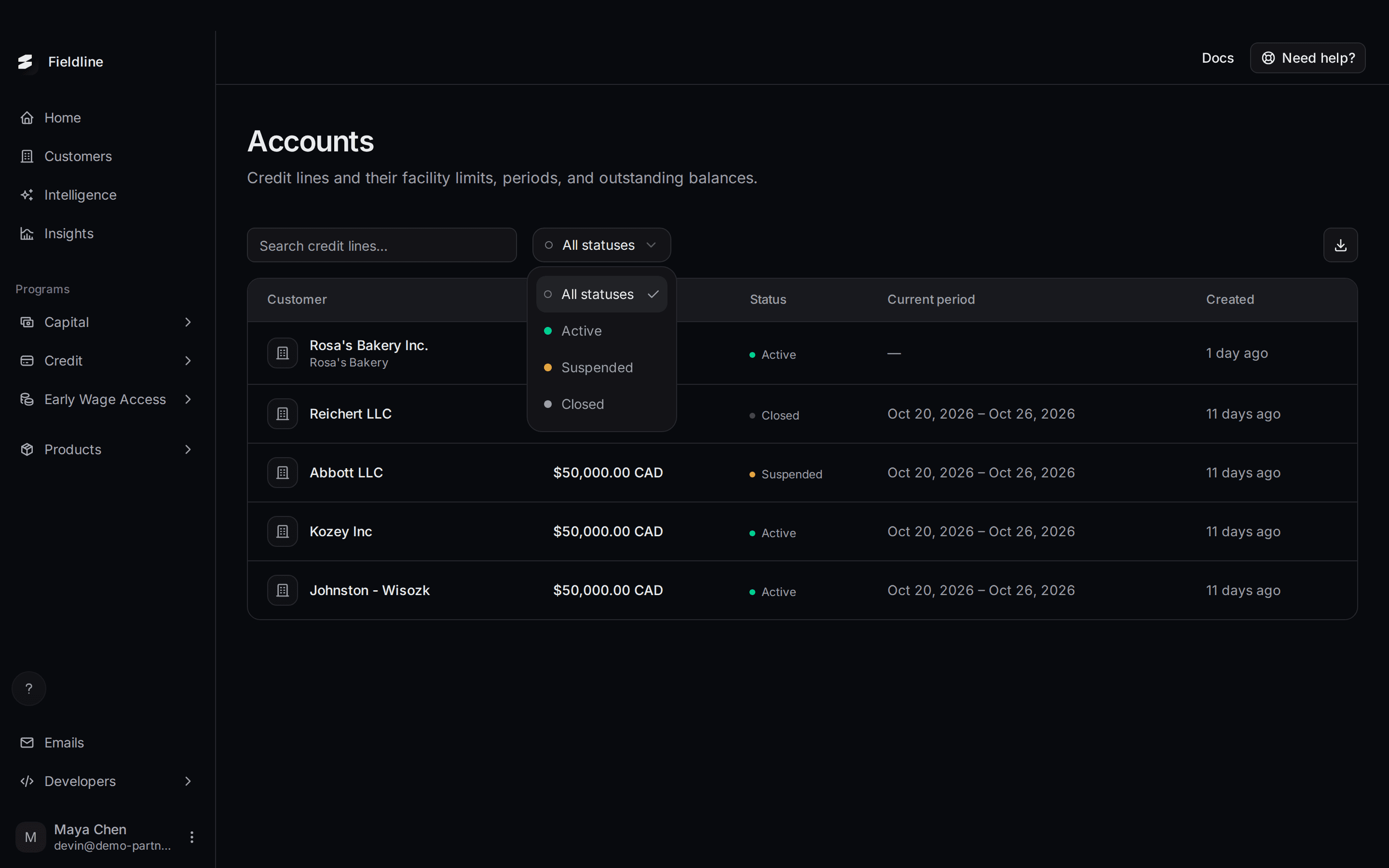
The download button exports the loaded rows only. Raise per page to 100 first.
What each status means
- Active: the line works normally. The customer can use it. Nothing for you to do.
- Suspended: the customer missed a minimum payment, so the line is paused. It switches back on by itself once payments cover the missed minimum. Remind the customer to pay.
- Closed: the line is shut and kept in the list for your records. Contact Slate if you didn't expect it.
Slate sets these statuses. You can't change them from the dashboard.
Open an account
Select a row. A panel opens on the right with the detail.
An Active account
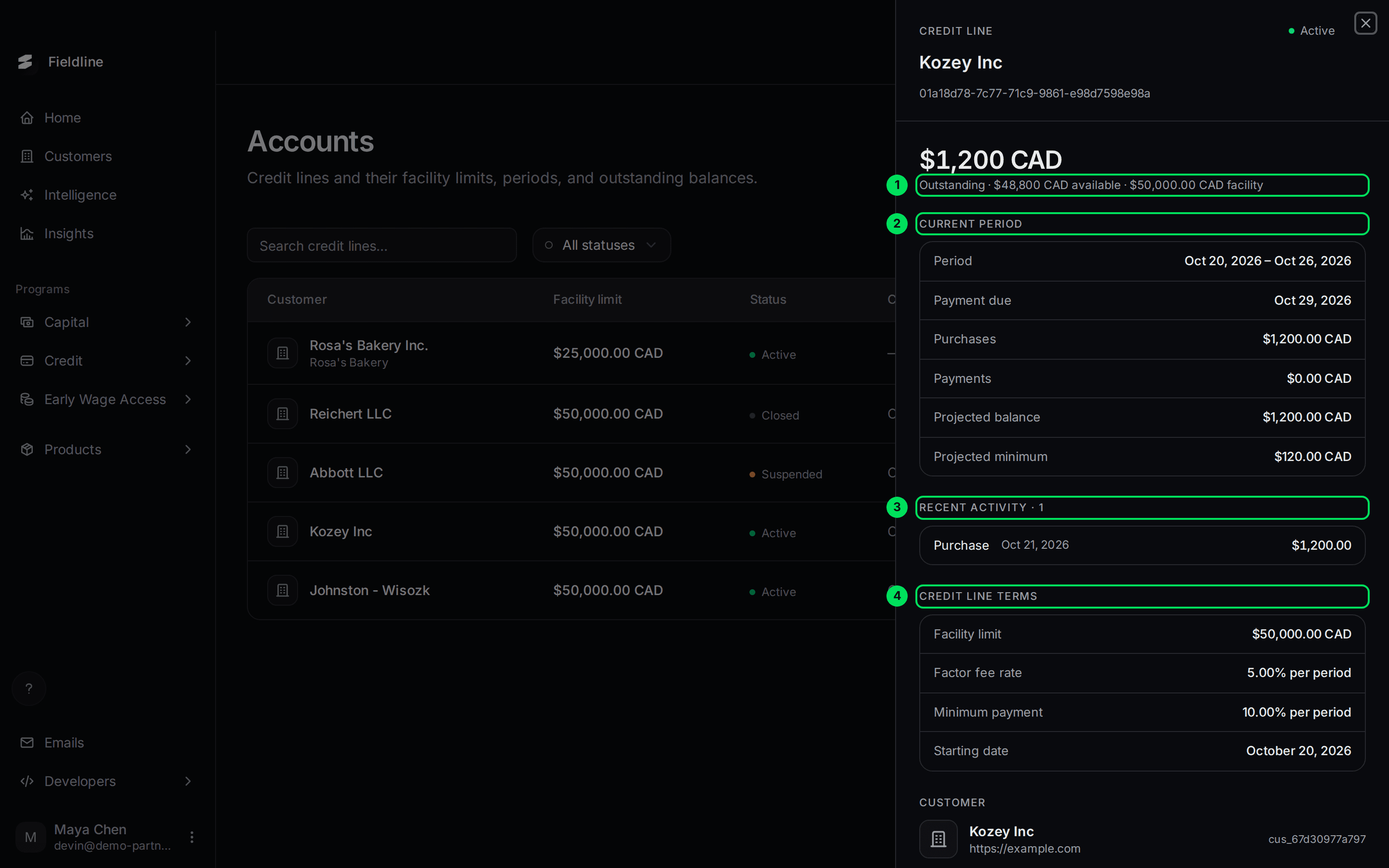
- Outstanding: what the customer owes now, then how much is still available, then the facility limit.
- Current period: the open period. Shows Period, Payment due, Purchases, Payments, Projected balance and Projected minimum.
- Recent activity: each purchase, fee, payment or rebate in the period.
- Credit line terms: the limit, the fee rate per period, the minimum payment rate and the starting date.
In this example the customer owes $1,200 of a $50,000 line. The minimum due for the period is $120, which is 10 percent.
A Suspended account
A suspended line shows a notice under the balance. Everything else looks the same.
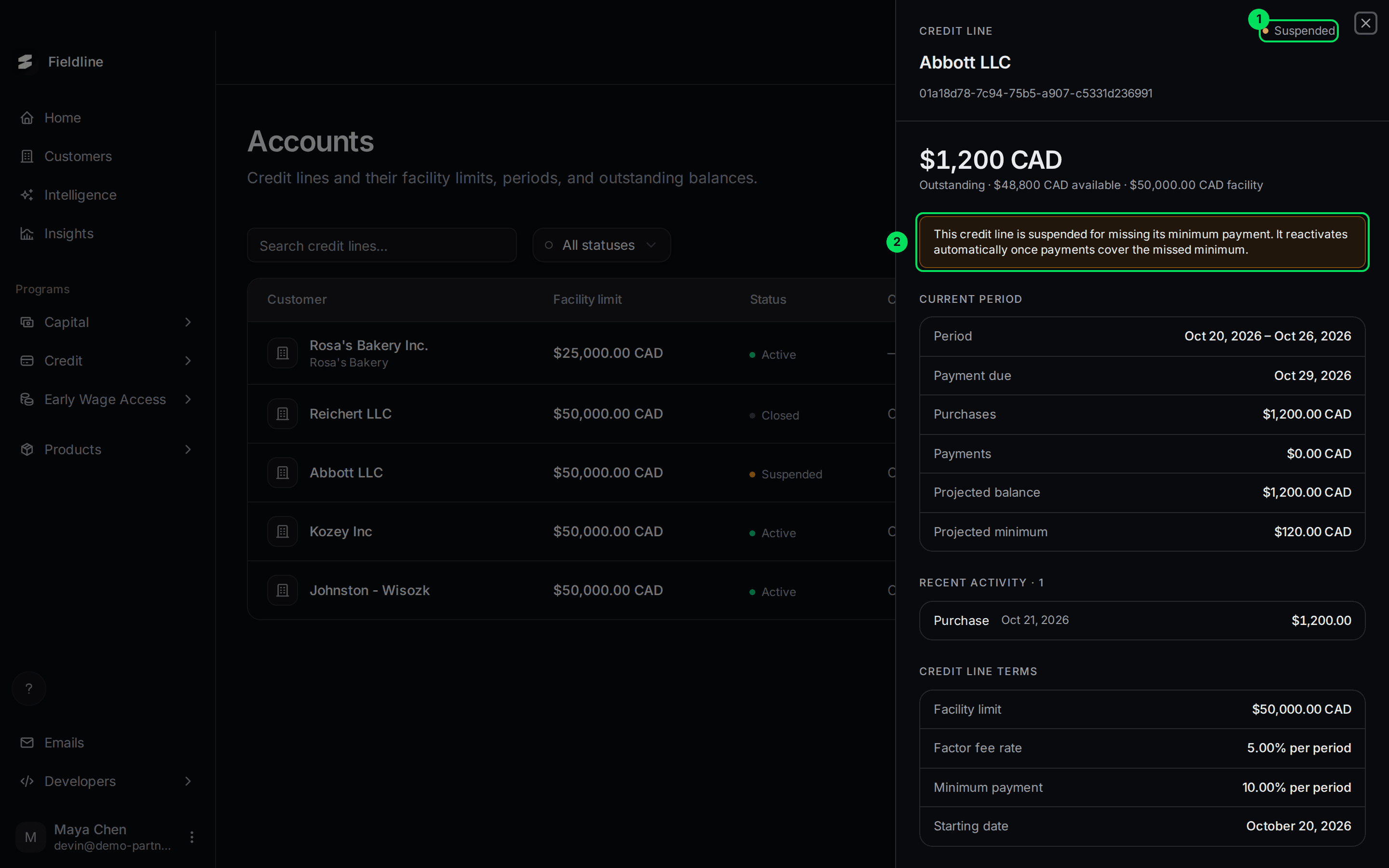
- Suspended: the account status.
- The notice: "This credit line is suspended for missing its minimum payment. It reactivates automatically once payments cover the missed minimum."
A Closed account
A closed account opens the same way, with Closed as its status.
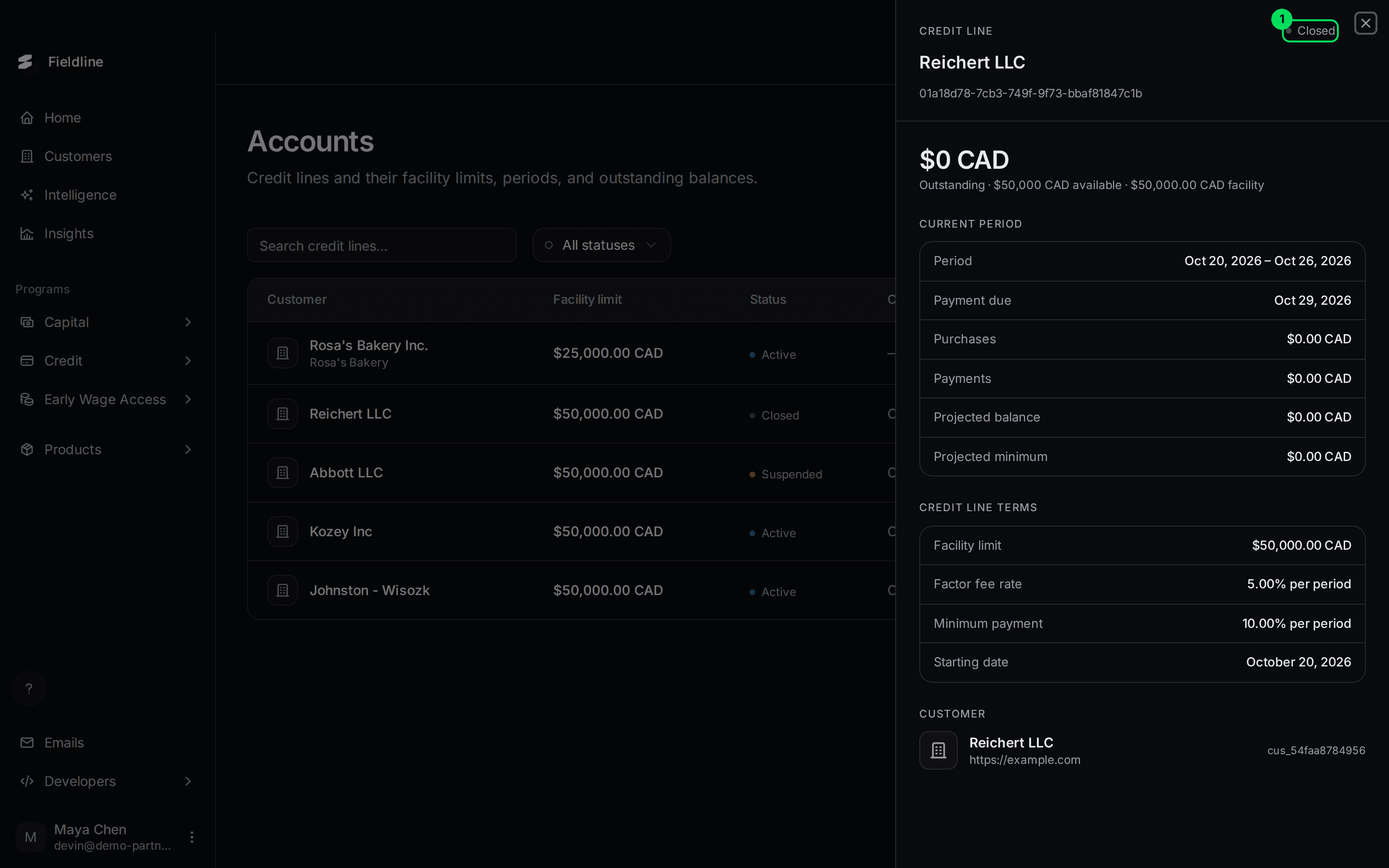
- Closed: the account status.
A draw facility account
A new account has no period and no activity yet. The panel shows the balance and the terms only. This one is a draw facility line. Its customer's draw is listed on the Financing page, not here.
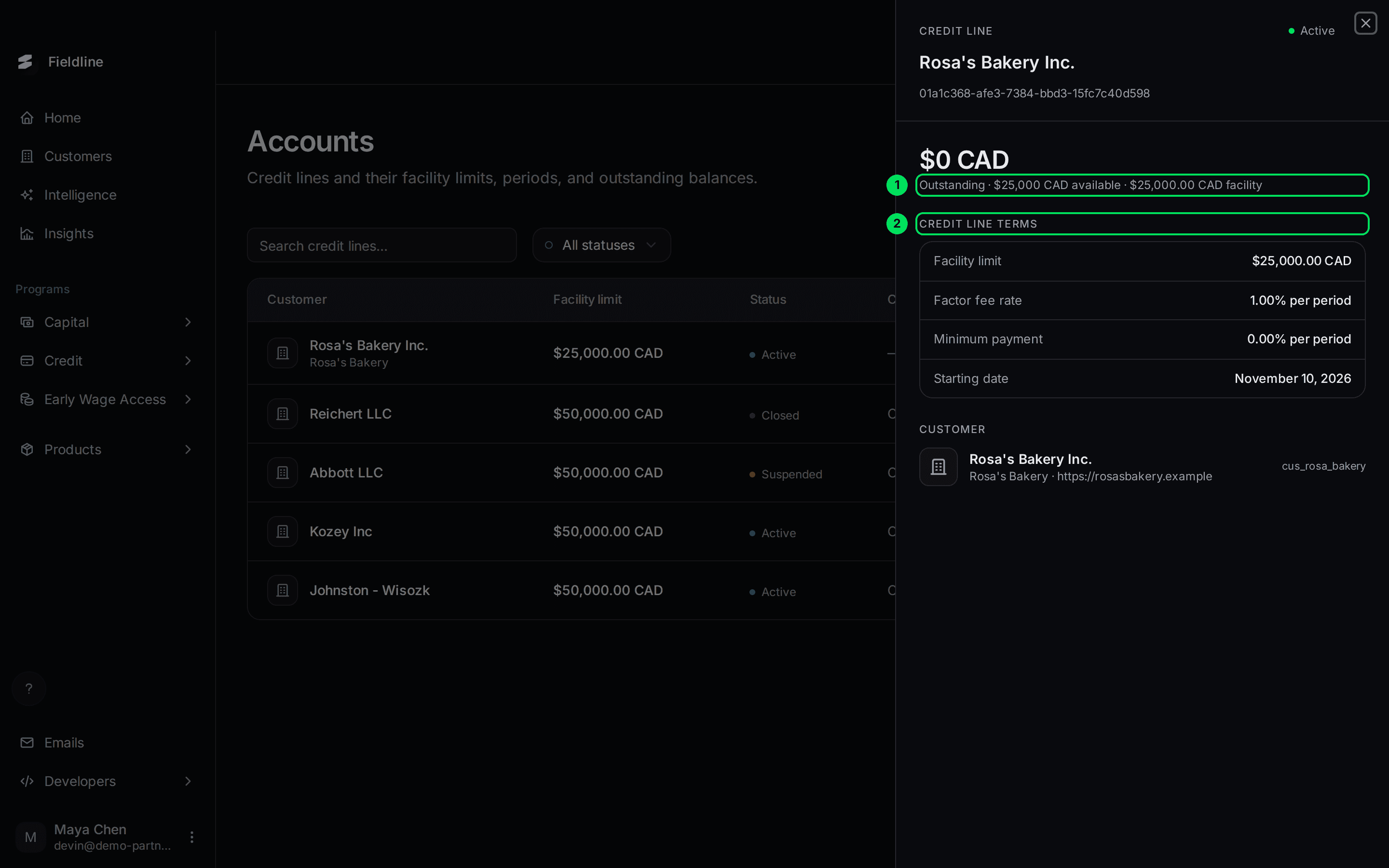
- Outstanding: $0 owed, with the whole $25,000 shown as available.
- Credit line terms: the limit, fee rate, minimum payment rate and starting date.
Where are the draws?
For a draw facility, the money your customer took out is on Credit, Financing, one row per draw. See Credit line draws.
If something goes wrong
A customer says they can't draw
Check their line's status. A Suspended line can't be used until payments cover the missed minimum.
I can't find a customer's account
Search by name. Only customers who have been approved have an account. Check Credit, Applications next.
The panel shows $0 outstanding, but the customer has a draw
For a draw facility, this panel can show $0 outstanding even when the customer has drawn. The customer's panel on the Customers page and the Financing page show the draws correctly. We're fixing this.
Learn more about the Slate credit line.
Still stuck? Email [email protected] with your account email and the screen you are on. We reply within 24 business hours.