Help Center / Credit lines
Track credit line draws and repayment
See every draw your customers take from their credit lines, how each one is being repaid, and how to look at one customer's draws only.
5 min read · Updated November 10, 2026
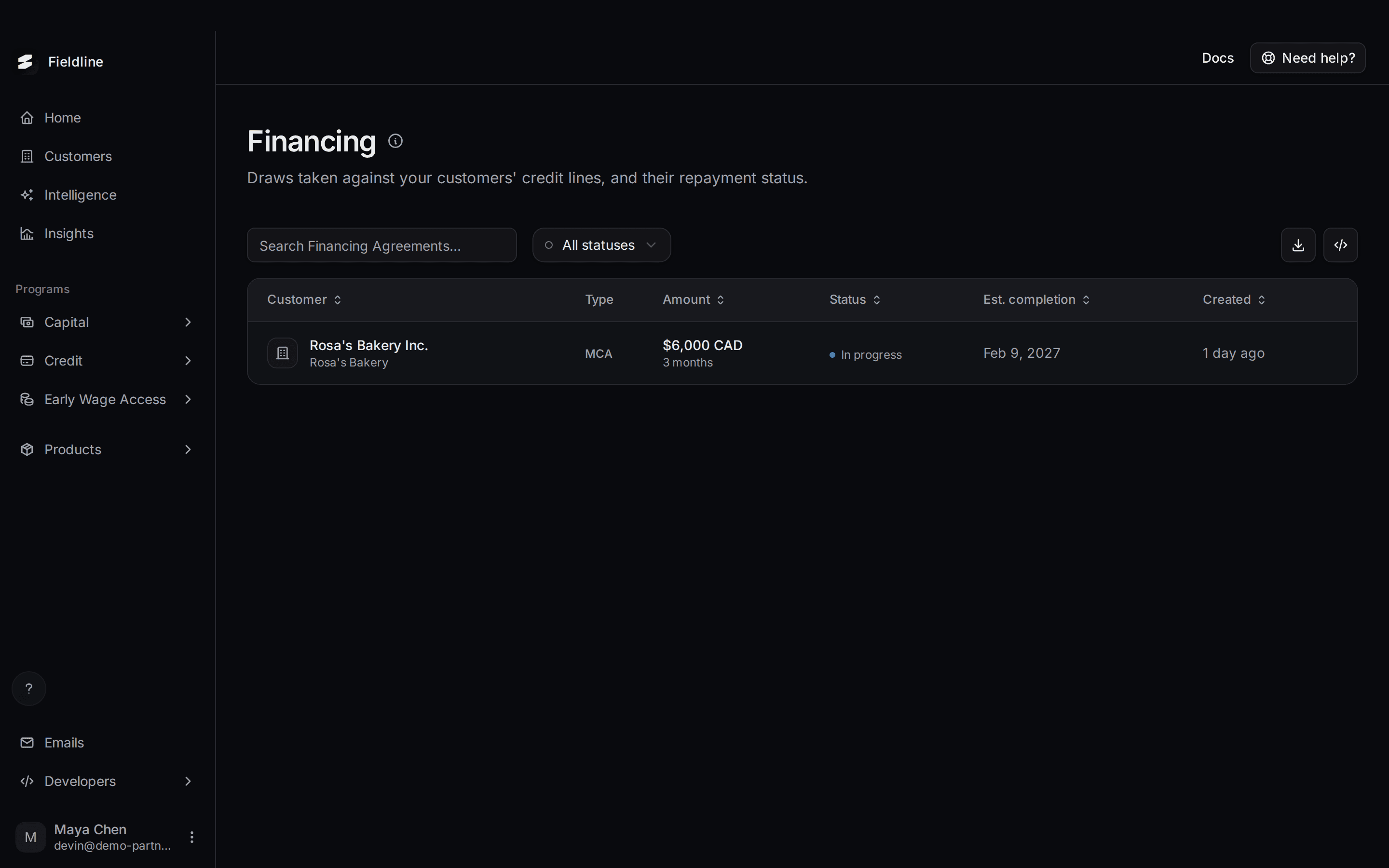
A draw is one withdrawal from a customer's credit line. Each draw is its own deal with its own amount, schedule and repayment. This page lists them all.
Where to find it: select Credit in the left menu, then Financing. The Credit group only shows for partners with the Credit program. For the whole path from offer to repayment, see Credit line offers.
How draws and the credit line fit together
The credit line (see Credit line accounts) sets the limit. Each draw uses up part of that limit until it is repaid. When a draw is paid back, the room frees up and the customer can draw again.
One row on this page is one draw, not one credit line. A customer with three draws has three rows.
Read the Financing list
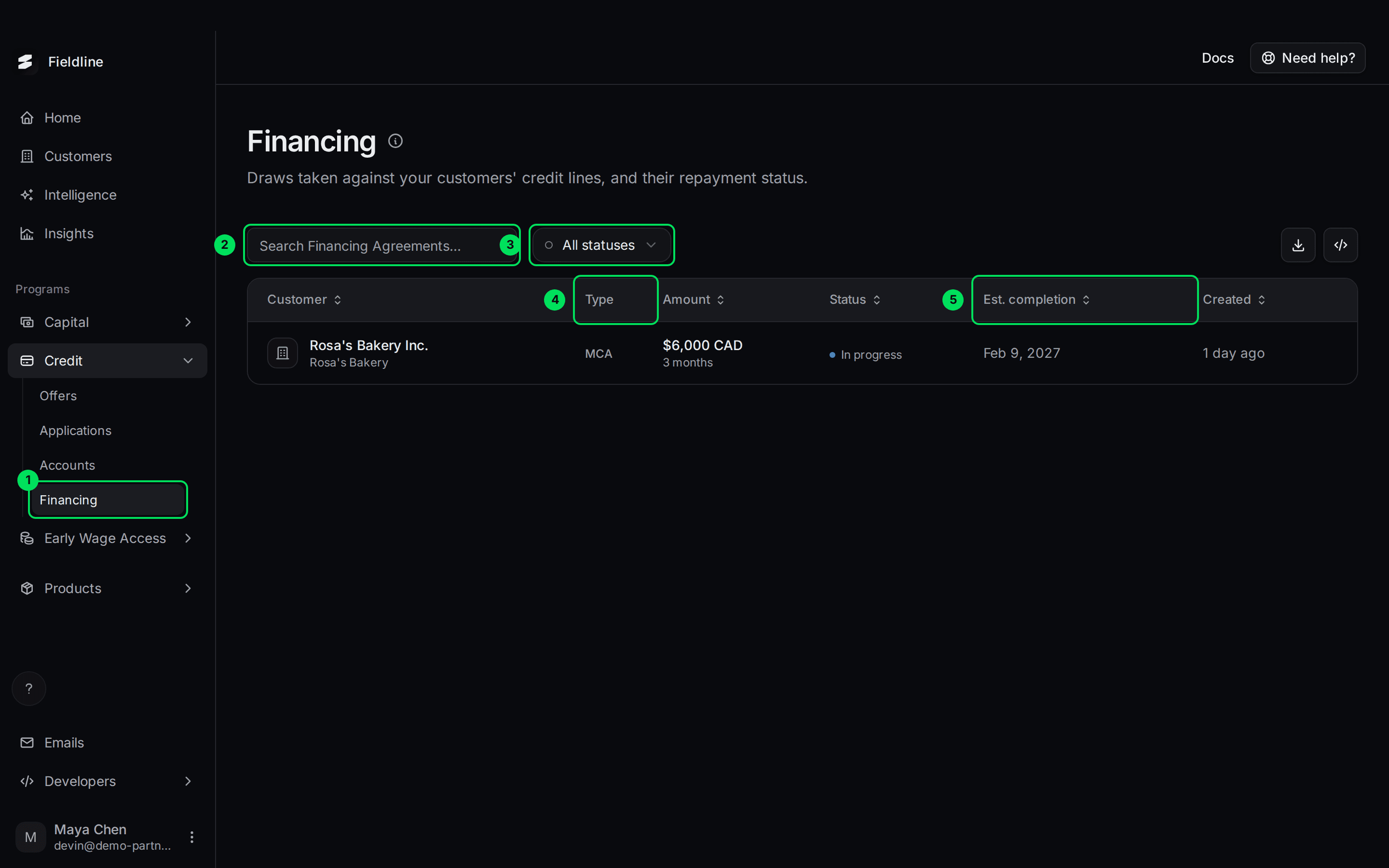
- Financing: this page, under Credit.
- Search Financing Agreements...: searches the list.
- All statuses: filters by In progress, Completed or Defaulted.
- Type: the kind of deal. Draws show as MCA here.
- Est. completion: the date the draw is expected to be fully repaid.
The columns are:
- Customer: the business, with its display name below.
- Type: the kind of deal.
- Amount: how much was funded, with the length of the repayment plan under it, for example "3 months".
- Status: see below.
- Est. completion: the expected last payment date. If it has passed and the draw is still in progress, a Past due tag appears.
- Created: how long ago the draw was created.
Select a column title to sort. The download button exports the loaded rows only, so raise per page to 100 first.
What each status means
- In progress: the customer is repaying. Nothing for you to do.
- Completed: the draw is paid back in full. The room on the line is free again.
- Defaulted: the draw was not repaid as agreed. Contact Slate.
Open a draw
Select a row
A panel opens on the right.
Read the repayment
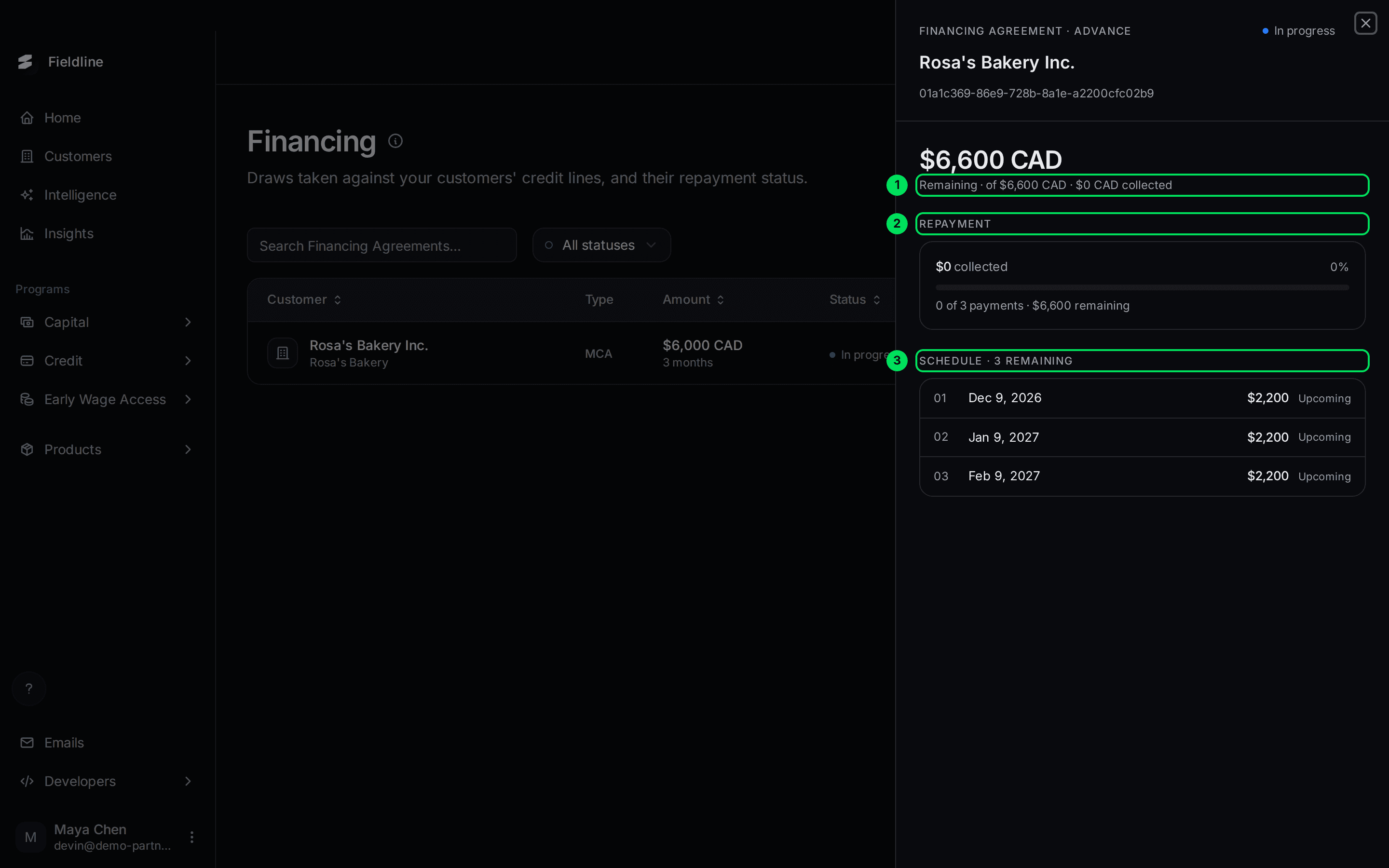
- Remaining: what is left to repay, out of the total, and how much has been collected.
- Repayment: a progress bar, with "0 of 3 payments" and the amount remaining.
- Schedule: each payment with its date and amount. Each is Upcoming, or Overdue if the date has passed.
In this example the draw was $6,000. The total to repay is $6,600, in three payments of $2,200.
Watch it move
As payments come in, Collected grows and rows move to a Payment history list marked Paid or Processing. Once the first payment has been made, the panel also shows the terms, the dates and the customer.
See one customer's draws
You can narrow the page to one customer from their panel.
Open the customer
Go to Customers and select the customer. For a draw facility, the panel shows how much is available and how much is out.
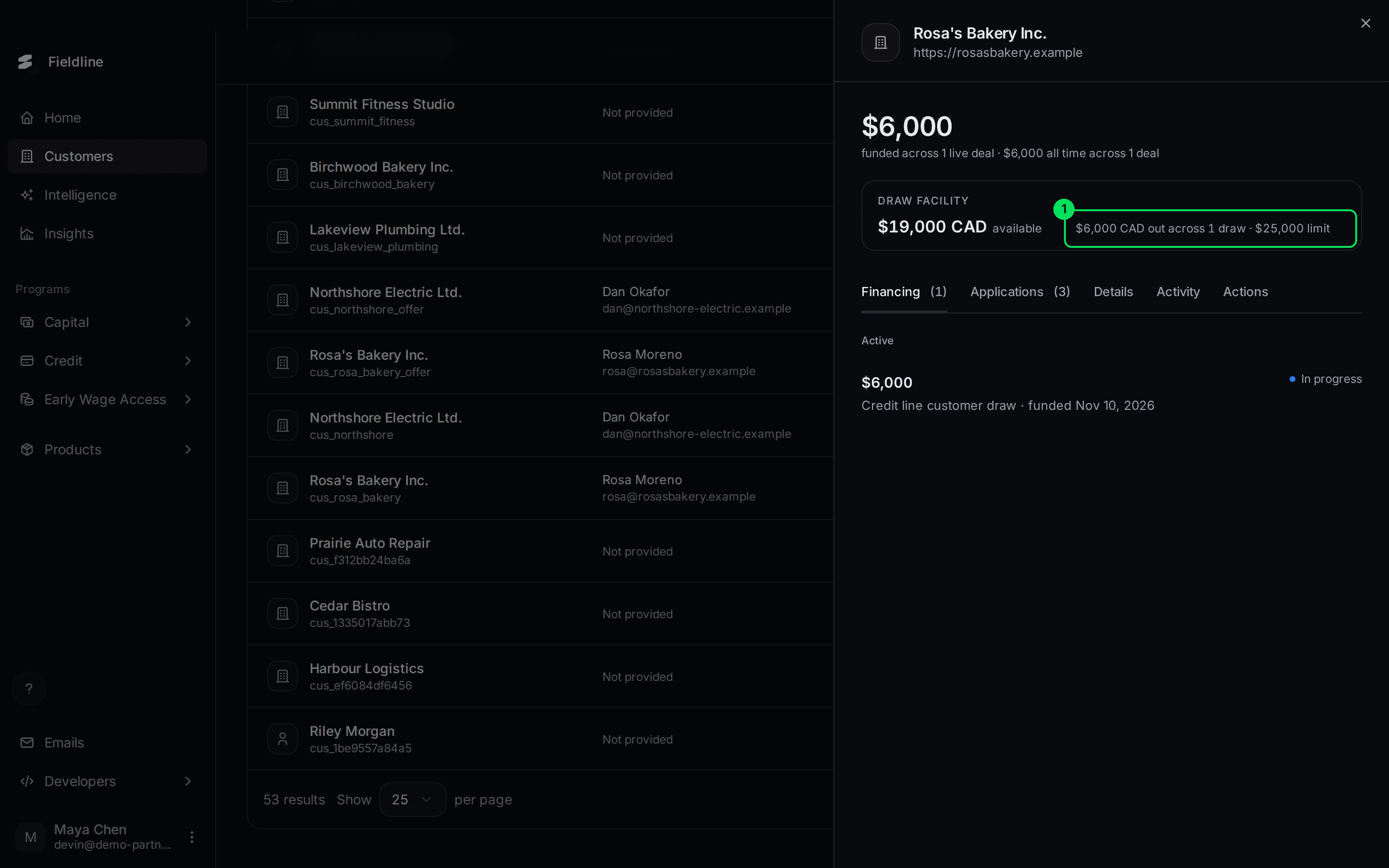
- $6,000 CAD out across 1 draw · $25,000 limit: select this line to open that customer's draws.
Check the notice
The Financing page opens with a line that reads "Showing only Rosa's Bakery Inc.'s draws".
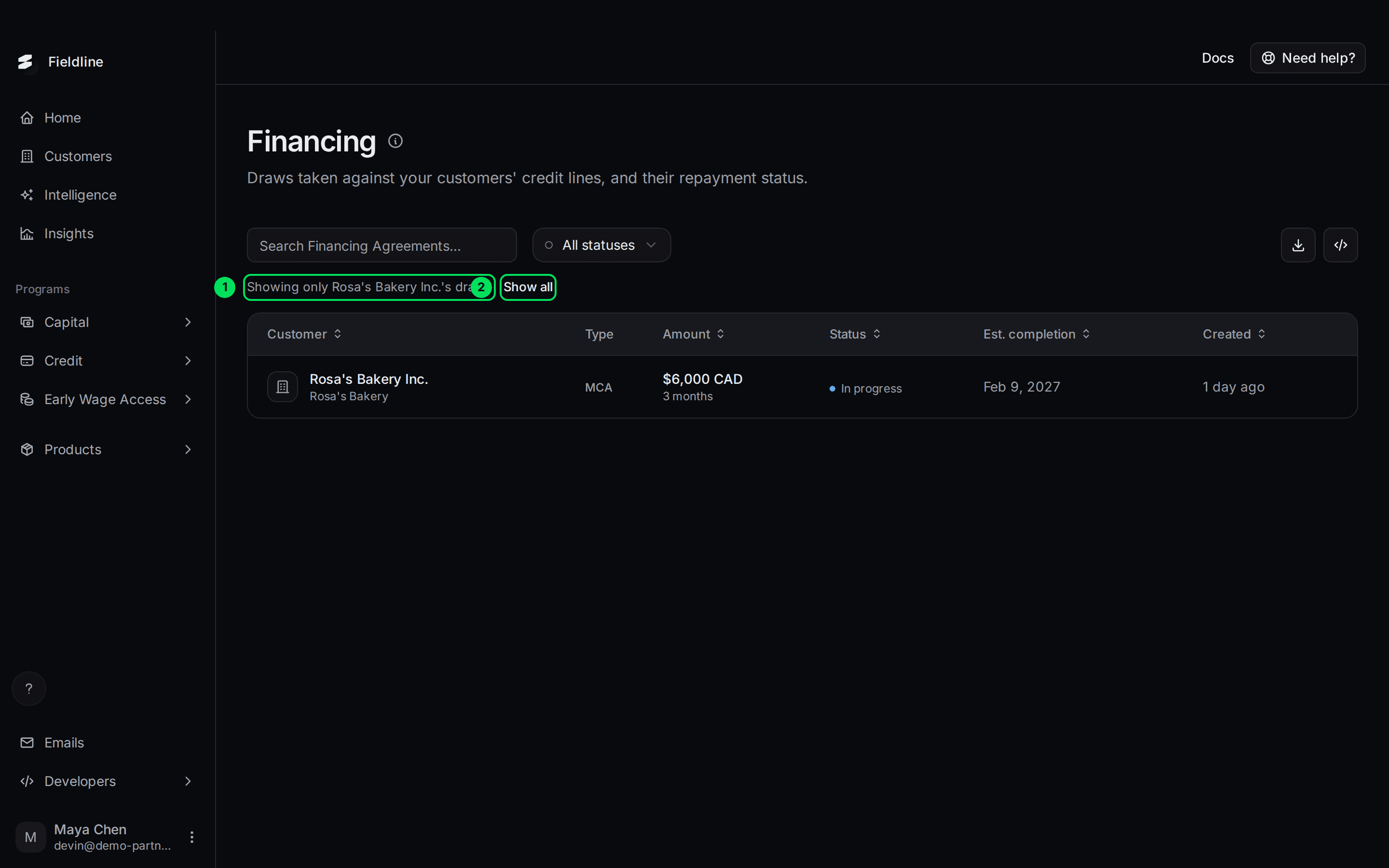
- Showing only ... draws: tells you the list is filtered to one customer.
- Show all: removes the filter.
If something goes wrong
I can't find a customer's draw
Select Show all if a "Showing only" notice is on, and set All statuses. Check you are on Credit, Financing and not Capital, Financing.
A customer's available amount differs between pages
The customer panel on Customers subtracts draws that are out. The Accounts panel for a draw facility may still read $0 outstanding. Trust the draws on this page and the customer panel.
The panel is nearly empty
A brand new draw shows only the repayment bar and schedule. The terms and dates appear after a first payment.
Learn more about the Slate credit line.
Still stuck? Email [email protected] with your account email and the screen you are on. We reply within 24 business hours.