Help Center / Products you embed
Credit Line Banner: every state your customers see
The Credit Line Banner shows a customer their credit line offer, their activation progress and their available credit. See all ten states.
5 min read · Updated November 10, 2026
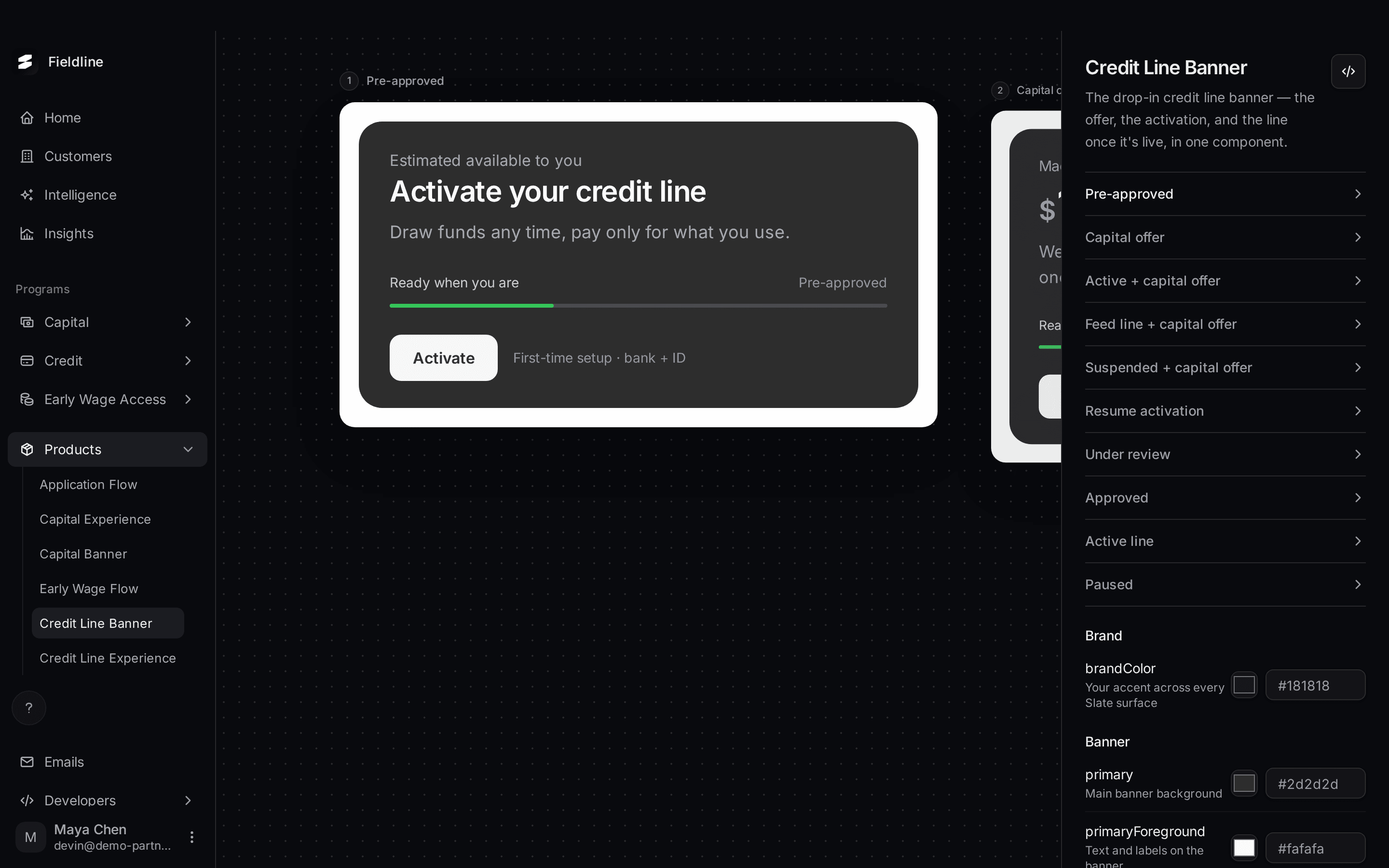
The Credit Line Banner is a small panel for a page your customers already visit. It shows the offer, the progress of the activation, and then the available credit once the line is open. It works out the right message by itself.
You'll find it under Products > Credit Line Banner. It only appears if Slate has set up a credit line for your account.
Open the preview
Open the Products menu
Select Products in the menu on the left. If the group is closed, select it to open it.
Select Credit Line Banner and pick a state
Select Credit Line Banner, then select a name in the list on the right to bring that state to the middle of the board.
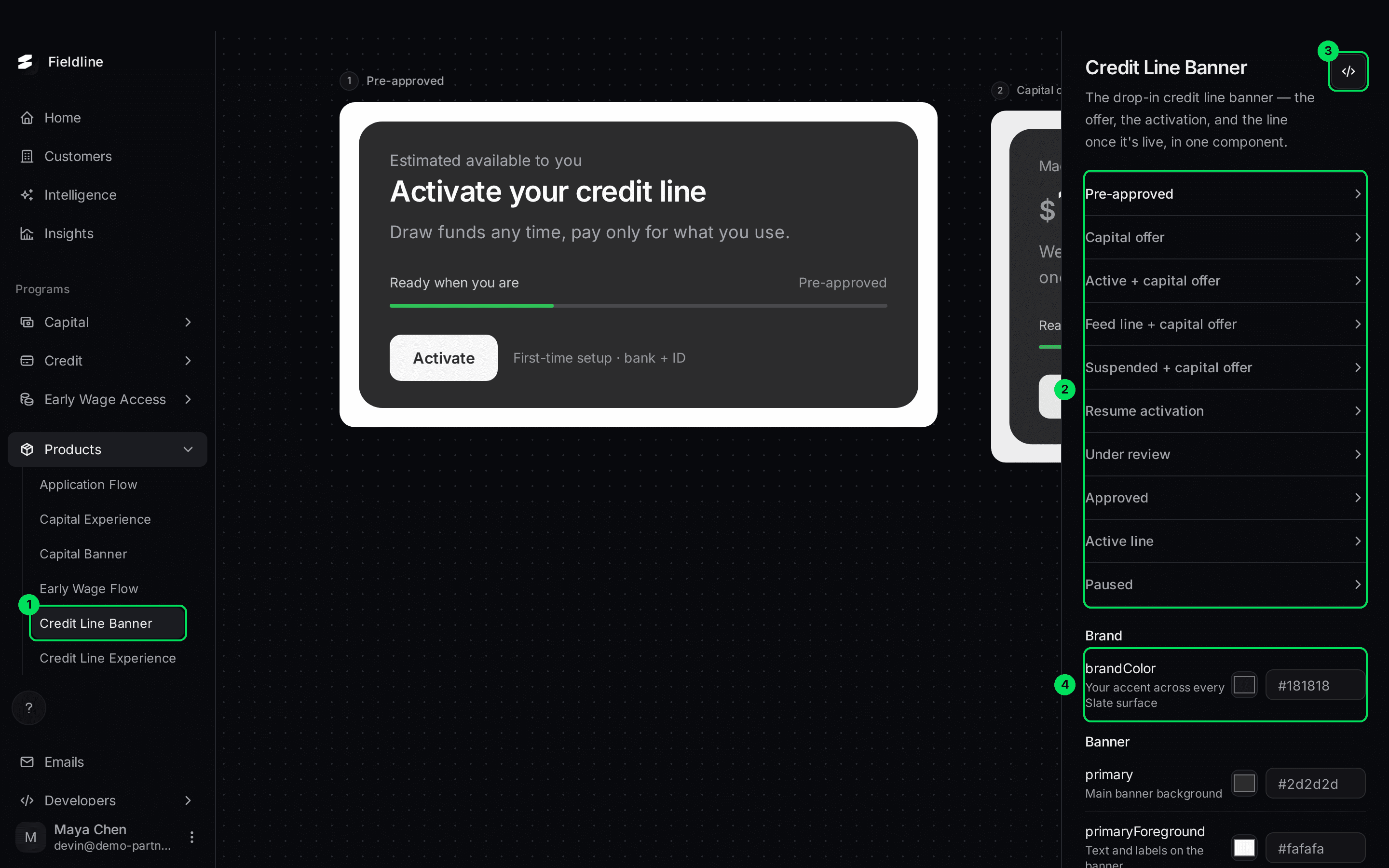
- Credit Line Banner in the Products menu.
- The list of ten states. Select one to preview it.
- The Embed code button, shown as
</>. - The brandColor setting. The banner colours continue below it.
The ten states
Pre-approved
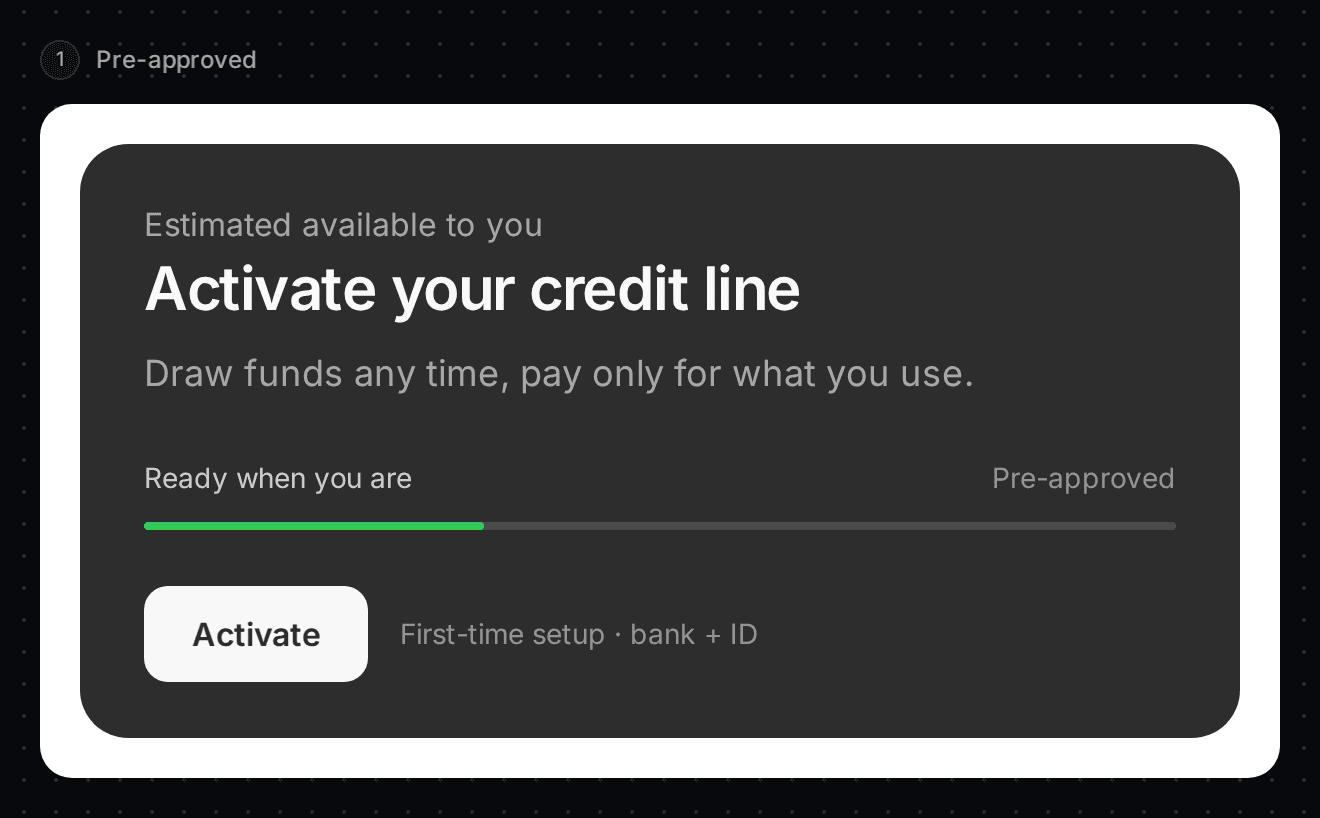
The customer has a credit line offer but hasn't set it up. The banner says "Activate your credit line" and "Draw funds any time, pay only for what you use." The button is Activate, with the hint "First-time setup · bank + ID".
Capital offer
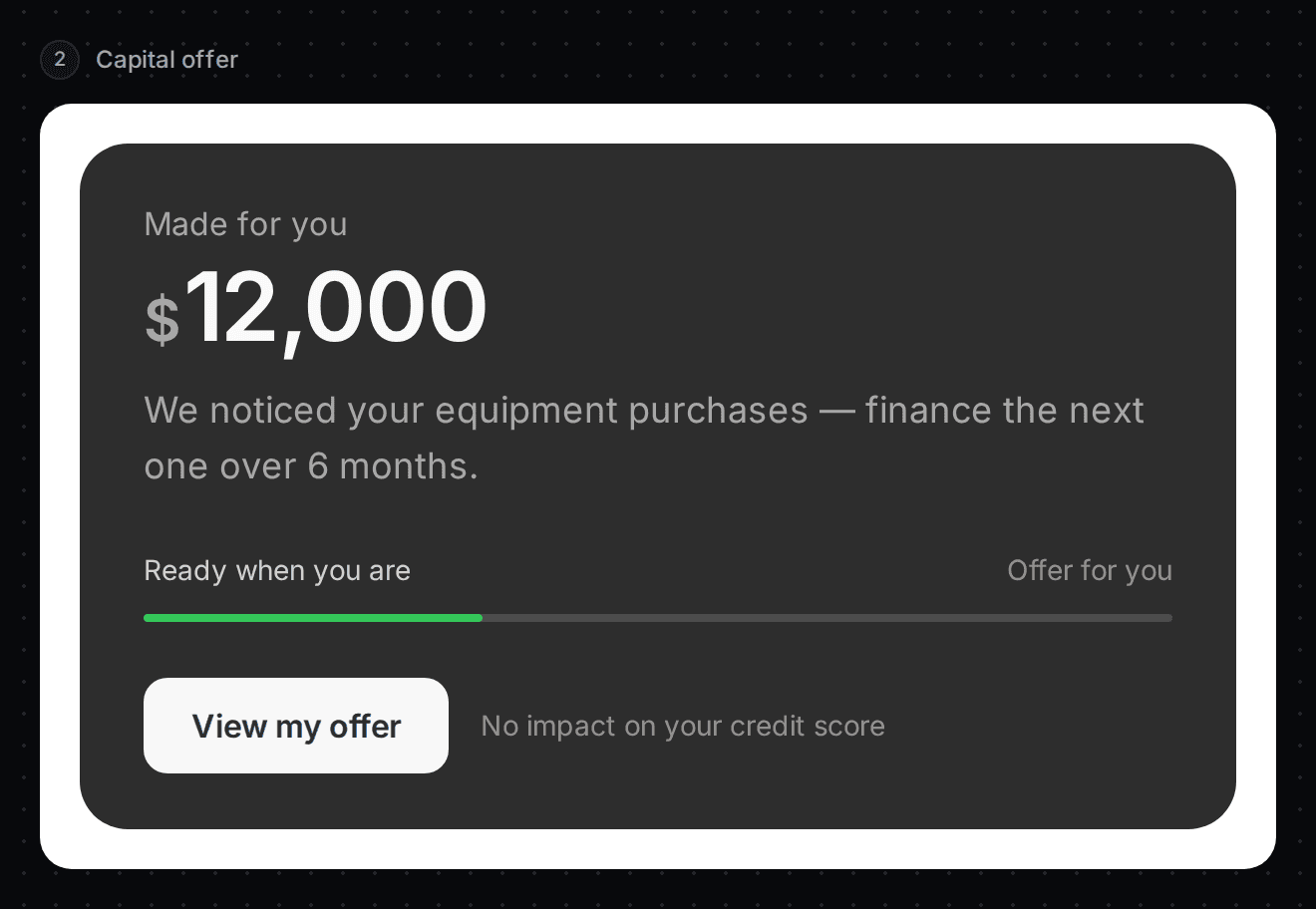
Slate has a capital offer for the customer. The card is titled "Made for you" and shows the amount and a short reason. The button is View my offer, with "No impact on your credit score".
Active + capital offer
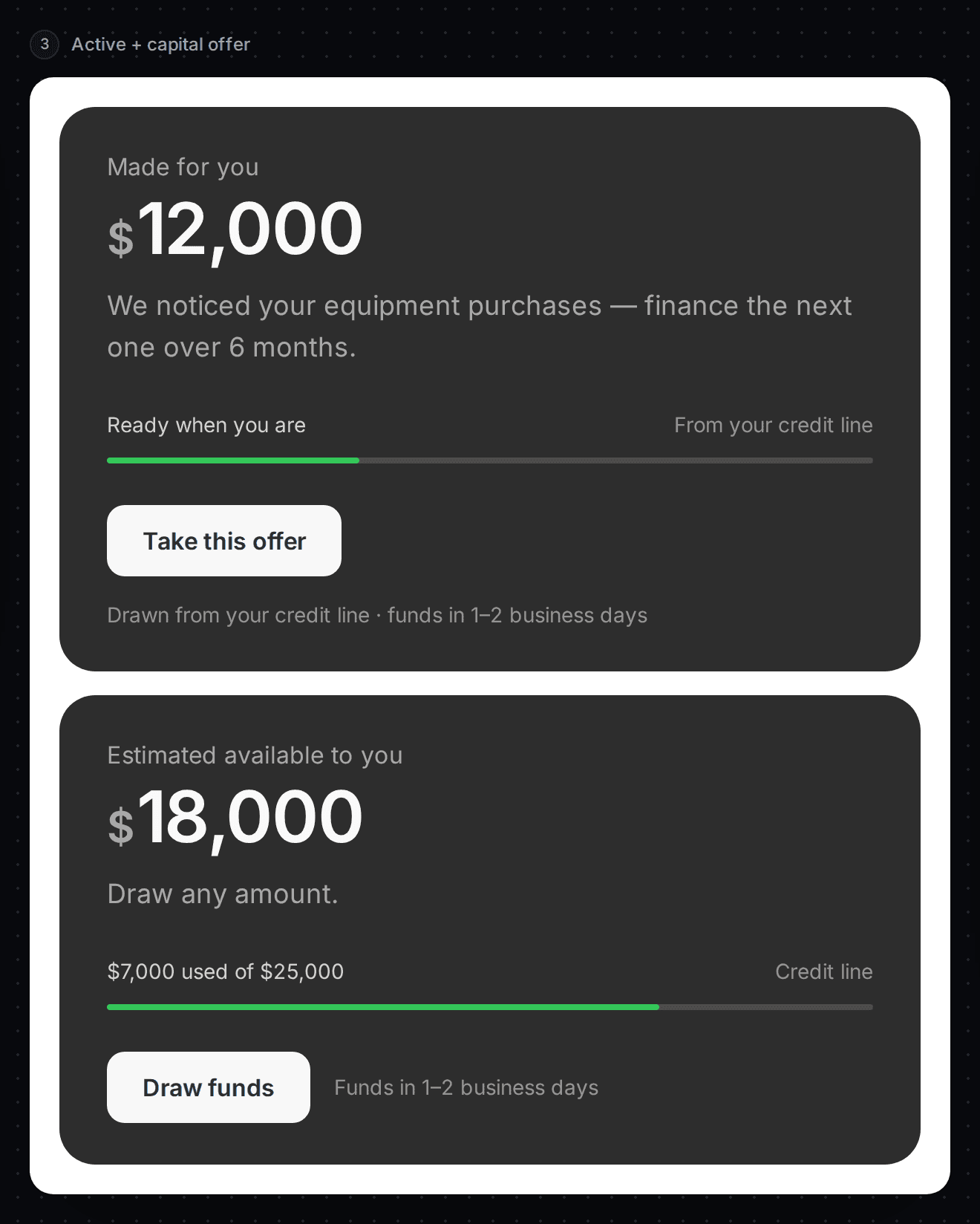
The customer has an open credit line and a capital offer. Two cards show. The offer card has Take this offer, paid from the credit line. The credit line card has Draw funds.
Feed line + capital offer
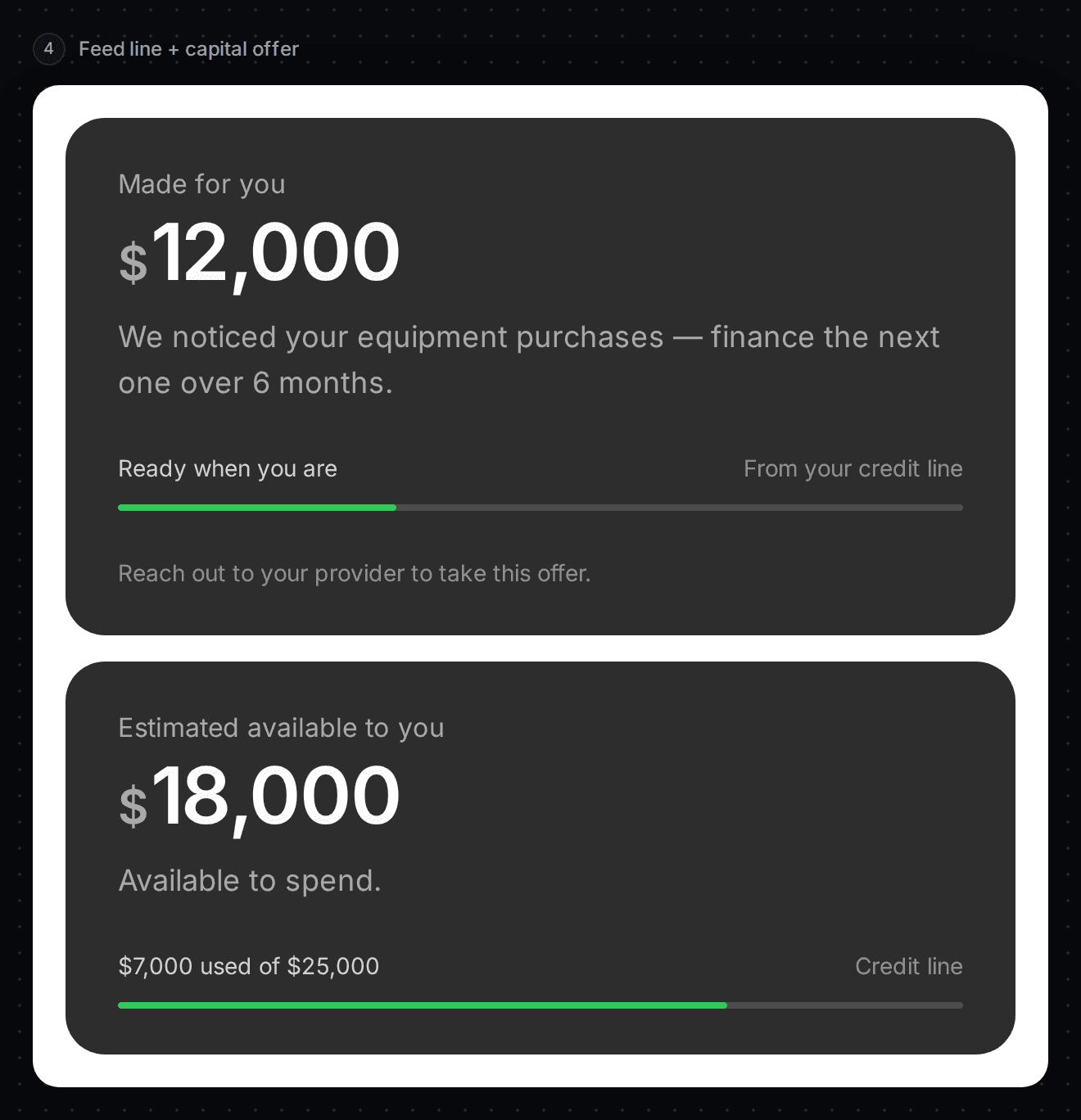
The customer has a feed line and a capital offer. The offer card says "Reach out to your provider to take this offer." The customer can't take it from the banner.
Suspended + capital offer
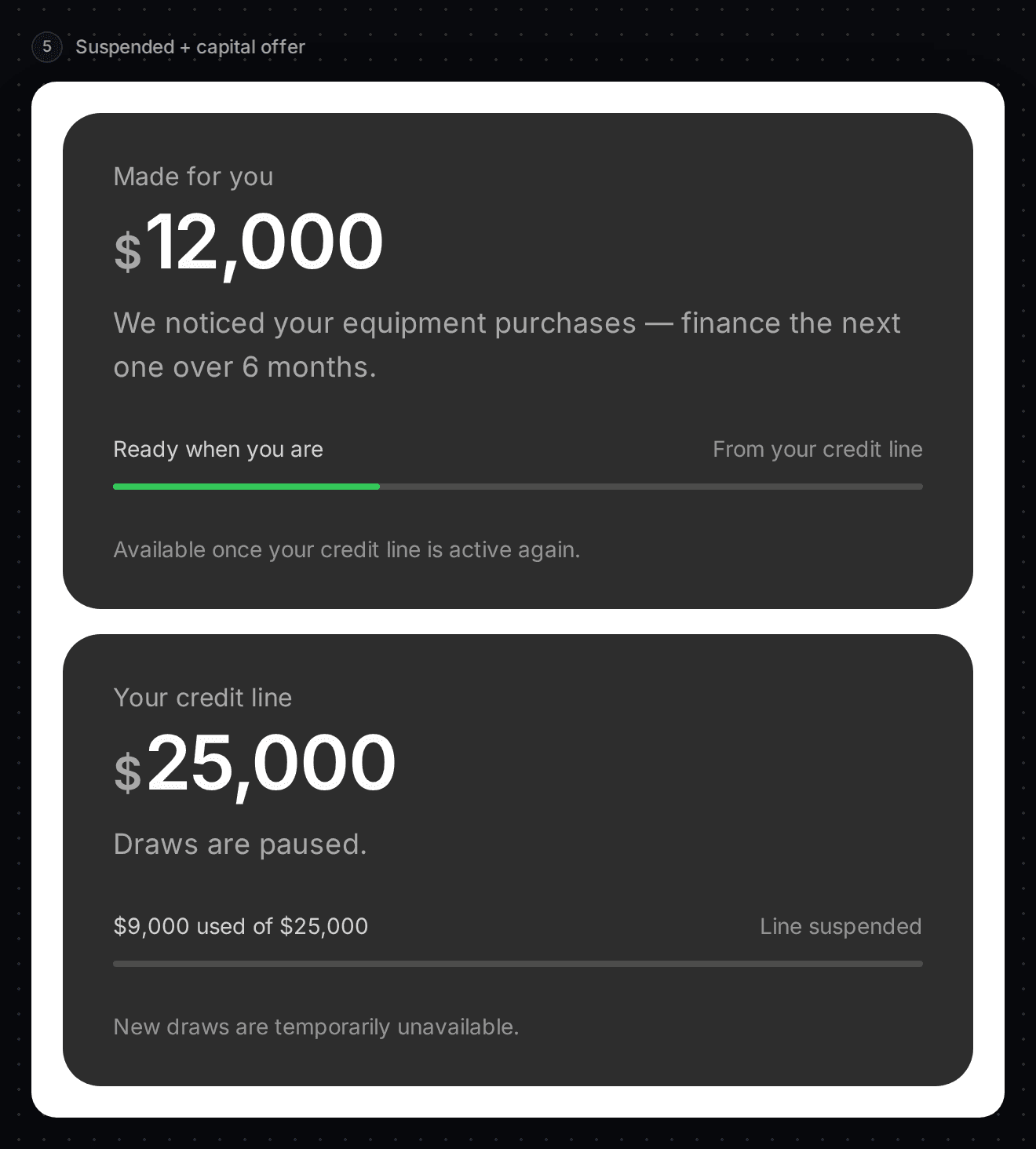
The credit line is paused and there is also an offer. The offer card says "Available once your credit line is active again." The line card says "Draws are paused."
Resume activation
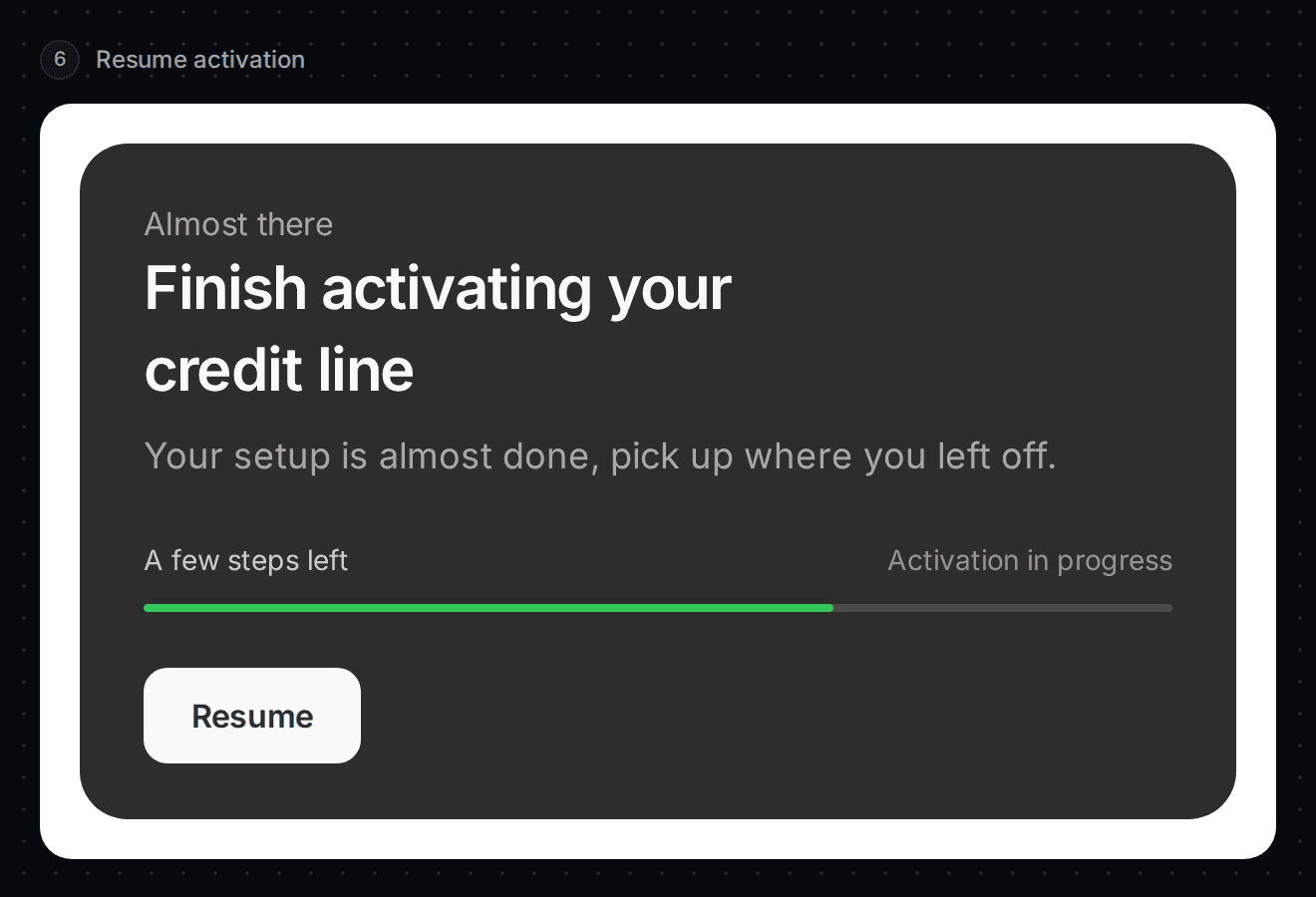
The customer started activating and didn't finish. The banner says "Finish activating your credit line". The button is Resume.
Under review
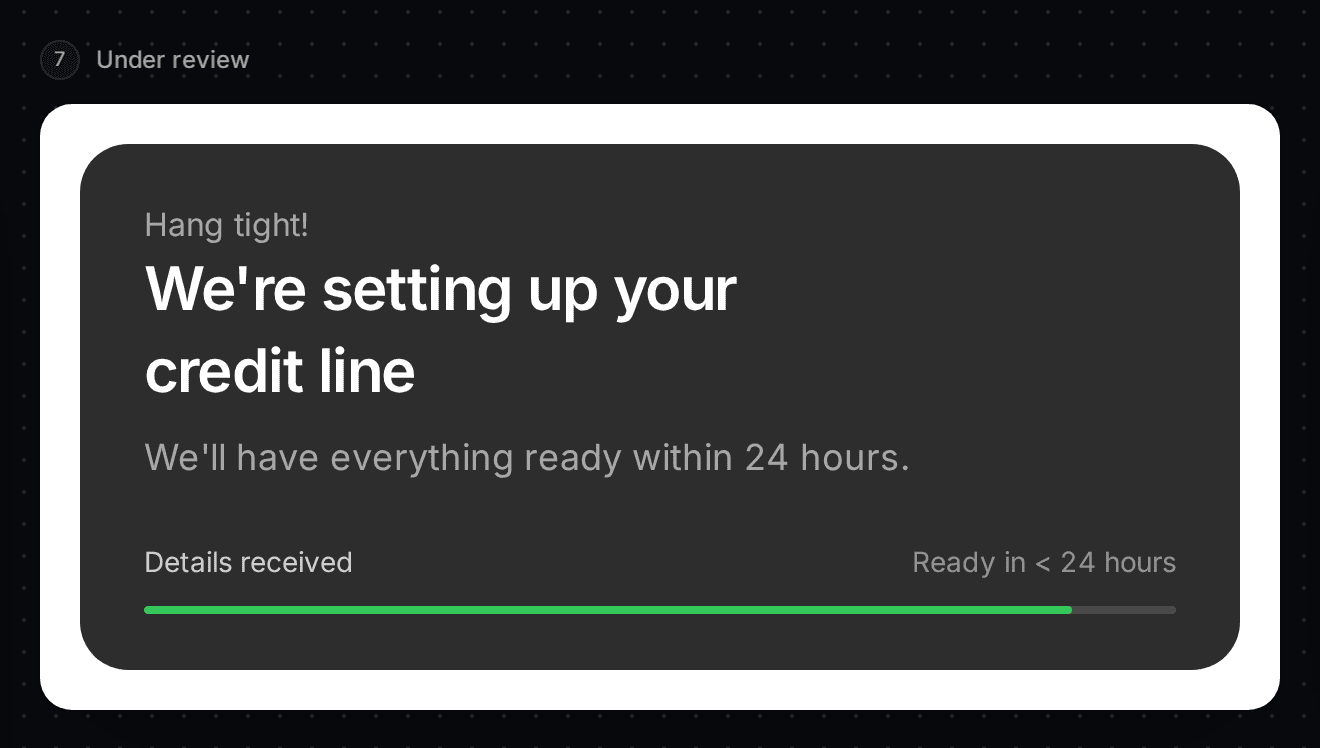
The customer applied. The banner says "We're setting up your credit line" and "We'll have everything ready within 24 hours." No button.
Approved
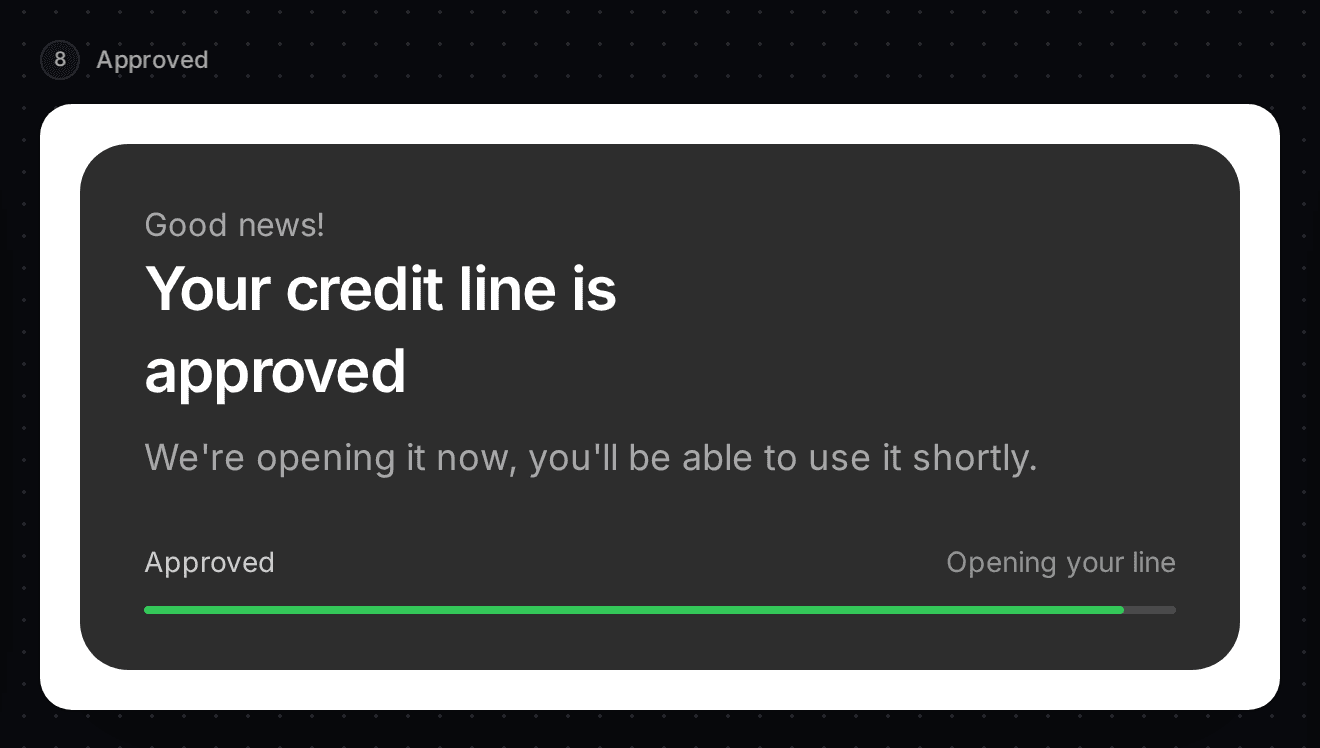
Slate approved the line and is opening it. The banner says "Your credit line is approved" and "We're opening it now, you'll be able to use it shortly." No button.
Active line
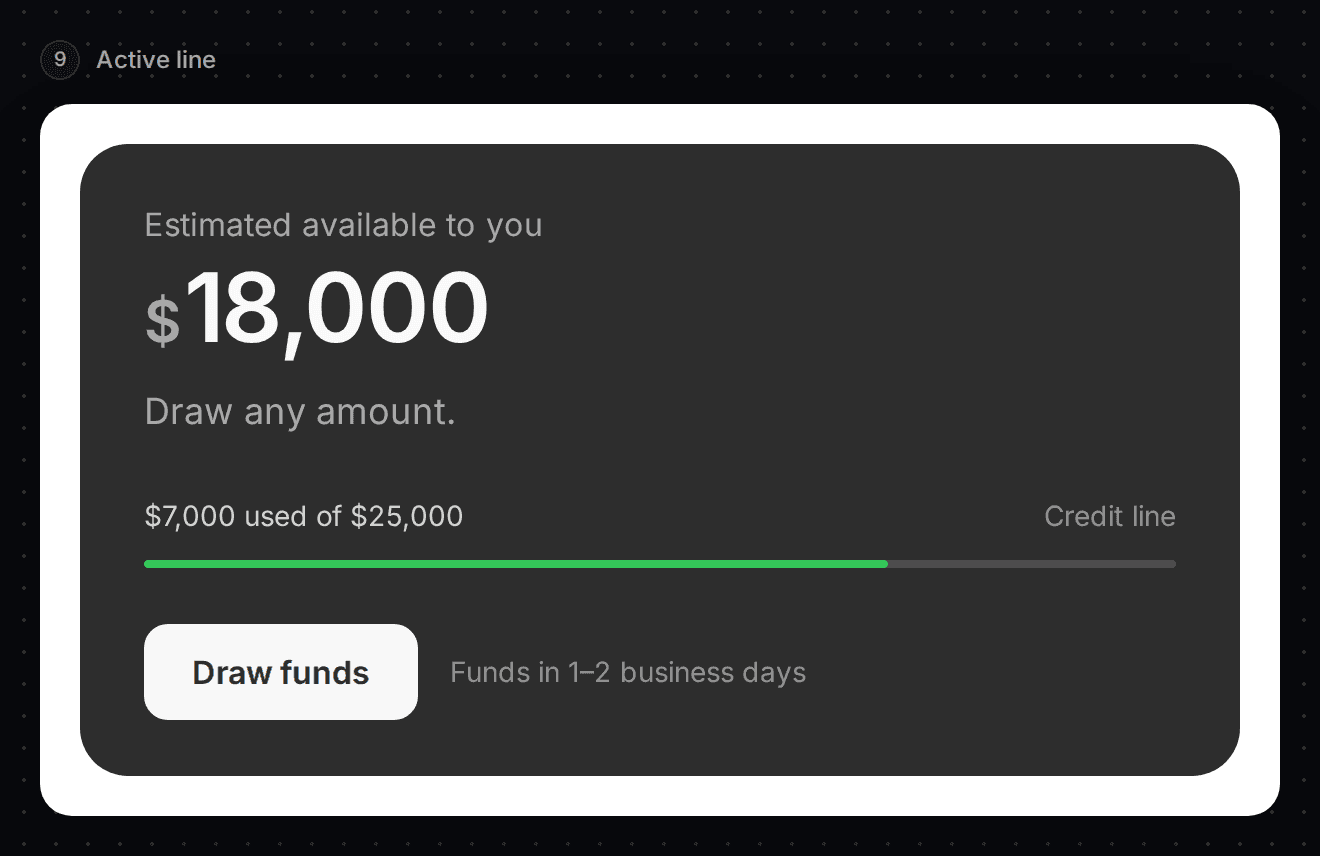
The line is open. The banner shows the available credit, how much is used, and Draw funds, with the hint "Funds in 1-2 business days". The smallest draw is $1,000. When the full limit is drawn, the banner says "You've drawn your full limit." and that payments free up credit.
Paused
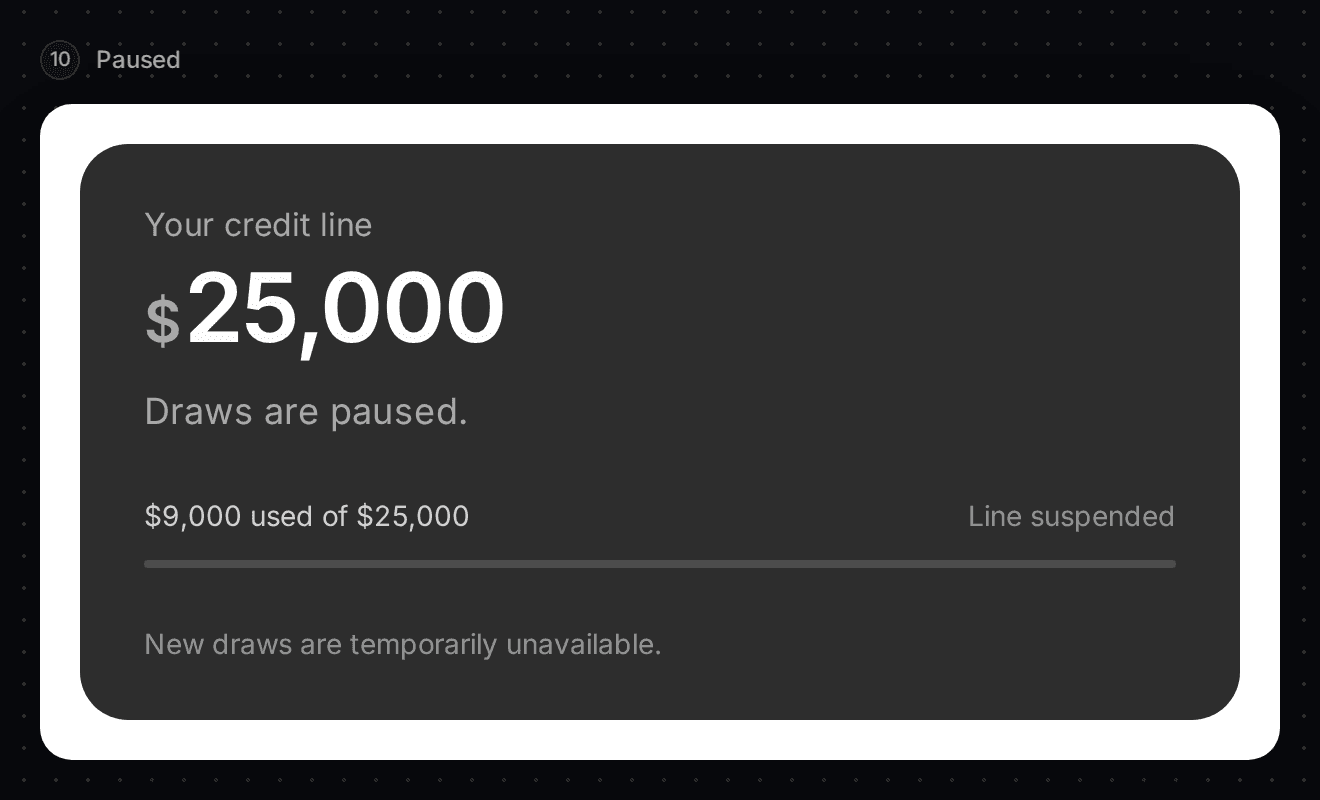
The line is suspended. The banner shows the limit and says "Draws are paused." and "New draws are temporarily unavailable." No button.
Two more messages you may see
- Reconnect your bank account: Slate needs a fresh bank connection. The button is Reconnect bank account.
- Not enough credit: when there isn't enough available on the line, the offer card says "Not enough available on your line right now". Payments free up credit.
Set the banner colours
The bottom of the right-hand column holds the colour settings. They are the same four as the Capital Banner: primary, primaryForeground, secondary and secondaryForeground.
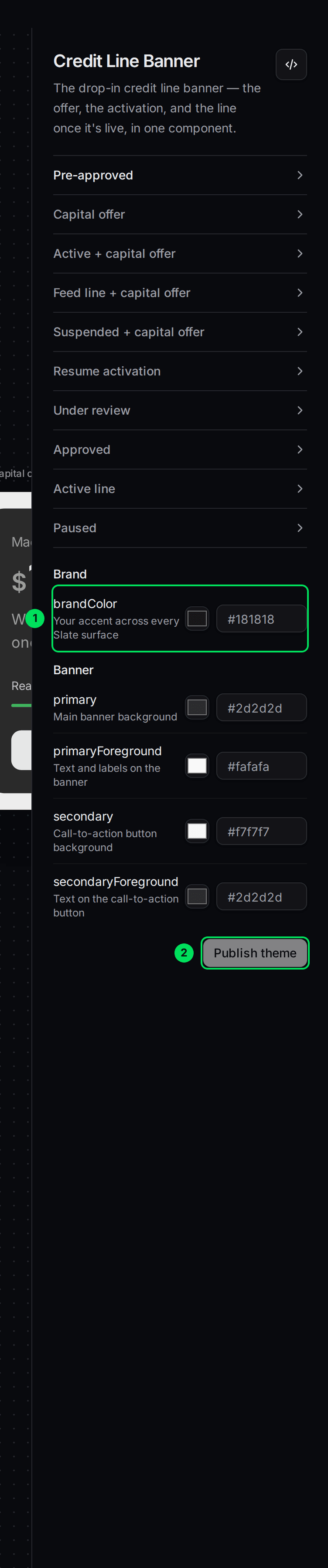
- brandColor: your brand colour.
- Publish theme: saves your colours.
See Match Slate to your brand colours for what each one does.
Embed it on your site
Open the embed panel
Select the </> button at the top of the right-hand column.
Copy the code
Copy section 1 to your server and section 2 to your page. The tag is slate-credit-line-banner. See How the products you embed work.
Decide who handles the buttons
The banner opens the activation and draw screens in a window by itself. To open your own screens, add disable-dialogs and listen for ctaClicked. The event says which button it was: activate, resume, draw or reconnect.
If something goes wrong
The Credit Line pages are not in my menu
They only show for accounts with a draw credit line. Ask Slate if you expected them.
The Products group is closed on this page
The menu group may start closed on this page. Select Products to open it.
The banner is empty
The banner shows nothing when there is nothing to show for that customer.
Learn more about how Slate goes into your product.
Still stuck? Email [email protected] with your account email and the screen you are on. We reply within 24 business hours.