Help Center / Customers
Insights: how your program is doing
Read every number on the Insights page: money funded, repayment, the conversion funnel, approval rate and the status of your advances.
5 min read · Updated November 10, 2026
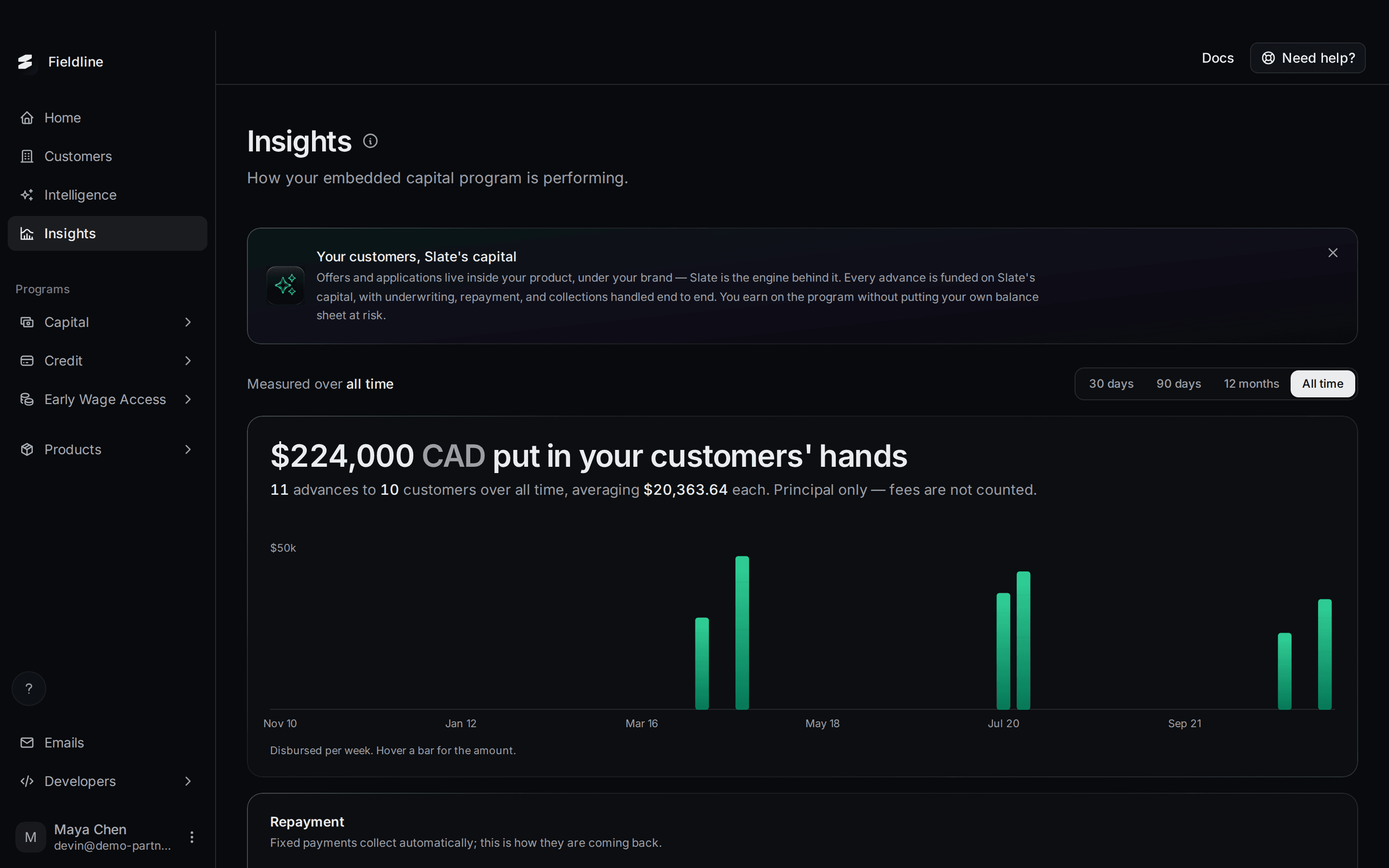
The Insights page shows how your program with Slate is doing: how much was funded, how it is being repaid, and where customers drop out on the way.
Find it in the menu on the left: select Insights. The numbers below come from our test account, so yours will differ.
Choose the time range
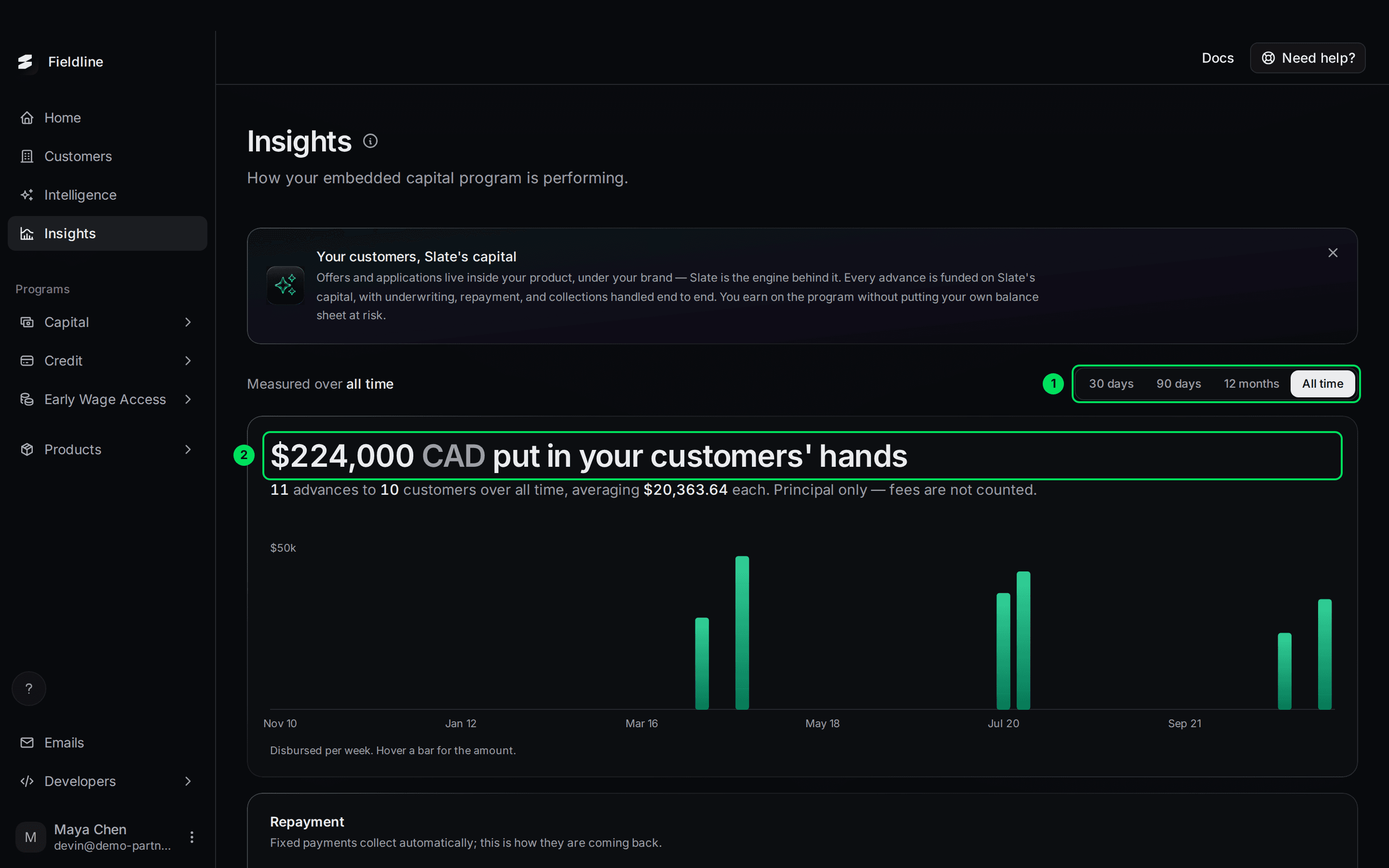
- Range picker: 30 days, 90 days, 12 months or All time. The default is All time. The line beside it reads "Measured over all time".
- Amount funded: the total put in your customers' hands in that range.
Most figures follow the range. Outstanding principal and Outstanding with fees do not. They show today's balance.
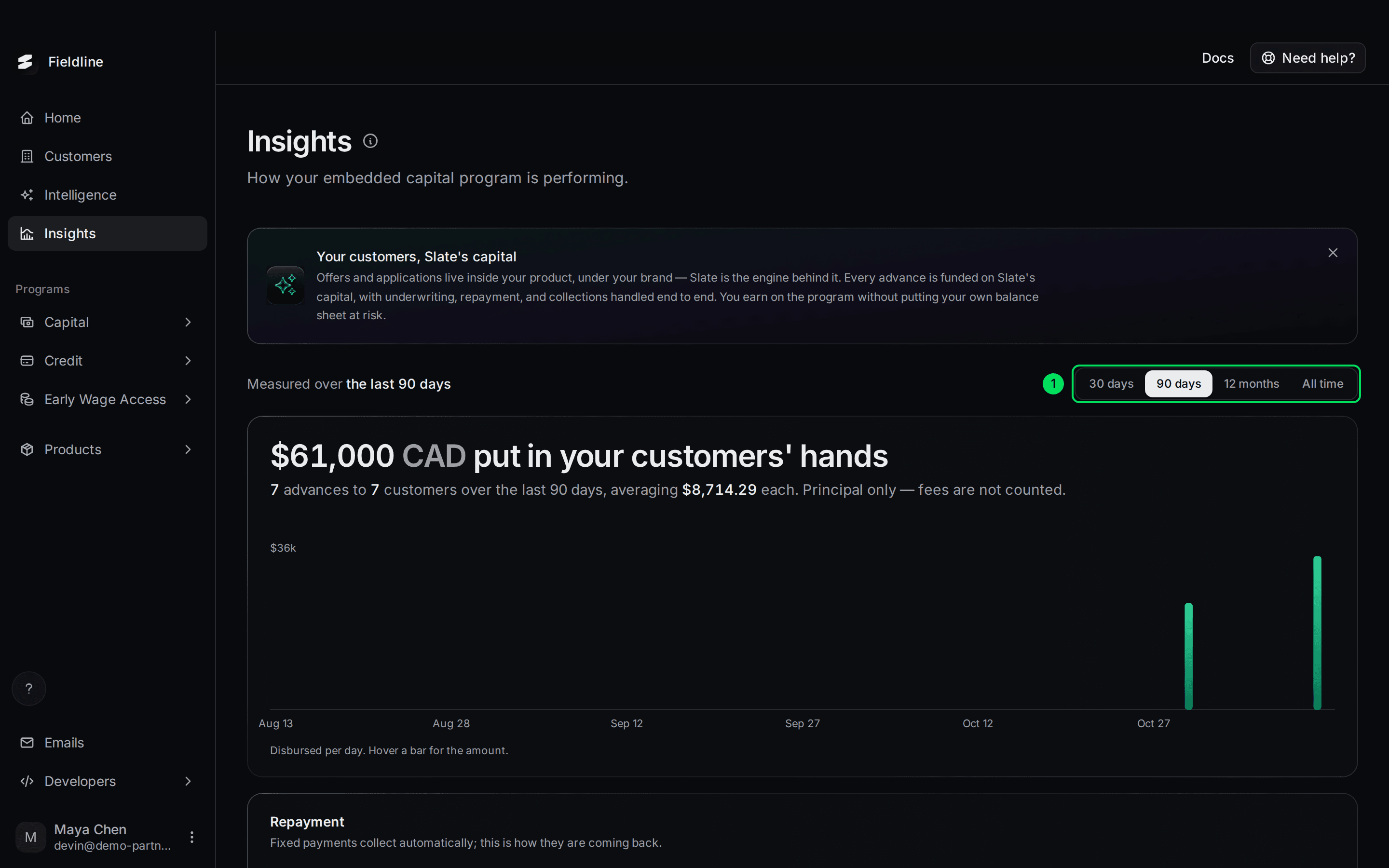
While the page reloads for a new range, it says "updating".
How much was funded
The big number is the total funded in the range, in Canadian dollars. Under it you see the number of advances, how many customers received them and the average.
Fees are not counted. This number is the principal only.
The bar chart shows what was funded per day or per week. Hover over a bar to see its amount. If nothing has been funded, the chart says "Nothing disbursed yet".
Repayment
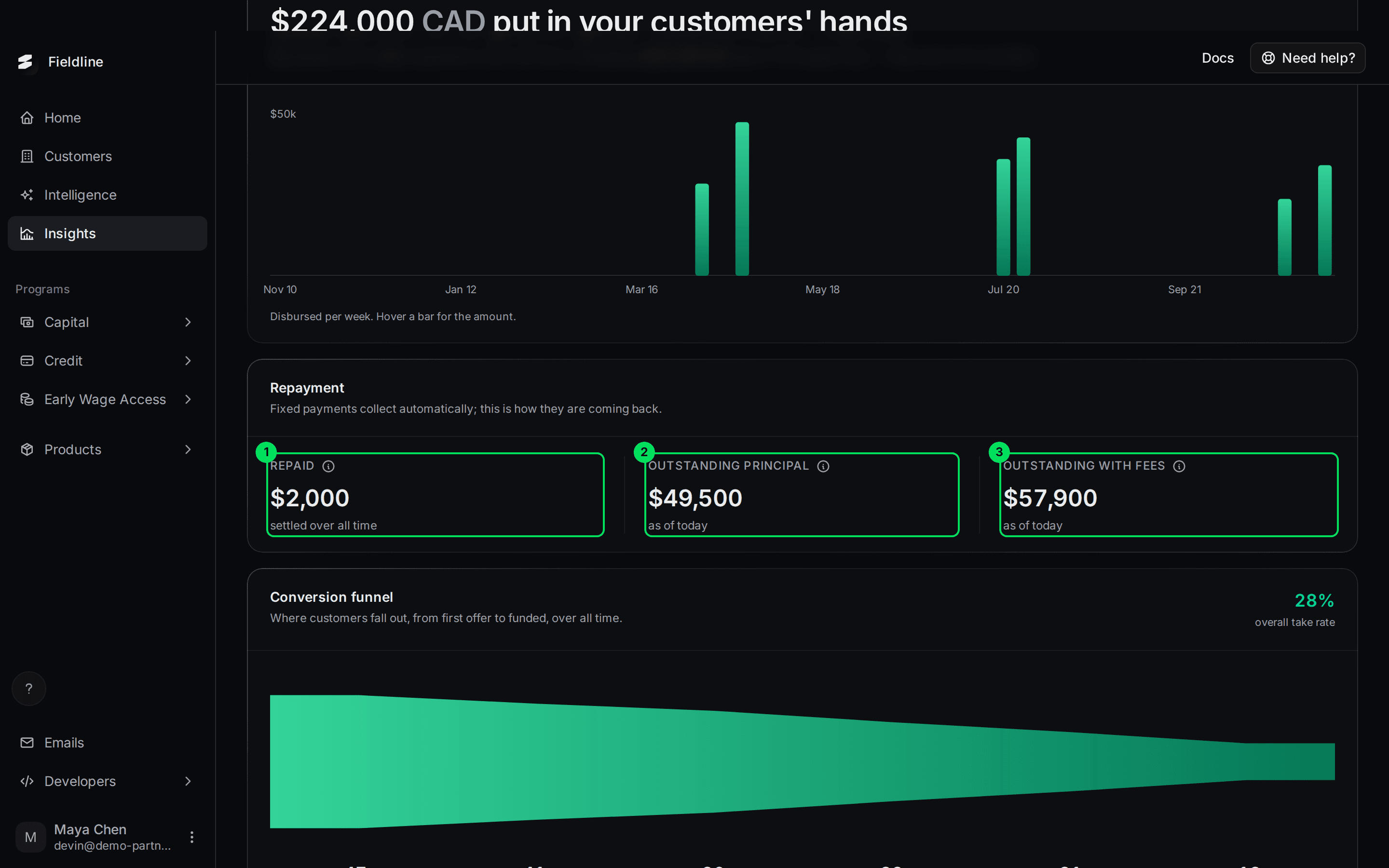
- Repaid: money collected in the range. It includes principal and fees. Payments still clearing are not counted.
- Outstanding principal: the funded amount still to be repaid, as of today.
- Outstanding with fees: principal plus the fees still to be collected, as of today.
Slate collects fixed payments automatically. You do not need to chase anything.
If some agreements cannot be read, the page warns you: "These figures are missing N agreement(s) whose ledger could not be read just now." Reload the page to try again.
Conversion funnel
The funnel follows your customers from first offer to funded money.
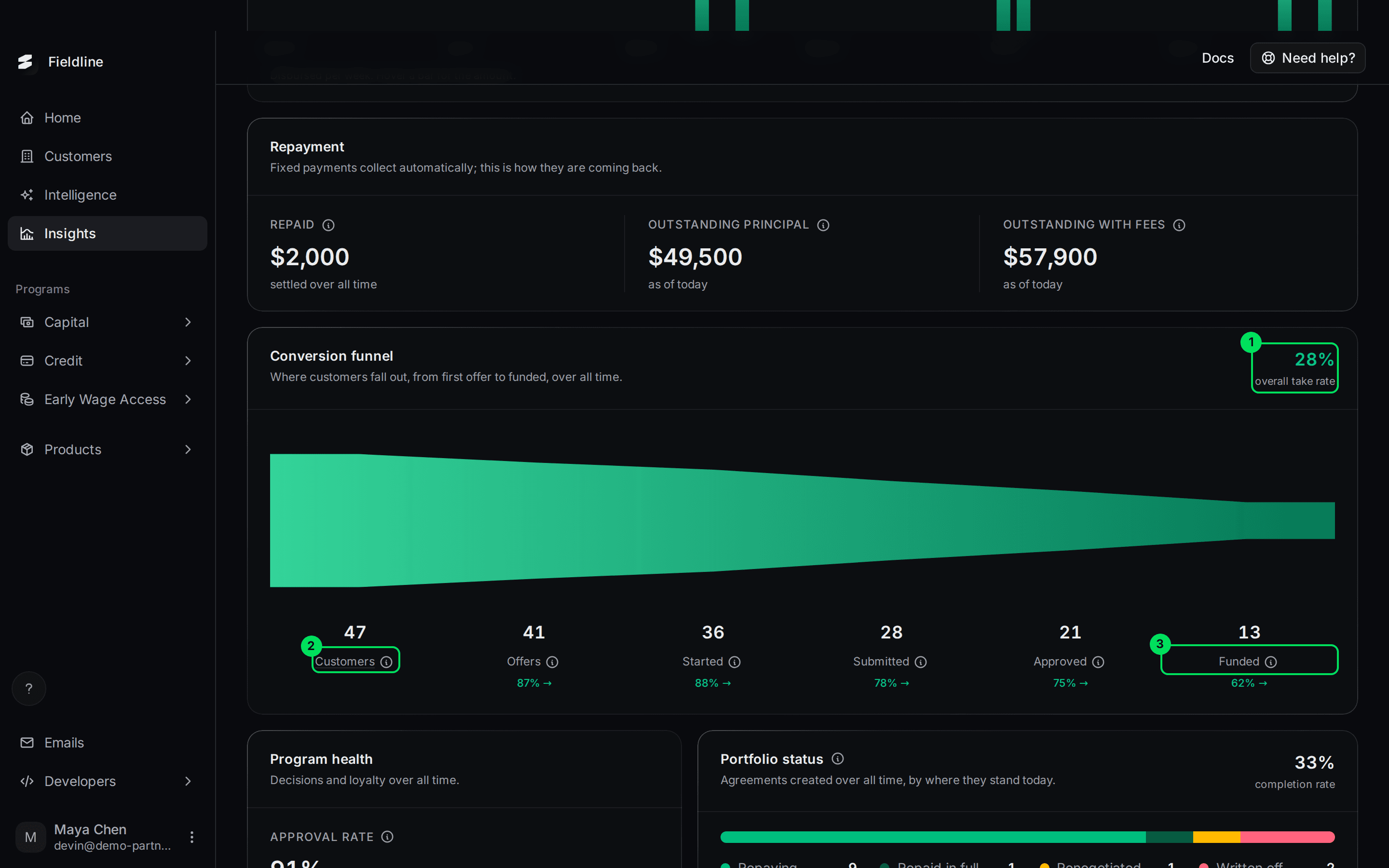
- Overall take rate: the share of customers who ended up funded.
- Customers: the first stage, everyone you registered in the range.
- Funded: the last stage, customers who received money.
The stages, from left to right. Hover over the small info icon beside a name to read it in the dashboard.
- Customers: businesses or people you registered in the range.
- Offers: pre-approved offers Slate generated.
- Started: customers who opened the application, including those who stopped partway.
- Submitted: customers who accepted an offer and finished the application. Drafts and cancelled ones are not counted.
- Approved: applications Slate approved, including those since funded.
- Funded: approved applications that became a financing agreement.
Under each stage is the percentage that moved on to the next one. In our test, 47 customers led to 41 offers (87%), then 36 started, 28 submitted, 21 approved and 13 funded.
If you offer one product, you can select a stage number to open the matching list. With both Capital and Credit there is no single list, so the numbers are not links.
Program health
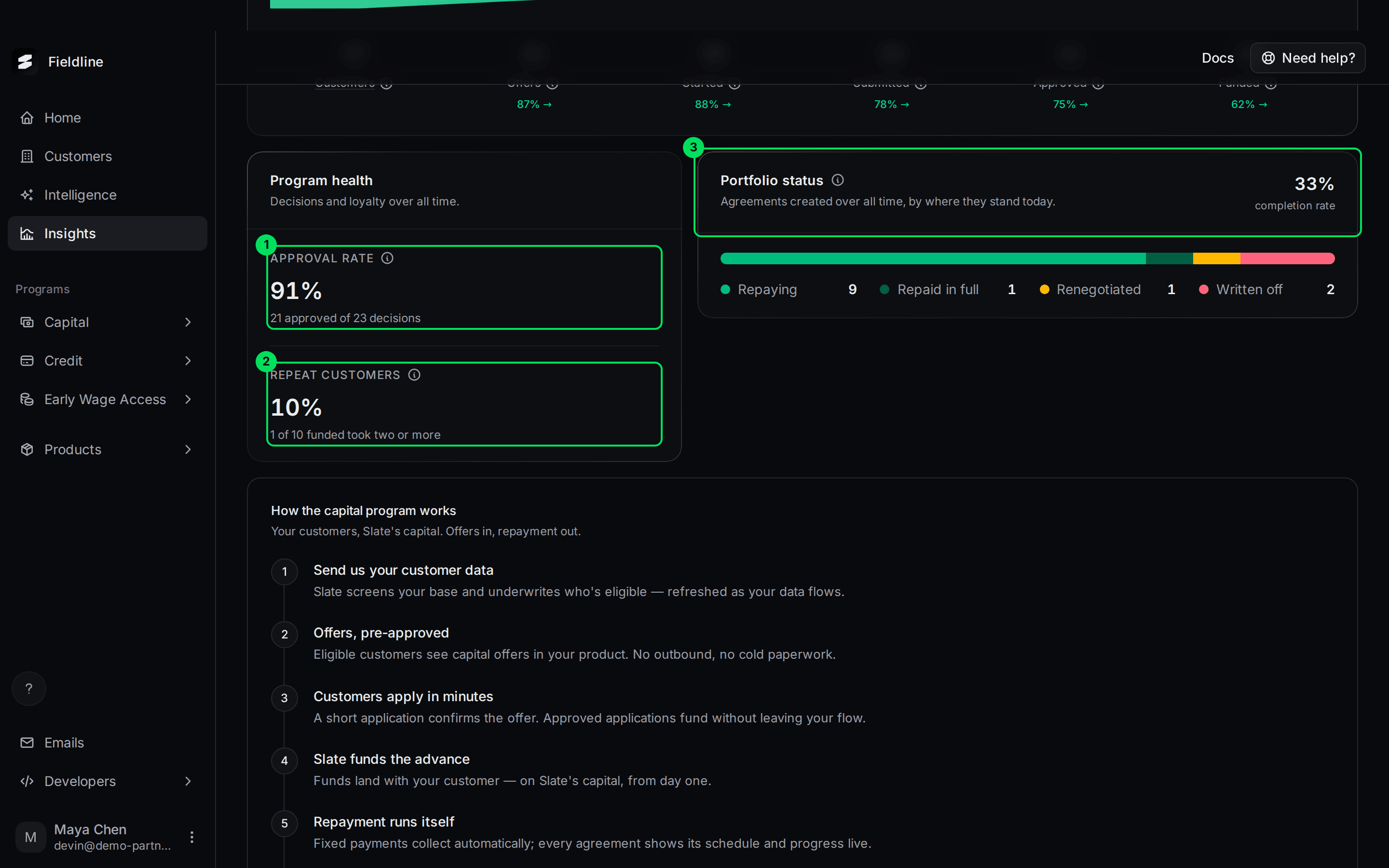
- Approval rate: approved applications out of all decisions. Cancelled and expired ones are not decisions. In our test, 21 approved of 23 decisions is 91%. It says "no decisions yet" until there is one.
- Repeat customers: the share of funded customers who took two or more advances. In our test, 1 of 10. It says "nobody funded yet" if there are none.
- Portfolio status: your agreements created in the range, grouped by where they stand today.
What each portfolio status means
- Repaying: still being repaid.
- Repaid in full: finished and paid.
- Renegotiated: the terms were changed.
- Written off: closed because the rest is unlikely to be collected.
The completion rate at the top right is the share of finished agreements that were repaid in full. In our test, 1 repaid and 2 written off gives 33%.
Find the details behind a number
The Insights page is a summary. Open the detail from these pages:
At the bottom, "How the capital program works" lists the six steps, from sending customer data to watching results here.
If something goes wrong
Everything shows zero or "Nothing disbursed yet"
No advance has been funded in that range. Choose All time, or wait for your first funded customer.
A number looks too low
Check the warning under Repayment about unreadable agreements, then reload. Check the range too: Repaid only counts the range you chose.
Learn more about Slate Signals.
Still stuck? Email [email protected] with your account email and the screen you are on. We reply within 24 business hours.