Help Center / Getting started
Sandbox and live: what's different
What the sandbox and live dashboards are, how to tell which one you're in, what changes between them, and how to switch.
4 min read · Updated November 10, 2026
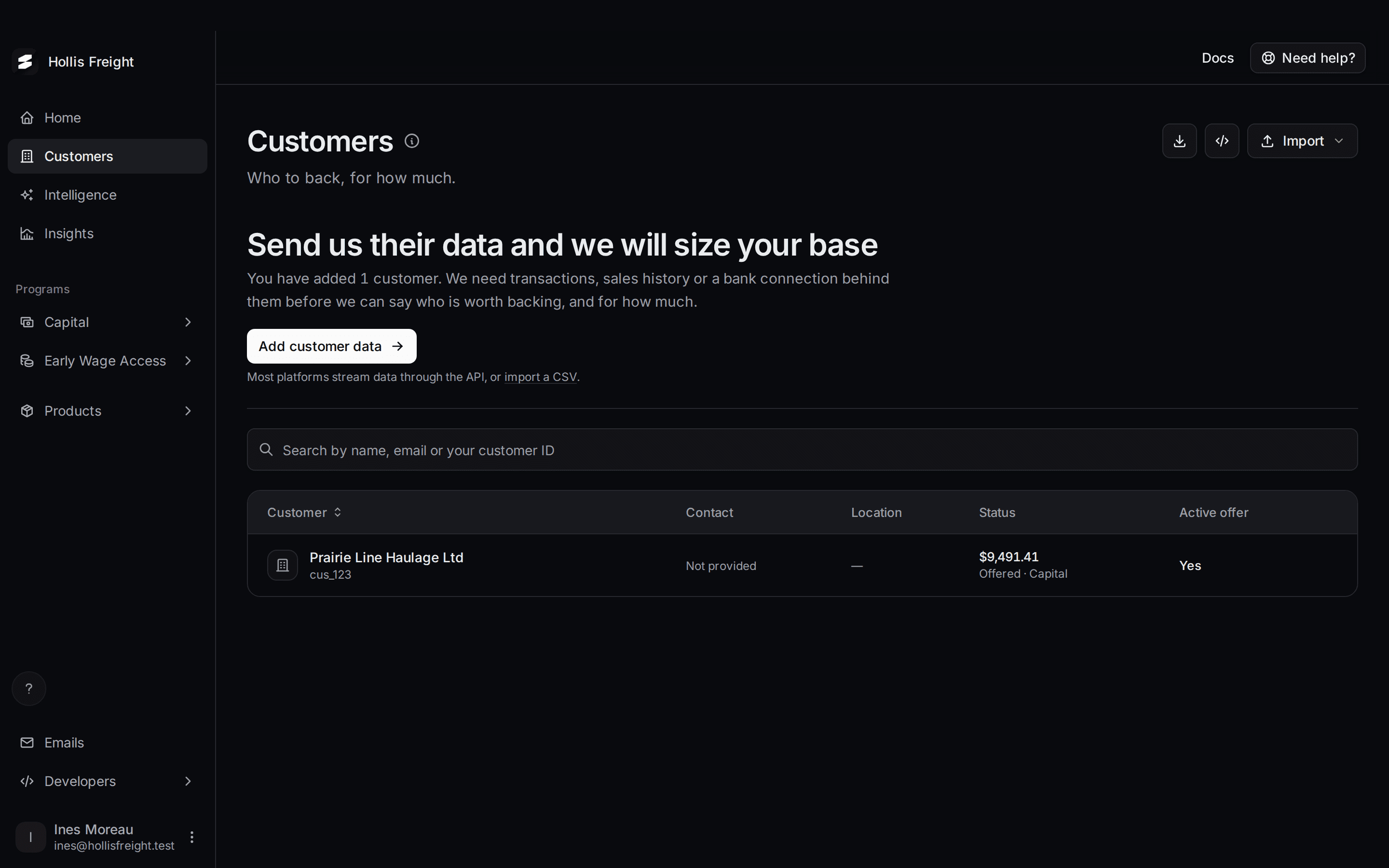
Slate gives you two separate dashboards. The sandbox is for building and testing. Live is for real customers and real money.
You always start in the sandbox. Slate turns on live access when you're ready.
What is the sandbox?
The sandbox is a practice copy of Slate. Nothing you do there touches real customers or real money. Test as much as you like.
- Anyone can create a sandbox account.
- You can add made-up customers and data.
- Offers appear automatically when you add financial data for a customer. You don't wait for Slate to review.
- Some buttons only exist here, so you can skip ahead. Examples are Use Example when you import a CSV, and Skip (Sandbox), Approve (Sandbox) and Mark as Disbursed (Sandbox) buttons.
What is live?
Live is your real program. Your real customers see real offers, and real financing is funded.
- You can't sign up for live. Slate creates your live access after you finish the setup checklist, sign the agreement and pass verification. See Go live.
- Anything you do in live is real.
How do I know which one I'm in?
In the sandbox, a bar runs across the top of every page.
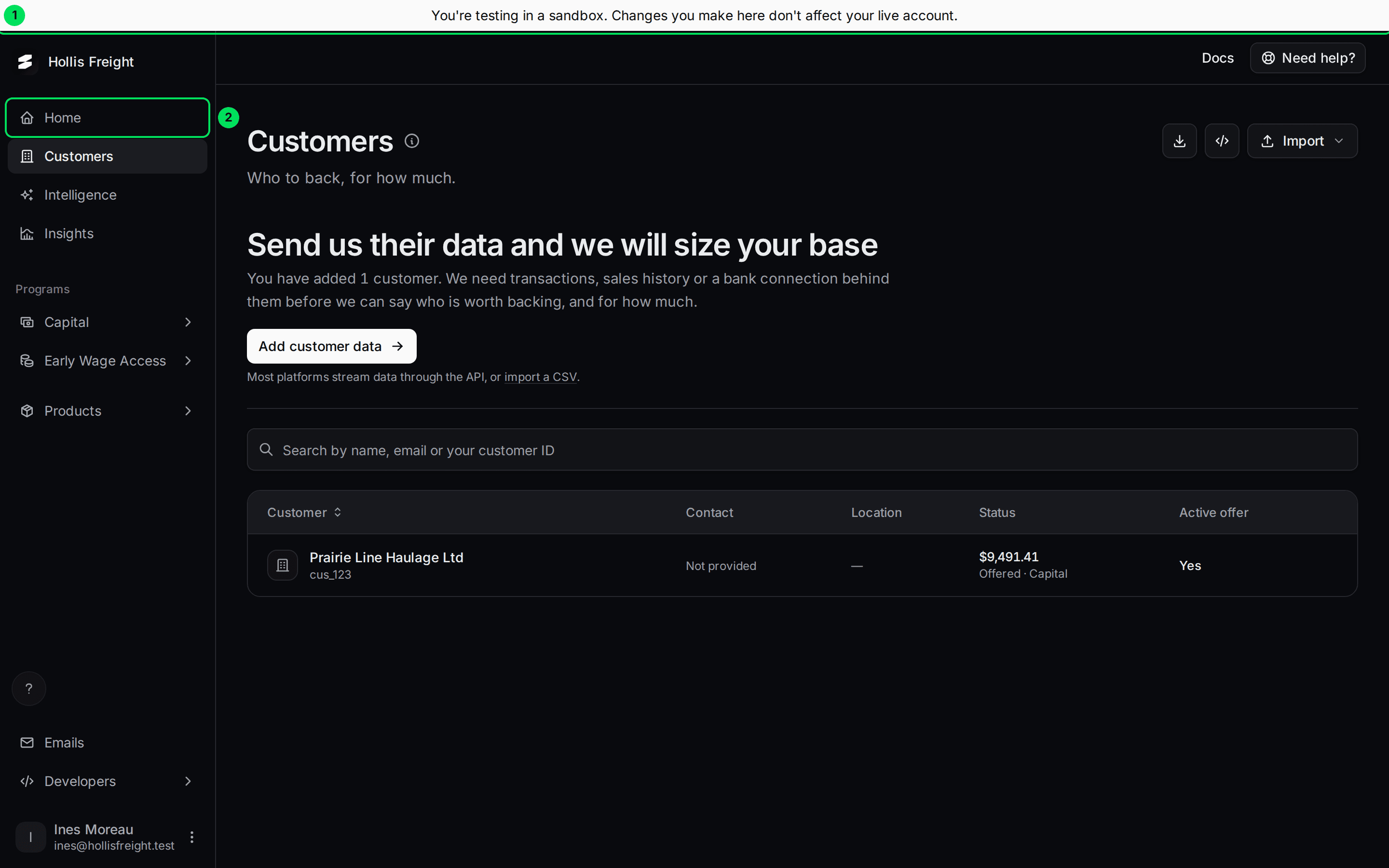
- You're testing in a sandbox. The bar says: "Changes you make here don't affect your live account."
- Home: the setup checklist. It only shows in the sandbox.
If you don't see the bar, you're in live.
What changes between sandbox and live?
The two dashboards use the same screens. These things are different:
- Data is separate. A customer, offer or application you make in one never appears in the other.
- API keys are separate. A sandbox key only works in the sandbox. A live key only works in live. Create keys in each one. See API keys.
- Webhooks, branding and email settings are separate. Set them up again in live.
- Teams are separate. Invite your teammates in each one. See Add your team.
- Addresses are different. The sandbox API is api-sandbox.tryslatehq.com. The live API is api.tryslatehq.com. When you embed Slate in your product, set
env="sandbox"orenv="live"to match. - Home is sandbox only. In live, Home is gone and the dashboard opens on Customers.
- Your own email domain is live only. In the sandbox, the Domain tab on Emails tells you to switch to live.
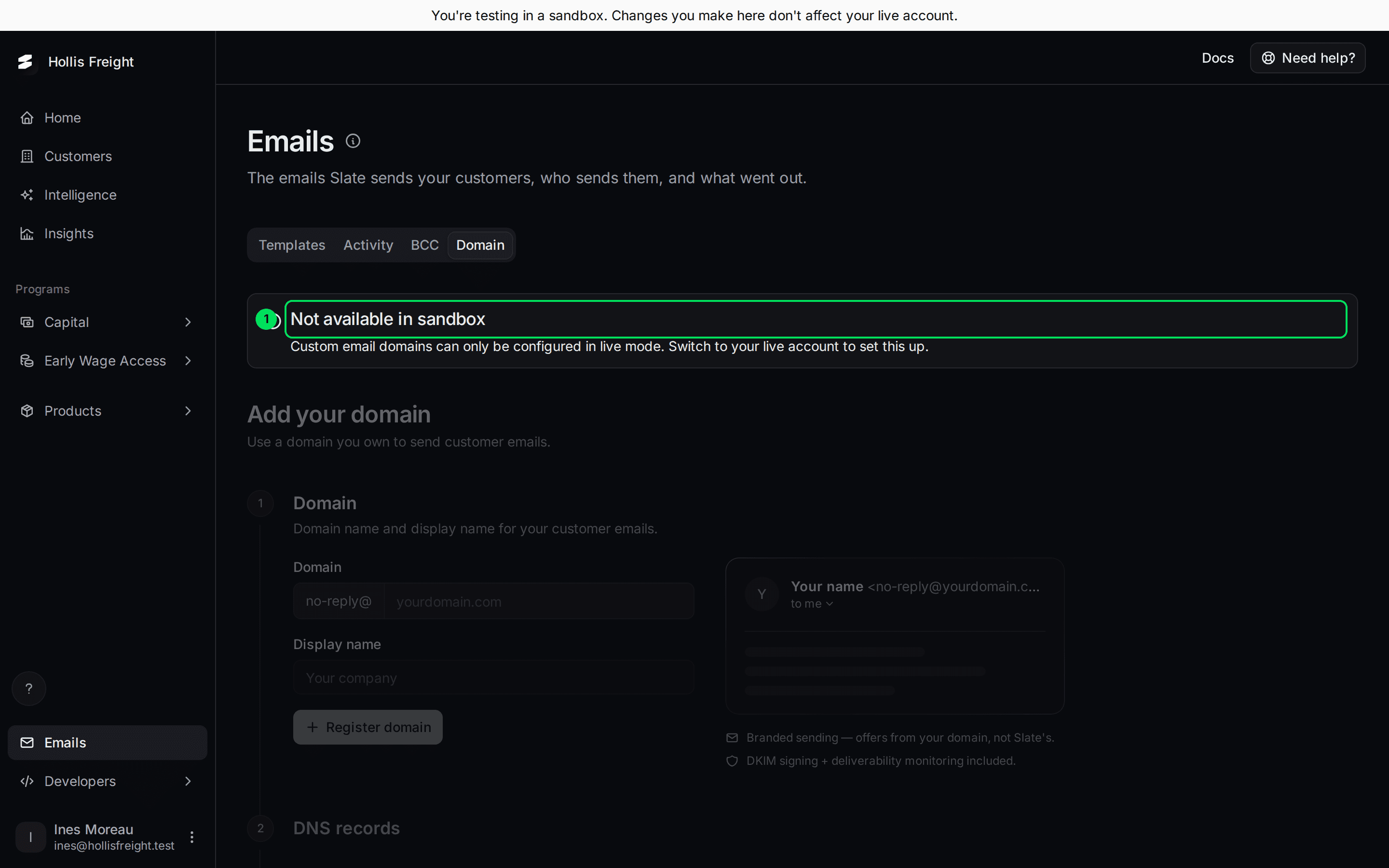
- Not available in sandbox: custom email domains can only be set up in live mode.
How do I switch between sandbox and live?
Open the account menu
Select your name at the bottom left.
Select Switch to Live Mode
In live, the same spot says Switch to Sandbox Mode.
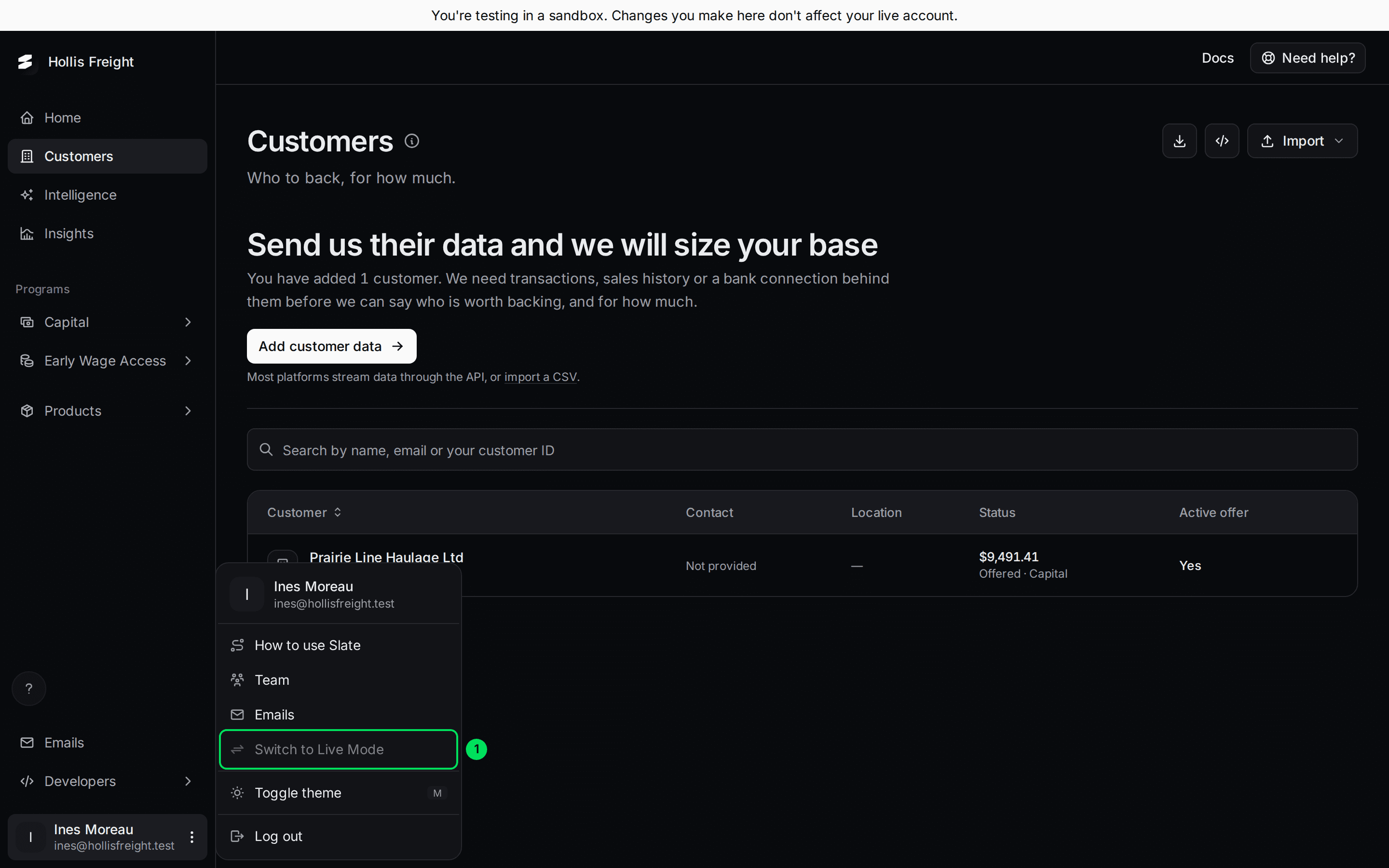
- Switch to Live Mode: greyed out here because this account doesn't have live access yet.
Sign in again if asked
Slate ends your current session and opens the other dashboard. You may need to sign in again.
Once you have live access, the item turns normal and you can select it.
If something goes wrong
Switch to Live Mode is greyed out
You don't have live access yet. Slate grants it by hand after you finish the checklist, sign the agreement and pass verification. See Go live.
The menu doesn't say why it's greyed out. If you've finished everything and it's still grey, ask Slate to check your access.
I made a customer in the sandbox and can't see it in live
That's expected. The two never share data. Create your real customers in live.
My API key doesn't work
Check that you're using the right key for the right dashboard. A sandbox key sent to the live API is rejected, and the other way around. Create a key in the dashboard you're calling. See API keys.
I can't sign up for live
Live accounts are created by Slate. Sign up in the sandbox first. See Create your account and sign in.
Learn more about the Slate platform.
Still stuck? Email [email protected] with your account email and the screen you are on. We reply within 24 business hours.